

One of the new mapping features included in iOS 8 and OS X Yosemite is Flyover city tours, which leverages the existing Flyover imagery to provide users with an automated aerial tour of landmarks in a given city. When the feature first appeared early in the iOS 8 beta testing process, only a handful of cities were supported, and while the number of available tours remains small, Apple has added several dozen more cities over time.

Apple currently documents 90 cities, parks, and landmarks where the standard Flyover feature is available. Of these 90 locations where users can view interactive 3D maps, 40 currently have the automated Flyover tours enabled under iOS 8 and OS X Yosemite.

As with the Flyover feature itself, the list of cities with Flyover tour support is an eclectic one, ranging from major cities such as London, Paris, and New York to smaller areas such as Cheyenne, Wyoming and Linköping, Sweden, home of the C3 Technologies, the company whose technology was leveraged for Flyover after Apple acquired it several years ago.
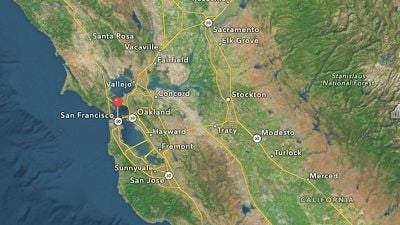
During the beta testing period for iOS 8 and OS X Yosemite, Apple has also tweaked the means of identifying locations with Flyover tours enabled, making them easier to find. Initially, cities with the feature available were identifiable only by the text of the city name being in yellow rather than the standard white in Hybrid view. Apple has since tweaked the display to instead identify Flyover tour cities with a small "3D" icon instead of the standard dot used to mark location.
iOS 8 had been expected to see a number of significant mapping improvements, but the service was all but ignored during Apple's overview of the upcoming operating system at its Worldwide Developer Conference in June. Apple's maps team has reportedly been suffering from issues related to internal politics and the departure of a number of key members. The issues appear to have slowed the team's progress, and thus larger mapping improvements originally slated for iOS 8 may instead be pushed back to a later update such as a future iOS 8.1.
Update 3:59 PM: Several of the landmarks with Flyover coverage such as Yosemite National Park do also have support for Flyover tours. The feature is somewhat hidden, however, as users simply panning over to the location must first tap on the landmark's icon and then choose "Flyover Tour" from page that pops up.
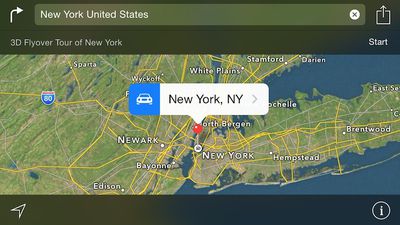
Apple is also drawing more attention to the Flyover tour feature with a banner that is displayed when a user specifically searches for a location with tour coverage.
(Thanks, Alec!)
















Top Rated Comments
More of the most useless feature of any map app ever.
I really don't like Google, but nothing beats Street View.
Maybe useless for you but for someone who like to know about this world geographically and can't travel everywhere, like me, this is the next best thing. Or even when I'm able to travel to places I like, this is crucial to know where things are so I can plan my trip much better
I used map for many things, not just getting direction.
I could think of a few things better than streetview.
...Until I used to to find small alleyway near an overpass which cut my walking distance by 15 mins. I would not have found it in streetview!
because streetview is really just a billion photos stitched together... mostly useless without extracting and extrapolating it into 3d models. flyover does this already. it is just a matter of providing a good ui.