

Evernote Offering Automatic Document Scanning With New 'Scannable' iOS App - MacRumorsOpen MenuShow RoundupsShow Forums menuVisit ForumsOpen Sidebar
Skip to Content

Evernote Offering Automatic Document Scanning With New 'Scannable' iOS App

by

Evernote today released a new iPhone and iPad app that adds scanning to its repertoire of available services. The new Evernote Scannable app debuted last year as a beta service and is now publicly available in the iOS App Store.

Similar to competing scanning apps, Evernote Scannable includes an automatic scanning feature that allows users to scan a document simply by launching the app. Upon launch, the app will locate the document in the camera's field of view, initiate the scan and sharpen the contents to improve image quality.
evernote-scannable
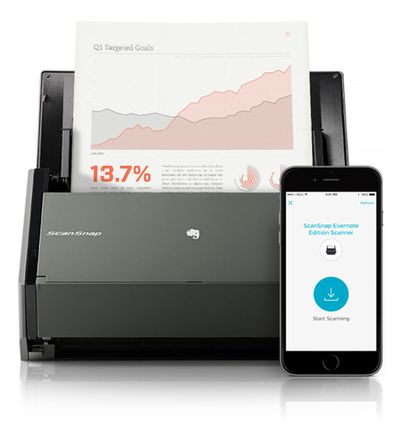
Once scanned, the document can be uploaded to Evernote in a format that makes it searchable. Alternatively, scans can be uploaded to iCloud or shared via AirDrop, text messaging or email. If the scanned document is a business card, the Evernote service will automatically associate the scanned information with the contact's LinkedIn account. The new Scannable app also will serve as a controller for the ScanSnap Evernote Edition Scanner.

Scannable moves paper forward. Scan contracts, receipts, business cards, and any paper that comes your way. Save or share documents instantly and move on.

Automatically capture high-quality scans anywhere
- Scan fast: Point your camera at documents, Post-it® Notes, or whiteboards. Scannable immediately captures them.
- Save time: Scannable automatically rotates, crops, and adjusts images so your scans are clear and easy to read.
- Share or save: Send documents to colleagues via email or text, or save them to Evernote and other apps.

The Evernote Scannable app is available for free from the iOS App Store. [Direct Link]

Top Rated Comments

Readdlemate Avatar
150 months ago
Another plus for Scanner Pro. Scanned my boss's notepad yesterday as asked and he was impressed at the clarity.
I've got a scansnap ix500 for the post now, and in fact I'm finally putting my trusty 3 year old Doxie on eBay this weekend as ScannerPro has taken over as my ad-hoc scanning solution.

My biggest use of the evernote app itself is taking photos rather than the doc photo - usually when we're in a shop and my kids say "I;d like that for a present" so it goes into the "wants" notebook. Makes Christmas & birthdays so much easier when asked by family what they would like!

Great use-cases! We are happy you enjoy Scanner Pro)

Our team is working on new update to Scanner Pro now. Stay tuned;)

Best regards,
Readdle team
Score: 3 Votes (Like | Disagree)
S.B.G Avatar
150 months ago
Why would someone need this if they already have Evernote which has document scanning built in already?

I dunno. But it was much faster to open, acquire, scan and upload to my Evernote account than it was to use the Evernote app to do the same.
Score: 2 Votes (Like | Disagree)
S.B.G Avatar
150 months ago
I just downloaded it and tried it. It worked really well, simple and fast.
Score: 2 Votes (Like | Disagree)
S.B.G Avatar
150 months ago
When you take the shot, it appears at the bottom as a gallery. If you click on it, it'll bring up a page and at the bottom it'll have the title you can click on and edit.

Excellent, thank you!
Score: 1 Votes (Like | Disagree)
predation Avatar
150 months ago
Genius scan + is all you need
Score: 1 Votes (Like | Disagree)

Popular Stories

iCloud iPhone 17 Pro

iPhone Users Who Pay for iCloud Storage Get Two New Perks on iOS 27

Thursday July 2, 2026 6:10 am PDT by
If you pay for certain iCloud+ storage plans beyond the 5GB that Apple offers for free, you will receive two more perks on iOS 27 at no additional cost. A summary of the two new iCloud+ perks on iOS 27:Increased daily usage limits for some new Apple Intelligence features, including image generation in the revamped Image Playground app. HomeKit Secure Video cameras receive generated video...
iPhone 4 on Black Feature

Apple Facing One of Its Worst Leaks Since the iPhone 4

Thursday July 2, 2026 9:53 am PDT by
Apple supplier Tata Electronics recently suffered a cyberattack that resulted in thousands of confidential files being published on the dark web, and this reportedly included some photos and documents related to the upcoming iPhone 18 Pro. We have elected not to share any of the leaked photos in this story due to the illegal nature in which they were obtained, but they can easily be found...
American Express Gold Apple Pay Feature

American Express Announces New Apple Pay Feature

Tuesday June 30, 2026 10:27 am PDT by
American Express today announced that you can now redeem Membership Rewards points when checking out with Apple Pay on the web and in apps on the iPhone and iPad. When checking out with Apple Pay on iOS 18 or iPadOS 18 or later, tap on your eligible American Express card (Platinum, Gold, Green, and others) and select the Membership Rewards points option. You can use points to cover all or...















