

Apple Music on Sonos Officially Launching Tomorrow - MacRumorsOpen MenuShow RoundupsShow Forums menuVisit ForumsOpen Sidebar
Skip to Content

Apple Music on Sonos Officially Launching Tomorrow

Sonos today announced that Apple Music will be officially available on Sonos wireless speakers starting tomorrow, ending a two month beta testing period. Sonos customers across the world will be able to stream Apple Music content and directly access Apple Music features including For You, Radio, and My Music.

Over the course of the beta test, which started on December 15, Apple Music on the Sonos platform was tested by hundreds of thousands of listeners. Apple's Eddy Cue commented on the beta test, calling it "great" and an "amazing listening experience."
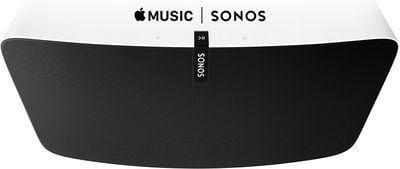
Apple-Music-Sonos

"The feedback from Apple Music members on Sonos during the beta period has been great," said Eddy Cue, Apple's senior vice president of Internet Software and Services. "Sonos plus Apple Music provides an amazing listening experience at home - and we're excited to offer it to all Sonos customers starting tomorrow."

Beginning Wednesday, February 10, streaming Apple Music on Sonos speakers can be done by selecting "Add Music Services" from a Sonos controller app, choosing the Apple Music icon, and logging into the service. An Apple Music subscription or free trial is required.

Apple Music on Sonos has been highly anticipated as it was noticeably absent from the system when Apple Music first launched on June 30. Sonos previously supported the direct streaming of Beats Music and promised to implement Apple Music support before the end of 2015.

Ahead of the announcement of official Apple Music support, Sonos conducted a study on the positive effects of music listening in the home using an Apple Music subscription paired with a Sonos sound system. The study found that families who regularly listened to music in the home spent 67 percent more time together and ate together more often, among other positive effects.

Popular Stories

iOS 26 Music Glass Feature

Apple Music Gains AutoMix Upgrades and More in iOS 27

Tuesday June 9, 2026 5:49 am PDT by
Apple yesterday detailed several updates coming to Apple Music in iOS 27, including redesigned artist and album pages, an upgraded AutoMix feature, and a suite of performance improvements. The most immediately visible change is a refreshed artist page, which now features a prominent shuffle play button, a new artist name display, and various other layout adjustments. Apple also says album...
Apple Says iOS 27 Adds These 12 New Features to Your iPhone Feature

Apple Says iOS 27 Adds These 12 New Features to Your iPhone

Tuesday June 9, 2026 9:47 am PDT by
iOS 27's key new feature is a more intelligent and personal version of Siri, but the changes go well beyond that. In a press release, Apple outlined additional enhancements coming across Apple Maps, Find My, Apple Wallet, Apple Music, and more. Apple Maps has gained an enhanced Flyover experience powered by AI, enabling you to view aerial imagery in "stunning detail" for select cities. In ...
Apple TV 2025 Thumb 2 Sans Text

tvOS 27: Apple Music Gains Hi-Res Lossless Audio on Apple TV 4K

Wednesday June 10, 2026 1:44 am PDT by
Apple Music is bringing Hi-Res Lossless Audio to tvOS 27, in addition to standard Lossless Audio. Apple says subscribers with compatible external speaker outputs will be able to enjoy their favorite songs in the highest audio quality and experience studio-quality sound directly through their Apple TV 4K. As of tvOS 26, Apple TV 4K supports Apple Music Lossless audio up to 24-bit/48 kHz,...

Top Rated Comments

136 months ago
Yet Apple can't be bothered to put it on the 3rd gen Apple TV.
No time ... all hands on deck, working on new watch bands.
Score: 19 Votes (Like | Disagree)
Junipr Avatar
136 months ago
"YESSS!! I've been waiting for this" - No one
Score: 9 Votes (Like | Disagree)
136 months ago
I don't understand why you wouldn't just connect by Bluetooth with iPHone and launch the Apple Music app.
Score: 8 Votes (Like | Disagree)
HobeSoundDarryl Avatar
136 months ago
I don't understand why you wouldn't just connect by Bluetooth with iPHone and launch the Apple Music app.
Even if that could work, not every buyer is single living alone. iPhones are highly mobile devices. If we rely on them for something like this or as THE remote for :apple:TV or as THE game controller or as THE __________ and the iPhone owner takes it out with them- as they are inclined to do probably every single day- those left behind could NOT listen to music or watch :apple:TV or play the game or run the _________. Companies make products to work for situations other than "single living alone" and they also don't assume that every single person has an iPhone. And that's good... because there's an awful lot of families and other non-single cohabitants that appreciate stuff that can "just work" without dependency on very mobile devices that often are NOT at home.
Score: 7 Votes (Like | Disagree)
Nunyabinez Avatar
136 months ago

Ahead of the announcement of official Apple Music support, Sonos conducted a study ('http://sonos.tumblr.com/tagged/themes') on the positive effects of music listening in the home using an Apple Music subscription paired with a Sonos sound system. The study found that families who regularly listened to music in the home spent 67 percent more time together and ate together more often, among other positive effects.

Three words: Correlation Versus Causation. I find it highly unlikely that listening to Apple music makes you spend more time together. So yes, people who listen on Sonos spend more time together but it is not a "positive effect" of doing so.
Score: 3 Votes (Like | Disagree)
dumastudetto Avatar
136 months ago
Been on the beta and had very few issues. The only issue I had at the start of the beta was the radio stations would stop playing and you'd have to close the sonos app and restart to get them working again.

How do we get off the beta to the public release?
Here are my steps:

1. Remove Apple Music from the list of services from the Mac Sonos app. Probably unnecessary but I want to start from scratch with my library later when it officially launches.

2. From the Mac Sonos app: Preferences > Advanced > Improve Sonos tab. Choose Beta program and then Leave Beta Program.

3. Download the current stable version of the Sonos Mac app from the Sonos website. (http://www.sonos.com/redir/controller_software_mac)

4. Install the stable version of the Mac app you just downloaded.

5. Launch Sonos app and then check for updates.

6. Install the updates it finds to restore your entire Sonos system to the current stable version.

Now I'm just waiting for the non-beta software to be made available. :)
Score: 2 Votes (Like | Disagree)












