

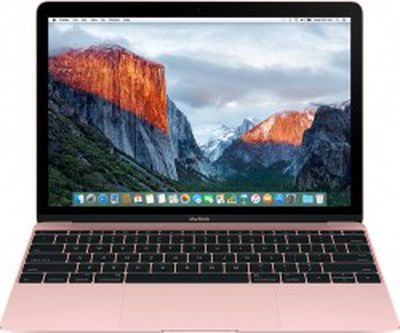
 At WWDC 2016 next week, Apple will unveil the next major versions of iOS and OS X. Based on Apple's historic naming pattern, the operating systems are presumptively referred to as iOS 10 and OS X 10.12. However, there is evidence to suggest that Apple may instead rebrand OS X as macOS, in line with iOS, tvOS, and watchOS.
Ahead of the keynote, MacRumors readers have been sharing their iOS 10 and OS X 10.12 wishlists in our discussion forums. For OS X 10.12, some of the most popular feature requests include Siri integration, remote unlocking, Safari picture-in-picture capabilities, expanded Continuity and Handoff features, Mission Control and Notification Center improvements, a system-wide Dark Mode, and more.
Siri
Siri debuted in beta on the iPhone 4s in late 2011, and it has since expanded to iPad, iPod touch and, in a more restricted form, Apple Watch and Apple TV. Since then, Mac users have hoped that Apple will bring the virtual assistant to OS X, and the latest rumors suggest that may finally happen this year.
"This one is heavily rumoured for this year, and not without good reason," writes MacRumors reader Joseph H. "It's madness the personal assistant is not on Mac yet. There are tons of useful queries we could ask the assistant which could range from searching to launching and quitting apps to simply restarting the machine."

We previously reported that Siri will have a menu bar icon on OS X 10.12, positioned next to the Notification Center toggle, along with a colorful dock icon. When either is clicked, a waveform will pop up to give users a visual cue that the virtual assistant is listening for commands, akin to holding down the Home button on iOS devices.
When a supported Mac is connected to a power source, users will be able to make hands-free "Hey Siri" voice commands, just like on the latest iPhones and iPads. OS X users will also be able to set a keyboard shortcut to activate Siri and configure other settings through System Preferences.
Many users also hope that Siri on Mac will have an option to provide feedback.
Remote Unlocking
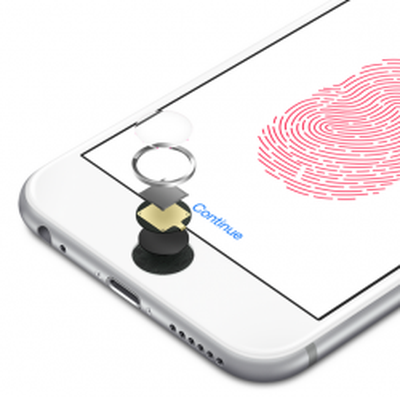 A common item among OS X wishlists is the ability to unlock a Mac without typing a password, such as with Touch ID, facial recognition, or a trackpad pattern, and the functionality could be introduced as early as this year.
KGI Securities analyst Ming-Chi Kuo recently said that Apple's next-generation MacBook Pro will feature Touch ID, but he did not specify if the fingerprint reader will be integrated into the notebook as a hardware feature.
We previously reported that Apple is working on an auto unlock function that would allow an iPhone, and possibly Apple Watch, to unlock a Mac when in close proximity, alleviating the need to enter a password on a password-protected Mac.
The feature, which uses Bluetooth LE frameworks, would likely work hand-in-hand with rumored Apple Pay support for web browsers. Remote unlocking could be introduced as part of OS X 10.12, but there is a chance that the function could be shelved until a later date if internal development is not completed in time.
Other
- System-wide Dark Mode: Apple introduced Dark Mode on OS X Yosemite in 2014, but when enabled it only darkens the OS X menu bar and Dock. A true system-wide Dark Mode would extend to windowed apps like Finder and Safari and all other elements of the operating system.
- Night Shift: Introduced on iOS 9.3, Night Shift is a feature that cuts down on the amount of blue light an iPhone or iPad is putting out during the evening hours by automatically shifting towards the warmer (yellower) colors in the spectrum. F.lux has provided similar functionality on Mac for several years, but many users are hopeful that Apple will introduce Night Shift as a stock OS X feature.
- Time Machine backups to iCloud: The application is currently only able to create physical backups of files.
- Dock: Right-click options for "New Window" and "New Private Window" even when Safari is closed. Ability to chose default behavior in System Preferences > Dock for folder clicks in Stacks, when using Grid and List view: to open the folder in Stacks or to go directly to Finder.
- Finder: A sorting option to have folders pinned to the top of file lists. Ability to view total size of multiple selected folders in "Get Info" menu.
- Notification Center: Display a notification badge in menu bar when new notifications are available. For example: Notifications (3). Set default Notification Center pane in System Preferences > Notifications.
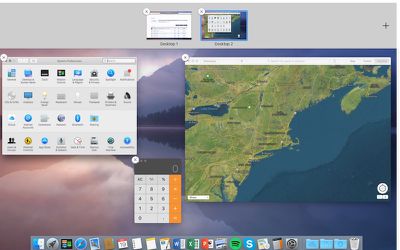
- Mission Control: Close windows. View minimized windows. Switch to the Desktop by clicking on it in the background. Hide Safari's Private Window contents.
- Continuity and Handoff: Transfer calls from iPhone to Mac.
- Window management: Change the green button to resize the window to the largest possible size with the Dock and Menu Bar visible. A separate button for full-screen view. Automatic window snapping. Native HyperDock functionality.
- Splitting up iTunes: Individual apps for Music, Videos, Podcasts, Books, and Sync.
- More stock apps: Apple News, Health, Phone, and Weather.
- Multi-display Dock: Make the Dock visible on all desktops for users with multiple displays.
- Text size options: A slider function to increase or decrease text sizing in apps such as Contacts and Mail.
- Systemwide support for more languages: Latvian, Lithuanian, Estonian, and others
- Native Caffeine functionality
- Front Row app replacement
- Expanded codec support for QuickTime
Read more about the features people are hoping for in OS X in the dedicated OS X 10.12 wishlist thread on the forums.
The new version of OS X or macOS will be unveiled alongside iOS 10, and possibly new tvOS and watchOS versions, on Monday, June 13 at Apple's Worldwide Developers Conference keynote. The event is set to kick off at 10:00 a.m. Pacific Time.















































Top Rated Comments
* H.265 in QuickTime/iTunes.
* Bringing back a plethora of features (like "Save as..." over Duplicate!)
* Bring back old "Get info" in iTunes. Also, don't nest the media kind picker... WTF. One extra click for what? My screen is 27", no need to nest that!
* Fix Samba........
* Let me disable keyboard/mouse battery warnings ffs...
* Overall: give me more granular control over notifications. On iOS too. e.g.: I'd love to BAN and mark as SPAM notifications with a certain wording. No, not all Facebook notifications are bad, but by God I swear they are some of the worst spammers out there. The "no advertisements" rule also isn't enforced. So if Apple don't police it, let me do it. I can do it with my emails, why not put me in the driver's seat with notifications? Makes no sense.
* Siri would be nice sure, but it's nothing I dearly need. It's certainly not going to wow me, so you better have enough stuff bundled up if you want to surprise me like in the old days.
* Feature parity with iOS where you can reasonable expect it. (and vice versa) Seriously, this year-long wait of features finally being on both platforms is tiring. Thought the whole point of all-Apple is the great vertical integration? What gives?
* If you still insist on selling Macs with HDDs (and also obviously support new OSes on older machines) you should really alter how OS X works on devices equipped with the scrub you put into them: kicking off Time Machine backups AND Spotlight re-indexing all at once WHILST login items are still loading? Sweet Jesus, it doesn't take a software engineer to figure out how this cannot possibly be a good idea. On an SSD sure, it will hardly matter, especially with great IOPS performance, but come on... Basic thinking! (then again I feel the desire to up-sell people into SSDs is strong, as you can use that infuriating experience as a great pitch!)
etc...
Oh hell yeah!
There's many more situations where focus will be stolen, but I wholeheartedly agree.
Especially when typing, or at least then, OS X should detect that you're trying to get stuff done and not bother you in such a way.
Glassed Silver:mac
[doublepost=1465587833][/doublepost]THIS ^^^^^^^^^^^^^^^^^^^^^^^^^^^^^^^^^OMG FFS Give me 3 minutes to open my app to start reading something and then index away in the background!
2. Using one iTunes library in different user accounts is practically impossible. Although I've assigned the same iTunes folder to all My accounts (save for the Guest account, obviously) I have to log out of My user account, log in to girlfriend's in order to update the iTunes apps (we have the same App Store / iTunes account to buy apps). Then log out of hers and log in to Mine to update the Mac App Store.
Repairing permissions, altering them through Command-I in Finder - nothing helps, really. Needs to be fixed! A clean install may or may not resolve the issue, but I've not sufficient external storage to back up 1.5Gb data right now, so I can start with a clean install; that will have to wait.
3. App Store is slow as hell, particularly if you have many apps purchased or installed.
4. Often, App Store will get stuck halfway through an app update process without finalising it. Especially, if there's more than a couple of apps to update.
4. Updating iTunes apps is a chore, too. Updating more than 120 apps in one go doesn't really work.
5. Updating apps in iTunes (as well as in Mac App Store) gives errors almost as often as it doesn't. Forces Me to update apps one by one, manually - which is ridiculous, but often that, too, doesn't work.
6. Optimise OS X 10.12 (or equivalent) for older hardware.
7. I wish, there was a comprehensive hardware diagnostics (and file system repair, superior to Disk Utility) utility included with OS X.
8. I'd like Apple to re-enable the use of a remote on compatible Macs.
9. Add a plethora of useful features…