

Popular music app Capo 3 received a major update today, adding Touch Bar support for the 2016 MacBook Pro and other new features that are designed to improve the overall user experience.
For those unfamiliar with Capo 3, it is a music app that can detect the chords in any song, allowing users to isolate specific sounds and vocals to play along with.
On 2016 MacBook Pro models, the Touch Bar can be used to scrub through songs and quickly access playback controls like volume, pause, and more. A waveform scrubber displays the waveform of the song and the locations of regions that have been added by the user.
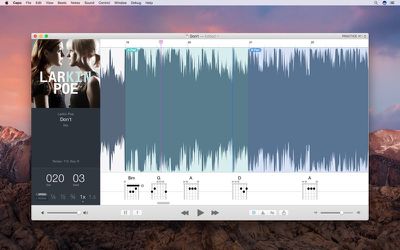
"The Touch Bar support in Capo 3.5 was fun to build, but it's even more fun to use," says Chris Liscio, SuperMegaUltraGroovy founder and chief developer. "It's great to jump instantly to a point in the song, and if you have regions placed then you can identify them in the waveform overview by color. It's also helpful to have the audible feedback while scrubbing, so you can hear whether you're in the right spot."
Along with Touch Bar support, there's a new Song Views option, which allows users to choose between a new Practice view and a Tabbing view with the Spectrogram display. New view customization options are available, allowing the tablature display and automatically detected chords to be disabled.
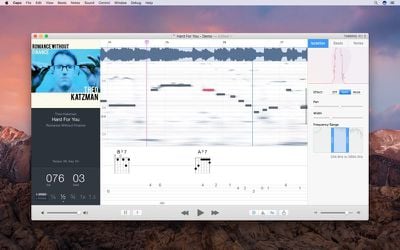
Transcription Playhead, a new playback mode that makes it easier to listen to individual notes has been added, and there's an improved scrubbing feature, also for better identifying individual notes.
"I spent a week in the summer prototyping a new effect that would allow users to 'freeze time' so that they could hold a note still to help identify it by ear. I attached it to Capo's scrubbing feature--just to see whether it worked--and I couldn't stop playing with it. Since then, I've used it to pick apart some truly difficult solos in the Tabbing view faster than ever before."
Capo can be downloaded from the Mac App Store for $29.99 through the holidays. A free trial is also available from the Capo website. [Direct Link]




















Top Rated Comments
First off, definitely download and use the demo. There's a lot more to Capo than just "detecting the chords"—that's just one of very many features of the product.
We have often referred to Capo as a tool for "Reverse Engineering Rock 'n' Roll" because that succinctly captures the depth of functionality that we offer. If you want to *really* dig in and figure out what notes are being sounded in the song, Capo will help you drill down and do just that. But it also gives you a high-level "guess" of the chords, or just acts as a powerful song-slowing and transposition tool.
Here's a quick look at the tabbing feature, for example:
[MEDIA=vimeo]195679954[/MEDIA]
Once you have a sense of *what* to play in a given song, then Capo gives you the tools to practice along with the recording so you can develop your skills on the instrument.
We have users ranging from "casual duffers" like yourself all the way up to Grammy-winning musicians: http://capoapp.com/testimonials. It's a useful tool for users at any level, and it will continue to pay you back as you use it more and more.