

Apple Seeds Second Beta of tvOS 10.2 to Developers - MacRumorsOpen MenuShow RoundupsShow Forums menuVisit ForumsOpen Sidebar
Skip to Content

Apple Seeds Second Beta of tvOS 10.2 to Developers

Apple today seeded the second beta of an upcoming tvOS 10.2 update to developers for testing purposes, two weeks after seeding the first tvOS 10.2 update and more than two weeks after releasing tvOS 10.1.1, the current release version of tvOS.

Designed for the fourth-generation Apple TV, the second tvOS 10.2 beta can be obtained by connecting the Apple TV to a computer with a USB-C to USB-A cable, downloading and installing the software from a registered developer account via iTunes or Apple Configurator. Once a profile is installed, subsequent betas can be downloaded over the air.

Given the tricky installation requirements, tvOS betas are limited to developers and will not be provided to the public.
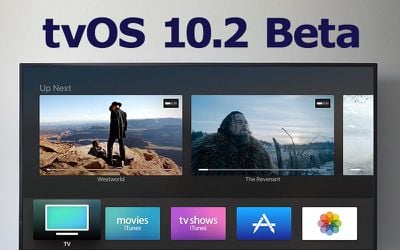
tvos-10-2-beta
According to Apple's release notes, tvOS 10.2 introduces improved scrolling behavior, allowing tvOS users to scroll through large lists of information more quickly. A large swipe on the Siri remote automatically activates the new scrolling mode, and a swipe on the far right side of the remote allows users to navigate specific indexes.

It's likely there are other small feature tweaks and bug fixes included in tvOS 10.2, even though additional changes have not been specifically outlined by Apple. We'll update this post should any new content be found in the second tvOS 10.2 beta.


Related Roundup: Apple TV
Buyer's Guide: Apple TV (Don't Buy)

Popular Stories

General visionOS watchOS and tvOS Betas Feature Redux

Apple Releases Third watchOS 26.6, tvOS 26.6 and visionOS 26.6 Betas

Monday June 29, 2026 10:08 am PDT by
Apple today provided developers with the third betas of upcoming watchOS 26.6, tvOS 26.6, and visionOS 26.6 betas for testing purposes. The software comes two weeks after Apple seeded the second betas. The software updates are available through the Settings app on each device, and because these are developer betas, a free developer account is required. There's no word on what's in the...
Apple TV 2025 Thumb 2 Sans Text

iOS 27 Lets You Update Your Apple TV Using Your iPhone

Tuesday June 23, 2026 9:09 am PDT by
If the idea of digging out your Siri Remote to install a tvOS update on your Apple TV sounds like too much effort, Apple's upcoming iOS 27 software will have a new feature you'll surely welcome. Based on the latest iOS 27 beta 2, you can push Apple TV software updates straight from your iPhone, and you don't even need to turn the Apple TV on first. Apple's set-top box now appears in the...
Chase Sapphire Reserve Apple Perk Feature

Chase Sapphire Credit Cards Offering New Apple TV and Apple One Perks

Wednesday June 24, 2026 7:00 am PDT by
Chase recently introduced new Apple TV and Apple One perks for its Sapphire Preferred and Sapphire Reserve credit cards in the United States. Sapphire Preferred cardholders ($95 annual fee) are now eligible to receive a complimentary one-year Apple TV streaming subscription, or a $7.50/month discount on an active Apple One subscription for 12 months instead. Sapphire Reserve cardholders...

Top Rated Comments

123 months ago
I really don't like that in that latest release, they changed the TV button functionality on the remote to go to the TV app instead of the home screen. Let us have control over this, please!
You can change it in Settings.
[doublepost=1486417724][/doublepost]
Any chance background app refresh will make it onto tvOS?
This is overdue & needed.
Score: 2 Votes (Like | Disagree)
cbass90 Avatar
123 months ago
Home(Kit) app for tvOS. Please & thank you.
Score: 1 Votes (Like | Disagree)
BeefCake 15 Avatar
123 months ago
Any chance background app refresh will make it onto tvOS?
Score: 1 Votes (Like | Disagree)
d21mike Avatar
123 months ago
This second beta solved a problem I was having with HBO Go created in beta 1. I was unable to navigate the menu bar which goes from top to bottom on the left side of the screen. Works now as normal.
Score: 1 Votes (Like | Disagree)













