Apple Releases tvOS 10.2 With Improved Scrolling
Apple today released tvOS 10.2, marking the second major update to the tvOS operating system that was released in September of 2016. tvOS 10.2 has been in testing since January 24, with Apple having seeded six betas to developers before releasing the software to the public.
The tvOS 10.2 update can be downloaded on the fourth-generation Apple TV using the Settings app. Go to System --> Software Update to install. For those who have automatic software updates turned on, the Apple TV will be upgraded to tvOS 10.2 automatically.
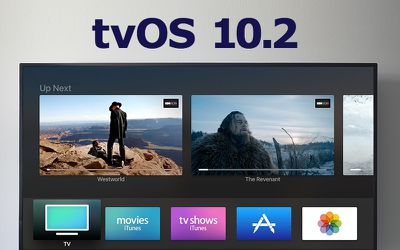
According to Apple's beta release notes, tvOS 10.2 introduces improved scrolling behavior, allowing tvOS users to scroll through large lists of information more quickly. A longer swipe on the Siri remote activates the new scrolling mode, and a swipe on the right side of the remote allows users to navigate specific indexes.
While Apple's release information only focused on the new scrolling mode, the update also likely includes other small feature tweaks under-the-hood bug fixes and performance improvements.
Popular Stories
Apple today announced a new subscription initiative that turns paid iCloud+ subscriptions into a broader services bundle in more than 100 countries.
In select countries, Apple says every paid iCloud+ plan, including the cheapest 50GB tier, now includes Apple TV and Apple Arcade "at no additional cost," while family sharing extends the storage, TV and Arcade access to up to five people....
The next Apple TV 4K will be equipped with an A19 or A19 Pro chip, according to evidence in Apple's code uncovered by MacRumors contributor Aaron Perris. In particular, the device's model identifier points towards the A19 generation of chips.
Accordingly, the next Apple TV would have 8GB or 12GB of RAM, up from 4GB in the current 2022 model with the A15 Bionic chip. Other rumored upgrades for...
Apple today released the sixth public betas of iOS 27, iPadOS 27, tvOS 27, and macOS Golden Gate, allowing anyone with a compatible device to download and test the new software. The sixth betas come a week after Apple seeded the fifth betas and a few hours after the eighth developer betas.
You can get started by signing up on Apple's beta website and then opting in to the public beta by...






















