Apple Says Apple Watch Series 3 Lasts Up to 7 Hours When Streaming Apple Music Over LTE
Following yesterday's release of watchOS 4.1, which enables Apple Music and Beats 1 streaming over LTE on cellular-enabled Apple Watch Series 3 models, Apple has outlined how much impact the functionality has on battery life.
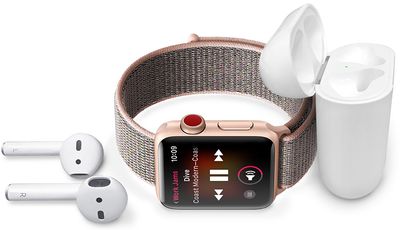
While all Apple Watch Series 3 models are rated for up to 10 hours of battery life when playing music from the watch's built-in storage, Apple says the device gets up to seven hours of battery life when streaming Apple Music with LTE.
Apple also says the Apple Watch Series 3 has up to five hours of battery life when streaming live radio with LTE. watchOS 4.1 features a new Radio app with access to Beats 1 and other Apple Music radio stations.
For outdoor sessions with the Workout app, the Apple Watch Series 3 is rated for up to three hours of battery life with streaming audio, GPS, and LTE. That's one hour less than an outdoor workout without streaming audio.
Apple says battery life varies by use, configuration, cellular network, signal strength, streaming quality settings, and many other factors.
Popular Stories
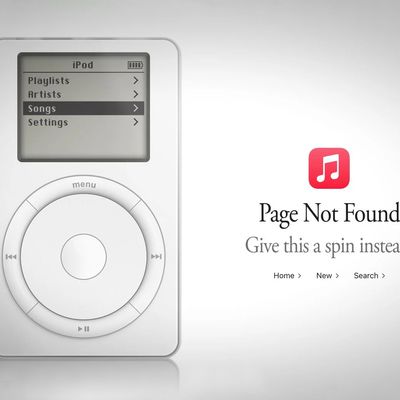
Apple Music has a 404 page easter egg on the web: a functional iPod that appears when you load a page that does not exist, such as music.apple.com/macrumors.
"Page Not Found," says Apple. "Give this a spin instead."
Apple is clever with this. If you navigate to music.apple.com/ipod instead, the page says "Looking for something?" instead of "Page Not Found."
The easter egg is only...
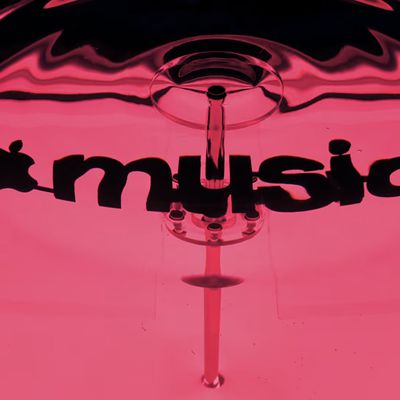
Following the introduction of a new Apple Music logo and app icon earlier this month, Apple today officially introduced Apple Music's new brand identity.
In a YouTube video shared today, Apple said the new Apple Music visuals were "made by sound." More specifically, Apple said it played a sound through a container of water, resulting in the liquid moving at the frequency of the notes. Apple...
Apple has published a support document describing what to do if your Apple Watch continues to show time that's off by one hour after daylight savings time changes. "This incorrect time appears only on the Always On display when your wrist is down," says Apple. "When you activate the display by tapping it or raising your wrist, the time changes to the correct hour."
To fix the issue, Apple says ...