PSA: There's No iOS 11.2 Beta for iPhone X, so Beta Testers Can't Restore From Backup [Updated] - MacRumorsOpen MenuShow RoundupsShow Forums menuVisit ForumsOpen Sidebar
Skip to Content

PSA: There's No iOS 11.2 Beta for iPhone X, so Beta Testers Can't Restore From Backup [Updated]

Developers and public beta testers who installed the iOS 11.2 beta on their devices earlier this week will be disappointed to learn that there's no iOS 11.2 beta for the iPhone X as of yet, and therefore no way to restore from an existing iOS 11.2 backup on a new iPhone X.

If you're running iOS 11.2 on your existing iPhone and create an iCloud backup, that backup is not going to be compatible with the iPhone X.
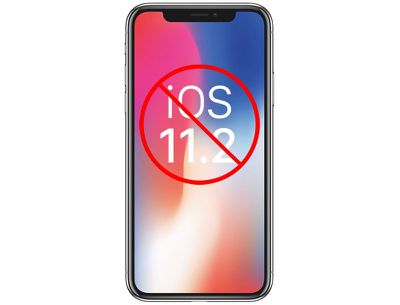
iphonexios112
New iPhone X owners who want to restore from a backup will need to wait for Apple to release a version of iOS 11.2 for the iPhone X or downgrade back down to iOS 11.1.

It's not entirely clear when Apple plans to release a beta of iOS 11.2 for the iPhone X.

It could happen today now that the iPhone X is out in the wild and there are customers who can't restore, but Apple could also choose to wait until it's time for the second beta to be released, which means public beta testers and developers will be left over the weekend without a restore option.

The other alternative to restoring is to set a device up as new, but that requires re-downloading all apps and re-entering a lot of information, which is a time consuming process.

Out of the box, iPhone X models appear to have iOS 11.0.1 installed, so the iOS 11.1 update will need to be installed over-the-air or via iTunes after opening it up. When restoring from an iOS 11.1 backup onto an iPhone X, it appears the iOS 11.1 update will be installed on the device automatically.

Update: Apple has released a new beta of iOS 11.2 for the iPhone X.

Related Forum: iPhone

Popular Stories

iOS 27 Next to iPhone

Here's When iOS 27 Rolls Out Today in Every Time Zone [Update: It's Out]

Sunday September 13, 2026 3:00 am PDT by
Update 10:04 a.m.: iOS 27 is rolling out now, though it may take a bit for all users to see it, so keep checking! Apple is about to release iOS 27, which will finally deliver more advanced Siri AI capabilities as well as a variety of other refinements, improvements, and new features to iPhones. It's Apple's biggest software update of the year, and Apple announced at Wednesday's iPhone event...
iOS 27 Icon iPhone

iOS 27 Available Now With These 8 New Features

Monday September 14, 2026 9:00 am PDT by
Update — 10 a.m. Pacific Time: Apple has released iOS 27. During its iPhone 18 Pro and iPhone Duo event last week, Apple announced that iOS 27 will be released widely on Monday, September 14. iOS 27 should be available around 10 a.m. Pacific Time / 1 p.m. Eastern Time today via the Settings app, under General → Software Update. Below, we have highlighted eight new features and...
Apple iCloud Plus expansion hero

iCloud+ Now Includes Apple TV, Apple Arcade, and Curated Apple Music Stations in Over 100 Countries

Tuesday September 15, 2026 1:43 am PDT by
Apple today announced a new subscription initiative that turns paid iCloud+ subscriptions into a broader services bundle in more than 100 countries. In select countries, Apple says every paid iCloud+ plan, including the cheapest 50GB tier, now includes Apple TV and Apple Arcade "at no additional cost," while family sharing extends the storage, TV and Arcade access to up to five people....

Top Rated Comments

mitchfin Avatar
116 months ago
I just successfully downgraded to 11.1 from 11.2 by connecting to iTunes and manually selecting the 11.1 ISPW with option + click on check for updates, didn't lose any data. Now can reback up for my new iPhone. Took 2 minutes
Score: 4 Votes (Like | Disagree)
dumastudetto Avatar
116 months ago
Yes, I'm very surprised Apple didn't release an external iOS beta for a phone nobody had received yet.
Score: 4 Votes (Like | Disagree)
whyamihere Avatar
116 months ago
When restoring from an iOS 11.1 backup onto an iPhone X, it appears the iOS 11.1 update will be installed on the device automatically.
Not for me. Restored from an encrypted backup in iTunes (not iCloud) and I first had to set up the X as new, then update to 11.1, then I was able to restore.
Score: 4 Votes (Like | Disagree)
vdgroodt Avatar
116 months ago
Honestly, i was already planning for a fresh instal. Never hurts for the storage nor performance + it has never been so easy with pictures, music and all the rest being sincronised via iCloud..
Score: 4 Votes (Like | Disagree)
Return Zero Avatar
116 months ago
I must say I was surprised that the X had 11.0.x out of the box and not 11.1. However, they did make a nice change that allows for software updates as part of the setup/restoration process, so I didn't have to set up manually, then update, then wipe, then setup again. All in all this is becoming a much more seamless process with each year. Transferring the Apple Watch to the new phone was especially easy this time.
Score: 4 Votes (Like | Disagree)
jaw3net Avatar
116 months ago
Come some one walk us through how to download and install OS11.1 ? Where do I find the info ?
You can download the iOS 11.1 IPSW at https://ipsw.me/. Once you have it downloaded, connect your current phone to your computer. Open itunes, select your iphone in itunes. Hold the option key on your keyboard while clicking "check for update". Select the 11.1 ipsw you downloaded and it will install. Nothing will be lost on your phone.

Once it's installed, make sure everything is as it should be. Then perform an icloud backup. You will likely receive an error message stating that the icloud backup can't be completed because icloud has a newer backup. Go to Settings > tap your name > icloud > manage storage > backup > choose your iphone > delete backup. That will delete the 11.2 beta backup that is in icloud. Then go back to perform a full 11.1 icloud backup which you can then restore from on your iphone x.
Score: 3 Votes (Like | Disagree)