

Apple Working on Fix for Bug Causing iPhone X Display to Become Temporarily Unresponsive in Cold Weather - MacRumorsOpen MenuShow RoundupsShow Forums menuVisit ForumsOpen Sidebar
Skip to Content

Apple Working on Fix for Bug Causing iPhone X Display to Become Temporarily Unresponsive in Cold Weather

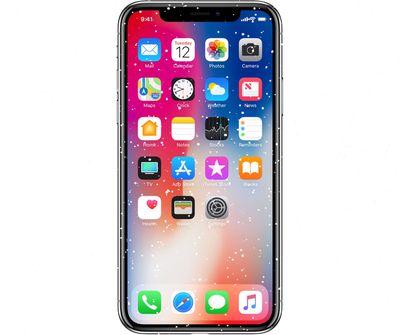
Over the course of the last week, there have been a growing number of complaints from users who have discovered that the display of the iPhone X becomes unresponsive in the cold.

Users on both reddit and the MacRumors forums have noticed that their iPhones immediately refuse to recognize some touch input when exposed to cool outdoor temperatures. As it turns out, there is a software bug causing the issue, which Apple says will be addressed in an upcoming update. From a statement to The Loop:
snowyiphonex2

"We are aware of instances where the iPhone X screen will become temporarily unresponsive to touch after a rapid change to a cold environment. After several seconds the screen will become fully responsive again. This will be addressed in an upcoming software update."

Apple says its iOS devices operate best between temperatures of 0º and 35º C (32º to 95º F), but some of the people who are experiencing issues have seen display problems within these temperature parameters. Reddit user darus214, for example, had his iPhone X act up when it was 45 to 50ºF outside.

I've noticed that my iPhone X screen becomes very unresponsive as soon as I step outside. It literally takes 2 seconds from going inside to the cold outdoors and my screen stops being very responsive. I try swiping on websites and it doesn't register my finger. It's very noticeable. Is anyone else having this problem?

Not all iPhone X users are experiencing problems with the display in cold weather, and those that are see the problem occur as soon as cold exposure happens rather than after a period of time, which does indeed suggest a software issue. Most affected users have said that the problem clears up after a few minutes. From the MacRumors forums:

I have a space gray 256gb iPhone X and I really like the phone, except...

I live in Finland and here is cold (-30-5°C) about 6 to 7 months in a year. Yesterday I noticed that when I'm outside and temperature hits about -1°C (~30°F) my iPhone X's display becomes working incorrectly. Some touches aren't recognized and some are not accurate at all. Problem solves itself after about 3-5 minutes of use, or when I go back indoors.

This is driving me crazy. Anyone else having this kind of problem with the phone?

It's not clear when Apple will fix the cold weather bug, but a fix could come in iOS 11.2, which is currently in beta testing. Apple this morning released iOS 11.1.1, an update that addresses an autocorrect bug that caused "i" to correct to "A[?]" on some devices.


Related Forum: iPhone

Popular Stories

iCloud iPhone 17 Pro

iPhone Users Who Pay for iCloud Storage Get Two New Perks on iOS 27

Thursday July 2, 2026 6:10 am PDT by
If you pay for certain iCloud+ storage plans beyond the 5GB that Apple offers for free, you will receive two more perks on iOS 27 at no additional cost. A summary of the two new iCloud+ perks on iOS 27:Increased daily usage limits for some new Apple Intelligence features, including image generation in the revamped Image Playground app. HomeKit Secure Video cameras receive generated video...
iPhone 4 on Black Feature

Apple Facing One of Its Worst Leaks Since the iPhone 4

Thursday July 2, 2026 9:53 am PDT by
Apple supplier Tata Electronics recently suffered a cyberattack that resulted in thousands of confidential files being published on the dark web, and this reportedly included some photos and documents related to the upcoming iPhone 18 Pro. We have elected not to share any of the leaked photos in this story due to the illegal nature in which they were obtained, but they can easily be found...
American Express Gold Apple Pay Feature

American Express Announces New Apple Pay Feature

Tuesday June 30, 2026 10:27 am PDT by
American Express today announced that you can now redeem Membership Rewards points when checking out with Apple Pay on the web and in apps on the iPhone and iPad. When checking out with Apple Pay on iOS 18 or iPadOS 18 or later, tap on your eligible American Express card (Platinum, Gold, Green, and others) and select the Membership Rewards points option. You can use points to cover all or...

Top Rated Comments

asdavis10 Avatar
113 months ago
How big is Apple's QA department? Must be 5 guys playing rock paper scissors over the best view at the spaceship.
Score: 49 Votes (Like | Disagree)
jezbd1997 Avatar
113 months ago
Please, no coldgate posts.. New hardware, you have to expect bugs..
For a $1,579 device over here in Aus, no you should not expect bugs!!
Score: 37 Votes (Like | Disagree)
Plett Avatar
113 months ago
You're doing it wrong, move south.
Score: 34 Votes (Like | Disagree)
113 months ago
Coldgate. Winter breath.
Score: 21 Votes (Like | Disagree)
113 months ago
Designed in California. Known for brisk weather.
Score: 20 Votes (Like | Disagree)
jezbd1997 Avatar
113 months ago
I can't wait to hear how this is a software issue. (seriously the phone doesn't have a temperature sensor so how does it know?)
All iOS devices have temperature sensors.
Score: 20 Votes (Like | Disagree)













