

iPhone X: Using Apple Pay With Face ID - MacRumorsOpen MenuShow RoundupsShow Forums menuVisit ForumsOpen Sidebar
Skip to Content

iPhone X: Using Apple Pay With Face ID

Ahead of the launch of the iPhone X, people wondered how Apple Pay would work without a Touch ID Home button for confirming payments, but as it turns out, the payments service isn't too much different.

We went through the checkout process with Apple Pay to give MacRumors readers who haven't yet had a chance to use the system a look at just how it works.


To use Apple Pay on iPhone X, you will, of course, need to have Apple Pay set up with a credit or a debit card in the Wallet app.

When you're at a store that accepts Apple Pay, the Apple Pay process is more or less the same as it was with Touch ID, but some of the gestures are different.

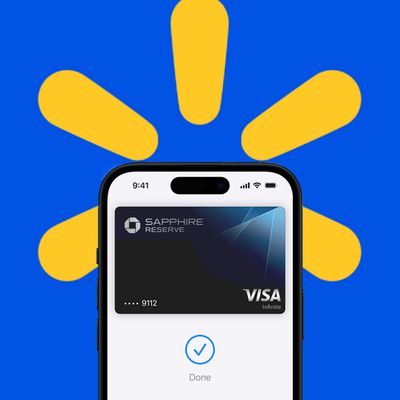
When you're ready to check out, press the side button on the iPhone X twice to bring up the default Apple Pay card and authenticate with Face ID. Then hold your iPhone X down to the reader to confirm payment. If you don't want to use your default card, make sure to swap it out with a tap before your iPhone is next to the card reader.

The double-click setting that opens up the Wallet app should be enabled by default, but if it's not, you can turn it on by going to Settings > Wallet > Apple Pay > and toggling on the Double-Click option. It's a feature you're going to want to have activated if you use Apple Pay a lot, because it speeds up the checkout process.

Without double-click turned on, you'll need to hold your iPhone by an NFC-equipped reader to bring up the Apple Pay interface before raising it back up to confirm with Face ID, adding another step to the process.

All in all, Apple Pay on iPhone X is essentially as quick and as easy to use Touch ID once you get used to how it works, but it will take a few payments to become accustomed to the new process if you're used to the Home button.

Related Roundup: Apple Pay

Popular Stories

Aston Martin CarPlay Ultra Screen

Apple Says CarPlay Ultra is Coming to These Vehicle Brands

Thursday May 21, 2026 11:53 am PDT by
Last year, Apple launched CarPlay Ultra, the long-awaited next-generation version of its CarPlay software system for vehicles. Nearly a year later, CarPlay Ultra is still limited to Aston Martin's latest luxury vehicles, but that should change fairly soon. In May 2025, Apple said many other vehicle brands planned to offer CarPlay Ultra, including Hyundai, Kia, and Genesis. CarPlay Ultra...
iphone 18 pro blue%402x

iPhone 18 Pro: Dark Cherry, Light Blue, and Dark Gray Chassis Leaked [Update]

Thursday June 4, 2026 5:18 am PDT by
Update: Since publication, new information has come to light suggesting the images have been AI-manipulated and are not in fact iPhone 18 Pro chassis parts. The original article follows. The color options Apple is reportedly planning for the upcoming iPhone 18 Pro and ‌iPhone 18 Pro‌ Max have appeared online today in the form of images of chassis parts of unknown authenticity....
iOS 27 All the New App Features

iOS 27: All the Rumored App Features

Wednesday June 3, 2026 3:48 pm PDT by
Siri is getting a major overhaul in iOS 27, but Apple also has some big updates planned for apps like Camera, Photos, and Wallet. There are multiple new AI features in the works, plus some non-AI upgrades. Camera Apple is moving Visual Intelligence from the Camera Control button to the Camera app in iOS 27, according to Bloomberg. There will be a Siri mode that will be available alongside...

Top Rated Comments

112 months ago
Super handy that you can "pre-authenticate" before the cashier rings it up on the terminal; makes the process way smoother...
You can do that with touch ID.
Score: 31 Votes (Like | Disagree)
112 months ago
I think the pre-authenticate works well, but in general I find the process a little less smooth. Before, all I had to do was hold my phone my phone to the card reader with my thumb already on touch ID and it was instant. Now I have to double click, then wait for face ID to authenticate (Which is not always instant) and then tap. Just a few more things to do.
Score: 21 Votes (Like | Disagree)
112 months ago
I don’t find myself using Apple Pay anymore with my iPhone X, it just seems less convenient, also Face ID fails more often than Touch ID.
Score: 20 Votes (Like | Disagree)
112 months ago
Pulling the phone out of my pocket, double clicking a button, holding it up to my face, then back down to the reader seems a lot more inconvenient that pulling the phone out of my pocket with my thumb already on the Home button for TouchID and moving it straight to the reader. This has worked flawlessly for me since my first TouchID enabled iPhone. I suppose we all have to get used to it after this year, though. Unless of course Apple pays attention and quits with this trying to force us into gimmicky tech that is not as convenient to use. But why should we expect Apple to change now, they've been doing this for decades.
Score: 18 Votes (Like | Disagree)
112 months ago
Super handy that you can "pre-authenticate" before the cashier rings it up on the terminal; makes the process way smoother...
Score: 14 Votes (Like | Disagree)
bruinsrme Avatar
112 months ago
I don’t find myself using Apple Pay anymore with my iPhone X, it just seems less convenient, also Face ID fails more often than Touch ID.
I agree I went back to writing checks:rolleyes:
Score: 10 Votes (Like | Disagree)















