

How to Fix the 'Black Dot' Unicode Bug Crashing iMessage - MacRumorsOpen MenuShow RoundupsShow Forums menuVisit ForumsOpen Sidebar
Skip to Content

How to Fix the 'Black Dot' Unicode Bug Crashing iMessage

Yet another Unicode bug has been discovered that is capable of crashing apps and operating systems, ranging from WhatsApp on Android to iMessage on iOS. We won't share the exact string, to prevent it from spreading further, but it includes black dot (⚫️) and pointing left (👈) emojis plus other hidden characters.
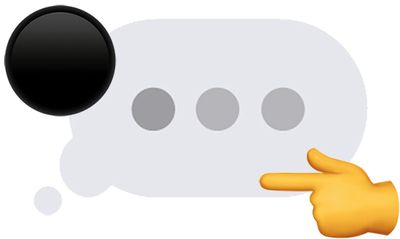
imessage unicode bug
Simply put, this particular Unicode string cannot be rendered properly and leads to system crashing. In general, when the bug affects iMessage, the issue can be resolved by deleting the conversation containing the problematic message. The following steps work on iPhone 6s and newer, excluding the iPhone SE:

  • Force close the Messages app.

  • Ask Siri to send a reply to the sender of the message so that the Unicode string is no longer the most recent bubble in the conversation.

  • 3D Touch on the Messages app icon from the home screen and tap New Message in the menu that pops open.

  • Tap on Cancel in the top-right corner of the New Message screen.

  • Tap on Edit in the top-left corner of the conversation list.

  • Tap the circle to the left of the conversation containing the problematic message. A blue checkmark will appear.

  • Tap on Delete in the bottom-right corner.

If you have an iPhone with Siri but not 3D Touch, ranging from the iPhone 4s to the iPhone 6 Plus, and iPhone SE, the steps are slightly different:

  • Force close the Messages app.

  • Ask Siri to send a reply to the sender of the message as many times as necessary until the bubble containing the Unicode string is bumped off the visible part of the conversation.

  • Open the Messages app.

  • Tap on the back arrow in the top-left corner to return to the conversation list.

  • Tap on Edit in the top-left corner of the conversation list.

  • Tap the circle to the left of the conversation containing the problematic message. A blue checkmark will appear.

  • Tap on Delete in the bottom-right corner.

It may also be possible to delete the problematic message on another device running the iOS 11.4 or macOS 10.13.5 betas via Messages on iCloud.

While this latest Unicode bug was discovered last week, it is only now beginning to receive widespread attention in the Apple community, after it was highlighted on a few popular YouTube channels. We've elected not to provide any links, but the specific string is easily Google-able for those interested.

The bug affects both iOS 11.3 and iOS 11.4 beta, and many other software versions, platforms, and devices. Apple has yet to issue a fix, but it will likely release software updates to address the problem soon.


Popular Stories

iCloud iPhone 17 Pro

iPhone Users Who Pay for iCloud Storage Get Two New Perks on iOS 27

Thursday July 2, 2026 6:10 am PDT by
If you pay for certain iCloud+ storage plans beyond the 5GB that Apple offers for free, you will receive two more perks on iOS 27 at no additional cost. A summary of the two new iCloud+ perks on iOS 27:Increased daily usage limits for some new Apple Intelligence features, including image generation in the revamped Image Playground app. HomeKit Secure Video cameras receive generated video...
iPhone 4 on Black Feature

Apple Facing One of Its Worst Leaks Since the iPhone 4

Thursday July 2, 2026 9:53 am PDT by
Apple supplier Tata Electronics recently suffered a cyberattack that resulted in thousands of confidential files being published on the dark web, and this reportedly included some photos and documents related to the upcoming iPhone 18 Pro. We have elected not to share any of the leaked photos in this story due to the illegal nature in which they were obtained, but they can easily be found...
American Express Gold Apple Pay Feature

American Express Announces New Apple Pay Feature

Tuesday June 30, 2026 10:27 am PDT by
American Express today announced that you can now redeem Membership Rewards points when checking out with Apple Pay on the web and in apps on the iPhone and iPad. When checking out with Apple Pay on iOS 18 or iPadOS 18 or later, tap on your eligible American Express card (Platinum, Gold, Green, and others) and select the Membership Rewards points option. You can use points to cover all or...

Top Rated Comments

106 months ago
Or just use another messaging app.
At this point, just throw the whole iOS 11 out the window! It was a compete dumpster fire.
Yet another Unicode bug has been discovered that is capable of crashing apps and operating systems, ranging from WhatsApp on Android to iMessage on iOS. We won't share the exact string, to prevent it from spreading further, but it includes "black dot" and "pointing left" emojis and other characters.
Literally the first paragraph in the article people. Take the time to read the article before posting your hate messages.
Score: 20 Votes (Like | Disagree)
106 months ago
At this point, just throw the whole iOS 11 out the window! It was a compete dumpster fire.
The article says that Android is also impacted…
Score: 18 Votes (Like | Disagree)
TimUSCA Avatar
106 months ago
Or just use another messaging app.
iMessage is the best messaging platform though, especially from a security standpoint. Glitches happen sometimes. The better solution is to wait for the fix (which is usually fast) and not have terrible friends who would send this to you to begin with.
Score: 10 Votes (Like | Disagree)
106 months ago
At this point, just throw the whole iOS 11 out the window! It was a compete dumpster fire.
Score: 10 Votes (Like | Disagree)
PBG4 Dude Avatar
106 months ago
It's like no one at Apple or Google has ever met Little Bobby Tables.

MacRumors content image
Score: 7 Votes (Like | Disagree)
106 months ago
iPhone 4 with iOS 7 here, immune to this problem. ;)
Score: 7 Votes (Like | Disagree)













