

Feral Debuts Support for External GPUs With 'Rise of the Tomb Raider: 20 Year Celebration' - MacRumorsOpen MenuShow RoundupsShow Forums menuVisit ForumsOpen Sidebar
Skip to Content

Feral Debuts Support for External GPUs With 'Rise of the Tomb Raider: 20 Year Celebration'

by

Mac and Linux video game publisher Feral Interactive today announced that it will begin supporting external GPUs, beginning with the recently-launched Rise of the Tomb Raider: 20 Year Celebration. Apple first launched support for external graphics processors in March with macOS High Sierra 10.13.4.
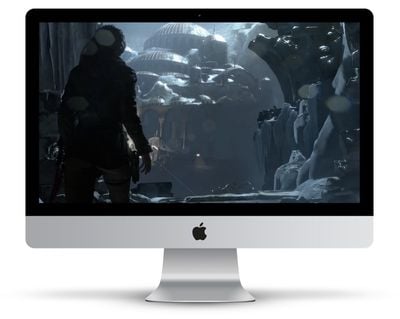
rise of the tomb raider macos
The addition allows users to connect an eGPU to their Mac through Thunderbolt 3, powering additional performance for better gaming graphics, VR content creation, professional apps, and more. Feral notes that players can use an eGPU with "any Mac supported by Rise of the Tomb Raider," but there could still be limitations due to the power of the Mac's CPU, despite the boost from the eGPU.

As of now, Rise of the Tomb Raider is the only Feral game confirmed with eGPU support, but the company says that it is working to introduce eGPU support to more of its games. Announcements for these titles will take place on Feral's social network and news feeds, which anyone interested can find on today's FAQ page.

Feral first revealed Rise of the Tomb Raider would be coming to Mac back in February, and then it launched in April. The game is a port of the console game from 2016, and is the second part of the rebooted franchise that began with Tomb Raider in 2013.


Top Rated Comments

MrUNIMOG Avatar
105 months ago
Would I be correct in assuming that they are talking about internal screen acceleration too?
Afaik, the answer to that question is no unfortunately. There are some janky work arounds out there, but nothing officially supported.
About all games works with eGPU, especially Feral ones which are ported to macOS as state of the art. I’m playing Deus Ex Mankind divided in 4K everything maxed on a MBP 13”

This means only that they are supporting it! And it is a very nice news
Feral's announcement has to mean internal screen acceleration. Acceleration of an external monitor plugged into the eGPU already works with any game and doesn't need to be supported by the developer.

Apples eGPU support document ('https://support.apple.com/en-gb/HT208544') also says so:

In general, an eGPU can accelerate performance in these types of applications:

* Pro applications designed to utilize multiple GPUs
* 3D games, when an external monitor is attached directly to the eGPU
* VR applications, when the VR headset is attached directly to the eGPU
* Pro applications and 3D games that accelerate the built-in display of an iMac or MacBook Pro. (This capability must be enabled by the application's developer.)

Score: 6 Votes (Like | Disagree)
speedcat_feral Avatar
105 months ago
Just wanted to jump in and clear a few things up :)

Rise of the Tomb Raider's eGPU support covers external monitors only. This is consistent with Apple's guidelines, which say that an eGPU can accelerate performance in 3D games when using an external monitor. We don't recommend playing Rise of the Tomb Raider on your internal display when using an eGPU, and will update our FAQ accordingly to make this clearer.

I also wanted to clear up what we mean by "support". Supported means that we've tested the game and hardware extensively, are satisfied that the setup works correctly and, most importantly, are satisfied that the performance meets our high standards. In general, as Apple's guidelines say, eGPUs can accelerate performance in games, and users may see improved performance in other Feral games when using an eGPU. However, we'll only confirm official support when we've tested the game extensively and made necessary changes to guarantee the best possible user experience.
Score: 5 Votes (Like | Disagree)
wlossw Avatar
105 months ago
If you have to buy an external monitor to use the eGPU, I kind of don't see the point. You may as well just build a gaming pc.
Score: 4 Votes (Like | Disagree)
ikir Avatar
105 months ago
Would I be correct in assuming that they are talking about internal screen acceleration too?
Internal acceleration already works with Metal.
[doublepost=1528735846][/doublepost]
Feral's announcement has to mean internal screen acceleration. Acceleration of an external monitor plugged into the eGPU already works with any game and doesn't need to be supported by the developer.

Apples eGPU support document ('https://support.apple.com/en-gb/HT208544') also says so:
Supported means they can help you with support and certificate it works. It doen’t mean it works or not
[doublepost=1528736013][/doublepost]
If you have to buy an external monitor to use the eGPU, I kind of don't see the point. You may as well just build a gaming pc.
No thanks, I want and need only one machine, portable when out and powerful at home/Office: MacBook Pro 13” plus eGPU. Check these for incredible gaining a in Gaming and PRO Apps (scroll down):
https://www.egpu.it/recensione-mantiz-venus-thunderbolt-egpu-box/
Score: 3 Votes (Like | Disagree)
Eightarmedpet Avatar
105 months ago
eGPU's work in Windows (inc Bootcamp)... and on all games, plus W10 has system level support (you can specify which GPU you use, regardless of it being internal or external).
Score: 3 Votes (Like | Disagree)
105 months ago
eGPUs are more advantageous for laptops. The iMac's internal GPU is pretty capable for games. If you want to push the graphics beyond that, you're probably gonna want to run Windows on it to receive full support*, in which case all the eGPU rules are different, or better yet build a gaming PC w/ Nvidia GPU.

* Feral does a great job with Mac support, others not so great, mainly due to the graphics APIs wars
Agreed, but some of us have an eGPU for work on our 5k iMac, and wouldn't mind playing a game or two with faster frame rates, so their is a small market.. I have VEGA FRONTIER because it was the beefiest supported eGPU I could find. The Card runs great as an eGPU for the two or so App's that take advantage of it's power, but for everything else, it is very disappointing.... If every graphics intensive app was able to take advantage of eGPU and METAL, MacOS would be much more competitive with NVIDIA and CUDA. The apps that are METAL/METAL2 supported are actually noticeably faster.

Anyway... NVIDIA and Windows is much cheaper solution and faster, but somehow Apple and MacOS has held its audience, and we are willing to hope for the best, and wait and wait and wait and wait.. for faster media apps and graphic apps and games..
Score: 2 Votes (Like | Disagree)

Popular Stories

iCloud iPhone 17 Pro

iPhone Users Who Pay for iCloud Storage Get Two New Perks on iOS 27

Thursday July 2, 2026 6:10 am PDT by
If you pay for certain iCloud+ storage plans beyond the 5GB that Apple offers for free, you will receive two more perks on iOS 27 at no additional cost. A summary of the two new iCloud+ perks on iOS 27:Increased daily usage limits for some new Apple Intelligence features, including image generation in the revamped Image Playground app. HomeKit Secure Video cameras receive generated video...
iPhone 4 on Black Feature

Apple Facing One of Its Worst Leaks Since the iPhone 4

Thursday July 2, 2026 9:53 am PDT by
Apple supplier Tata Electronics recently suffered a cyberattack that resulted in thousands of confidential files being published on the dark web, and this reportedly included some photos and documents related to the upcoming iPhone 18 Pro. We have elected not to share any of the leaked photos in this story due to the illegal nature in which they were obtained, but they can easily be found...
American Express Gold Apple Pay Feature

American Express Announces New Apple Pay Feature

Tuesday June 30, 2026 10:27 am PDT by
American Express today announced that you can now redeem Membership Rewards points when checking out with Apple Pay on the web and in apps on the iPhone and iPad. When checking out with Apple Pay on iOS 18 or iPadOS 18 or later, tap on your eligible American Express card (Platinum, Gold, Green, and others) and select the Membership Rewards points option. You can use points to cover all or...














