Five iOS Apps Worth Checking Out - July 2018 - MacRumorsOpen MenuShow RoundupsShow Forums menuVisit ForumsOpen Sidebar
Skip to Content

Five iOS Apps Worth Checking Out - July 2018

by

On our MacRumors YouTube channel, we have a bi-monthly video series that's designed to highlight new, interesting, and useful iOS apps that we think are worth downloading and checking out.

There are so many apps in the iOS App Store that it can be hard to find new content, and it's also easy to overlook great apps that are a bit older. Our app lists include both new and old apps that we recommend and have personally tested out.


Our picks this month are game heavy, with two games that we've enjoyed featured. We've also included a list-making app that was recently updated with some fresh design elements, an app for tracking shows you want to watch, and a simple but useful app that stitches screenshots together.

  1. Watchlist ($1.99) - There are a lot of options for TV shows and movies these days, and it can be difficult to remember everything that you want to watch. With Watchlist, when you see a trailer for a movie or show you might like or get a recommendation from a friend, you can add it into the app so you never lose track of great content you want to see. You can also see the availability of TV shows and movies on Netflix, Hulu, Amazon, and iTunes.
  2. Bring! (Free) - Bring is a shopping list app that's been around for about a year, but it recently got some useful design tweaks in the form of a new quick access toolbar. Bring is a simple, visual based shopping list that's also collaborative so everyone in the household can add items that are needed. You can add product photos to make sure you purchase the correct brands, and there are options to make lists for different occasions and places, like work and home.
  3. Tailor (Free) - Tailor is an app that's designed to stitch together your screenshots, useful if you want to share a Messages conversation, an email, app data, or anything else you might need to take multiple screenshots of to capture in its entirety. Tailor is free to use, but it's ad supported with an option to pay $2.99 to remove the ads.
  4. Hello Neighbor (Free to try) - Hello Neighbor is a creepy stealth horror game where you're tasked with sneaking into your weird neighbor's house to figure out what's going on in his basement. You need to sneak in and solve puzzles without getting caught, because your neighbor doesn't take kindly to intruders. This is a popular game that's been available on PCs and consoles but recently made its way to mobile. It's free to download and try, but you need to pay $14.99 to unlock the full game.
  5. Westworld (Free) - Westworld is a world-building game that's based on the popular TV show "Westworld." If you've played Fallout Shelter, the gameplay is pretty similar -- so similar in fact, that Bethesda has sued Warner Bros for copyright infringement and misappropriation of trade secrets. Even though it's like Fallout Shelter, there are some differences and despite the legal woes, it's an entertaining game, especially for Westworld fans. It's free, but there are in-app purchases for content add-ons and in-app currency.

Have a favorite iOS app? Let us know down in the comments. We're always looking for new iOS app ideas for this video series, and we'll check out all of your recommendations. You can also check out our recommendations from previous months here, and don't miss our similar Mac app series featuring some great Mac apps.

Top Rated Comments

108 months ago
We've just released PDF Viewer 3 with the Pro upgrade; it has superb Files.app integration, something that's still quite rare in the app world.

https://pspdfkit.com/blog/2018/pdf-viewer-3-0/

All basic and most advanced features are free: highlight, sign, split pages - all part of the free package. No ads either.
Looks great. But the subscription is less than ideal when compared to my go to PDF Expert.
Score: 3 Votes (Like | Disagree)
toomuchsmart Avatar
108 months ago
I actually recently created an app that’s pretty much the inverse of Tailor! It’s called Crop Out and it lets you cut out inner parts of images.

https://toomuchsmart.com/cropout/
Score: 2 Votes (Like | Disagree)
108 months ago
We've just released PDF Viewer 3 with the Pro upgrade; it has superb Files.app integration, something that's still quite rare in the app world.

https://pspdfkit.com/blog/2018/pdf-viewer-3-0/

All basic and most advanced features are free: highlight, sign, split pages - all part of the free package. No ads either.
Score: 2 Votes (Like | Disagree)
Chaka Jon Avatar
108 months ago
I actually recently created an app that’s pretty much the inverse of Tailor! It’s called Crop Out and it lets you cut out inner parts of images.

https://toomuchsmart.com/cropout/
Nice.
Score: 1 Votes (Like | Disagree)
108 months ago
Looks great. But the subscription is less than ideal when compared to my go to PDF Expert.
PDF Expert released new versions of their app, has to deal with migrations, disappointed customers that try old version on iOS 11/12 - we want to offer a better experience and not have required app migrations to being able to charge again for work - we just constantly improve the app. This is a better experience for users; plus the Pro features really are just the tip - most of the advanced features are completely free.
Score: 1 Votes (Like | Disagree)
ikir Avatar
108 months ago
Bring is awesome, i’using since a year. Can’t live without, it has a cool Apple Watch app too.
Score: 1 Votes (Like | Disagree)

Popular Stories

Apple Creator Studio iWork suite

Apple Pulls Keynote, Pages and Numbers From App Store [Update: Back]

Thursday October 22, 2026 11:01 am PDT by
Apple has temporarily removed Keynote, Pages, and Numbers from the App Store, just after releasing an update that added iPhone Duo support and a new Intelligent Assistant. It is not clear if the apps were removed intentionally, or if it is a bug. Apple has not said when the apps will be reinstated, but if it was in error, they should return soon. Update: The Mac versions are back without...
iPhone Duo Apps feature

Apple Reveals More Than 50 Apps That Will Be Updated for iPhone Duo

Thursday October 22, 2026 6:04 am PDT by
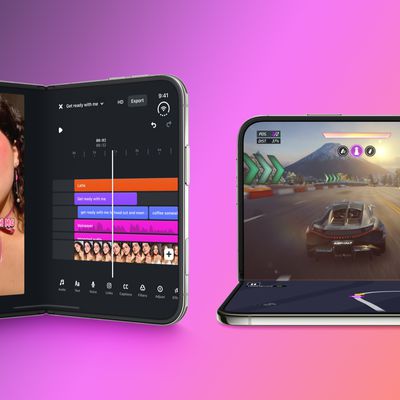
Apple today highlighted more than 50 third-party App Store apps that are or will soon be fully optimized for the iPhone Duo and its various layouts and poses. You can hold the iPhone Duo and set it down in a number of ways, such as partially folded like a book, placed down on a surface, or standing on its edges: With the Netflix app, for example, Apple said iPhone Duo users can scroll...

Apple Says Over 100000 Apps Optimized for iPhone Duo But These Are Still Missing Feature 1

Apple Says More Than 100,000 Apps Optimized for iPhone Duo, Here's What's Still Missing

Friday November 6, 2026 9:18 am PST by
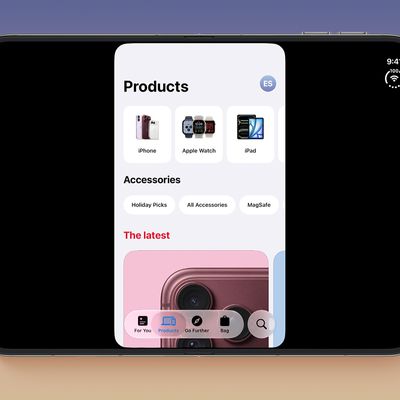
Apple today announced that more than 100,000 apps have been optimized for the iPhone Duo, released two weeks ago. We confirmed that this figure refers to apps built with the iOS 27.1 SDK or later, meaning these apps fill the full width of the iPhone Duo's inner and outer displays and have vertical controls in the status bar. A statement from Susan Prescott, Apple's Vice President of...
Latest Stories
Early Apple Black Friday Deals on Apple Watch, MacBook Air, and More
12 hours ago
'Backglow' Lets You Customize New MacBook Pro's Glowing Apple Logo
12 hours ago
Top Stories: Apple Product Launches, iOS 27.3 Beta, and More
19 hours ago
More Fun iPhone Duo Apps: 30 New Picks to Try
1 day ago
Hands-On With Apple's New OLED Touchscreen MacBook Pro
1 day ago
Apple Store With All-New Design Opening Soon in Southern California
1 day ago
Control the Glowing Apple Logo on Your New MacBook Pro
2 days ago
Apple Shares New 'Apple Card: Apply and Use in Minutes' Ad
2 days ago
Apple Says More Than 100,000 Apps Optimized for iPhone Duo, Here's What's Still Missing
2 days ago
Early Black Friday Deals Kickoff With Steep Discounts on Apple Watch Ultras and More
2 days ago
The MacRumors Show: iOS 27.3 Looks Like a Huge Update
2 days ago
Best Buy's Black Friday Event Begins With Sitewide Savings on Apple, TVs, More
2 days ago
Apple Releasing Yet Another Two New Products Next Week
2 days ago
MacBook Air Drops to Lowest Price in Months With Amazon's $250 Discount
2 days ago
Apple Rumored to Drop the iPhone's Action Button Next Year
2 days ago
Apple's Extended Return Policy Now in Effect for 2026 Holiday Season
2 days ago
Apple Music Classical Updated With New Icon and Refreshed Design
2 days ago
OLED iPad Mini, M6 iMac, and New MacBook Pros Available From Today
2 days ago
Apple Surveys iPhone Duo Buyers About Crease and Camera
2 days ago
Apple's First Touchscreen Mac is Now Arriving to Customers
2 days ago
Claude Gets Personal Finance Feature With Bank Account Linking
2 days ago
Apple Arcade Adds Crossy Road Rush and NBA 2K27
2 days ago
Apple's New HomeView Smart Home Hub: Here's How Much RAM It Has
2 days ago
iPad Mini vs. iPad Air Buyer's Guide: Now Just $50 Apart
3 days ago
First iOS 27.3 and macOS Golden Gate 27.3 Public Betas Now Available
3 days ago
Apple Announces a New Mac Sales Record
3 days ago
Paid $200 for Logic Pro? Apple Says You Won't Get This New Feature
3 days ago
Instagram's Edits Video Editor is Now Available on Mac
3 days ago
Prevent Siri and Search From Accessing Specific iPhone Apps
3 days ago
Best Early Black Friday Deals on iPhone 18 Pro and iPhone Duo
3 days ago