Video: We Turned an iPad Pro Into a Mac Mini Display With the Luna Display Adapter - MacRumorsOpen MenuShow RoundupsShow Forums menuVisit ForumsOpen Sidebar
Skip to Content

Video: We Turned an iPad Pro Into a Mac Mini Display With the Luna Display Adapter

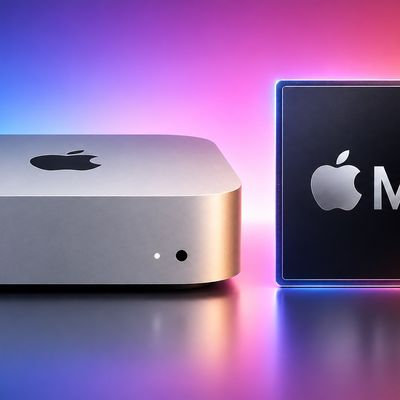
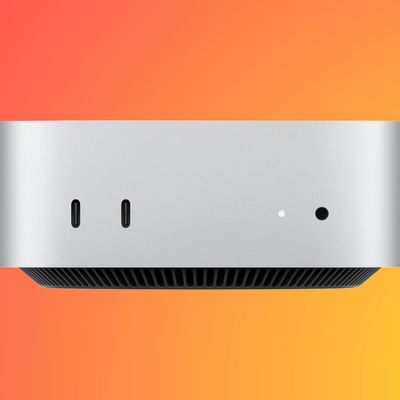
Last week, the team behind the Luna Display adapter that's designed to turn the iPad into a second display for any Mac published an article outlining how the adapter was used to morph a current iPad Pro into a display for Apple's newest Mac mini.

The Mac mini ships sans display, which means if you have an iPad, it can be used as the Mac mini's sole display. We thought the idea was interesting, so we decided to try it out in our latest YouTube video.


The Luna Display is a little adapter that plugs into the USB-C port on your Mac (for older Macs, there's a Mini DisplayPort version). So to use the iPad Pro as a Mac mini display, you need to plug the adapter into the Mac mini and then download the appropriate software.

There's Luna software for both the iPad and the Mac, which you'll need to download to get this setup working. For setup, you're going to need a separate external display for the Mac mini so you can get the software installed, but once it's set up, the iPad Pro can be used as the only display.

Because the iPad and the adapter in the Mac mini work via WiFi, you'll need a strong connection for seamless performance and a zero lag experience.

Once the iPad Pro is set up as the Mac mini's display, it's a neat example of what it's like to use a touchscreen with a Mac machine. You can display full Mac apps on the iPad Pro, from Photoshop to Final Cut Pro.

What's neat is that you can control apps on your Mac mini through the iPad using the Luna Display app and then swipe out of it to access all of your standard apps. Switching between the two is flawless.

The iPad Pro is, of course, a super expensive display for the Mac mini so this is only useful if you happen to have both of these devices. Buying an iPad Pro just to use as a Mac mini display probably isn't a good idea since you can get a bigger display at a cheaper price.

You can also use the Luna Display with other Macs to turn the iPad into a secondary display. If you want your own Luna Display, it's available for $79.

What do you think of the iPad Pro as a touch display for Mac mini? Let us know in the comments.
Related Roundups: iPad Pro, Mac mini
Related Forum: Mac mini

Popular Stories

Mac mini vs Studio Feature Sans Text 1

Apple Caught Off Guard by AI Demand for Mac Mini and Mac Studio

Sunday August 30, 2026 8:52 am PDT by
Apple's unusually timed announcement of new Mac mini and Mac Studio models this week was driven by unexpectedly strong enterprise appetite for AI hardware, according to The Information. Apple normally releases new Mac models in the autumn, closer to October or November, making this week's announcement unusually early, falling just before the anticipated arrival of new iPhone models. The...
Mac mini M6 chip

M6 Chip Benchmark Surfaces Ahead of New Mac Mini Launch Next Week

Tuesday September 15, 2026 9:38 am PDT by
The first unverified benchmark result for Apple's new M6 chip surfaced in the Geekbench 7 database today, offering a look at the chip's performance gains. The new Mac mini will be Apple's first device to be equipped with the M6 chip, which is 2nm. Here is how the M6 chip scored: Single-core CPU score: 4,071 Multi-core CPU score: 22,783 Here are the average M5 chip scores for...
mac mini orange

Apple Announces New Mac Mini With M6 and M5 Pro Chips and More

Tuesday August 25, 2026 6:11 am PDT by
Apple today announced the next-generation Mac mini, which can be configured with an all-new M6 chip or the M5 Pro chip released earlier this year. The M6 chip is equipped with a 12-core CPU and a 12-core GPU, up from a 10-core CPU and 10-core GPU in the M5 chip. In addition, the M6 chip features the first-ever dual Neural Engine with two 16-core engines, up from one in previous chips. The M6 ...

Top Rated Comments

routine_analyst Avatar
102 months ago
How cost effective!

I think I want to buy a Ferrari to pull my Honda Civic. It will make it a supercar.
Score: 32 Votes (Like | Disagree)
102 months ago
never heard of luna display, but im curious, wondering if its more reliable than duet display being a quasi-hardware solution.
that said its embarrassing that Apple, the company that invented target display mode hasn't done this natively yet.
Score: 21 Votes (Like | Disagree)
Populus Avatar
102 months ago
MacOS on an iPad looks pretty gorgeous.
Now, Apple, give me a native experience with a trackpad and keyboard and I'm buying this iPad PRO.
Score: 15 Votes (Like | Disagree)
Tozovac Avatar
102 months ago
How is this different than the Duet iOS app?
Score: 15 Votes (Like | Disagree)
102 months ago
My theory as to what Luna Display is doing is emulating a display in order to get GPU acceleration working.
I've been doing this on my Mac mini server for several years now and you can really tell the difference in performance when using VNC or other screen sharing apps.

https://www.amazon.com/CompuLab-fit-Headless-Display-Emulator/dp/B00FLZXGJ6/ref=sr_1_4?ie=UTF8&qid=1542752841&sr=8-4&keywords=hdmi+display+emulator

I'm guessing the luna dongle is just a display emulator and their software specifically pipes that display output to their viewing server and to the client on the ipad. The fact that both the iPad and the Mac need to be on the same network is evidence that they are using some sort of remote display over IP. They say so much on their website that their protocol offers lower latency and that its less than half of what others are capable of. If so, kudos to them. It would be nice if you can just buy the software and use any display emulator or even a real display to get the same results. However they are probably making a good margin on the dongle and it is acting as a sort of a hardware license key. It probably has a specific EDID that the luna software looks for in order to function.

How is this different than the Duet iOS app?
I'm wondering the exact same thing.
[doublepost=1542752089][/doublepost]

This is from Luna's website. Points out some differences. Keeping in mind this is Luna's info not a independent party

https://lunadisplay.com/pages/luna-display-vs-duet-display
Looks the answer is here https://lunadisplay.com/pages/luna-display-vs-duet-display
Duet is meh... It's slow, not a hardware solution and has a fixed resolution meaning black bars on most iPads whereas Luna supports the full native resolution as the Mac thinks its a real display.
This is the same thing as vnc! Don't be tricked into paying for it.
Or how is this different to Splashtop or any VNC app?
Score: 8 Votes (Like | Disagree)
102 months ago
I see this as an awesome option to use the iPad as a secondary display for a MacBook, but that's about it.
No, it's a lot more than that, it turns your Mac into an artist pad. Not necessarily better than a Cintiq, but if you already own an iPad, it's relatively inexpensive.
Score: 7 Votes (Like | Disagree)