MacRumors Giveaway: Win a Luna Display Adapter for Turning Your iPad Into a Second Screen - MacRumorsOpen MenuShow RoundupsShow Forums menuVisit ForumsOpen Sidebar
Skip to Content

MacRumors Giveaway: Win a Luna Display Adapter for Turning Your iPad Into a Second Screen

by

For this week's giveaway, we've teamed up with Astropad to offer MacRumors readers a chance to win a Luna Display adapter. The Luna Display is a handy little dongle that's designed to turn your iPad into a second screen for your Mac.


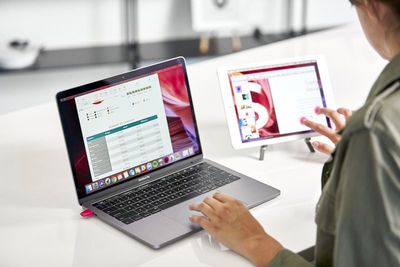
You may be familiar with the Astropad software, which mirrors the Mac's display to an ‌iPad‌, but the Luna Display extends the Mac's display to the ‌iPad‌ instead of mirroring it for full second screen functionality.
lunadisplay1
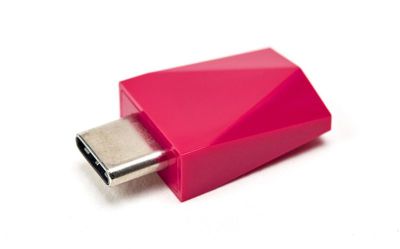
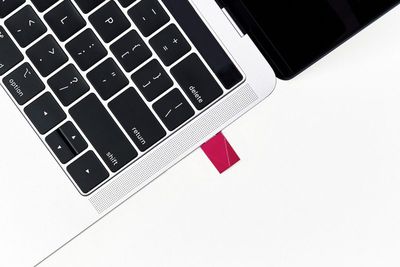
Using Mini DisplayPort or USB-C, the Luna Display plugs right into your Mac and then works with the ‌iPad‌ using the Luna Display software for Mac and ‌iPad‌. Setup takes just a few seconds and the device works over a Wi-Fi connection.
lunadisplay2
At $80, the Luna Display is an affordable option for those who want a second portable display for the Mac that's perfect for use both at home and when on the go. The connection between the two devices is seamless with little to no lag depending on your connection.
lunadisplay3
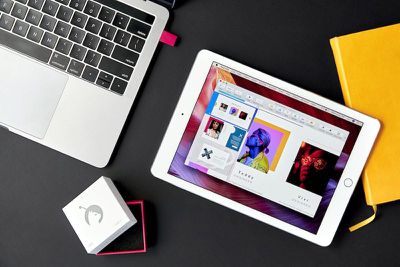
Luna Display works with any modern ‌iPad‌, dating back to the ‌iPad‌ 2, along with the iPad mini and the iPad Pro. Newer iPads will perform better, of course, due to the faster hardware. You can also use the Luna Display with any 2012 or later Mac.
lunadisplay4
We've even set up an ‌iPad Pro‌ as a display for a Mac mini using the Luna Display, as seen in our video below, and it worked well.
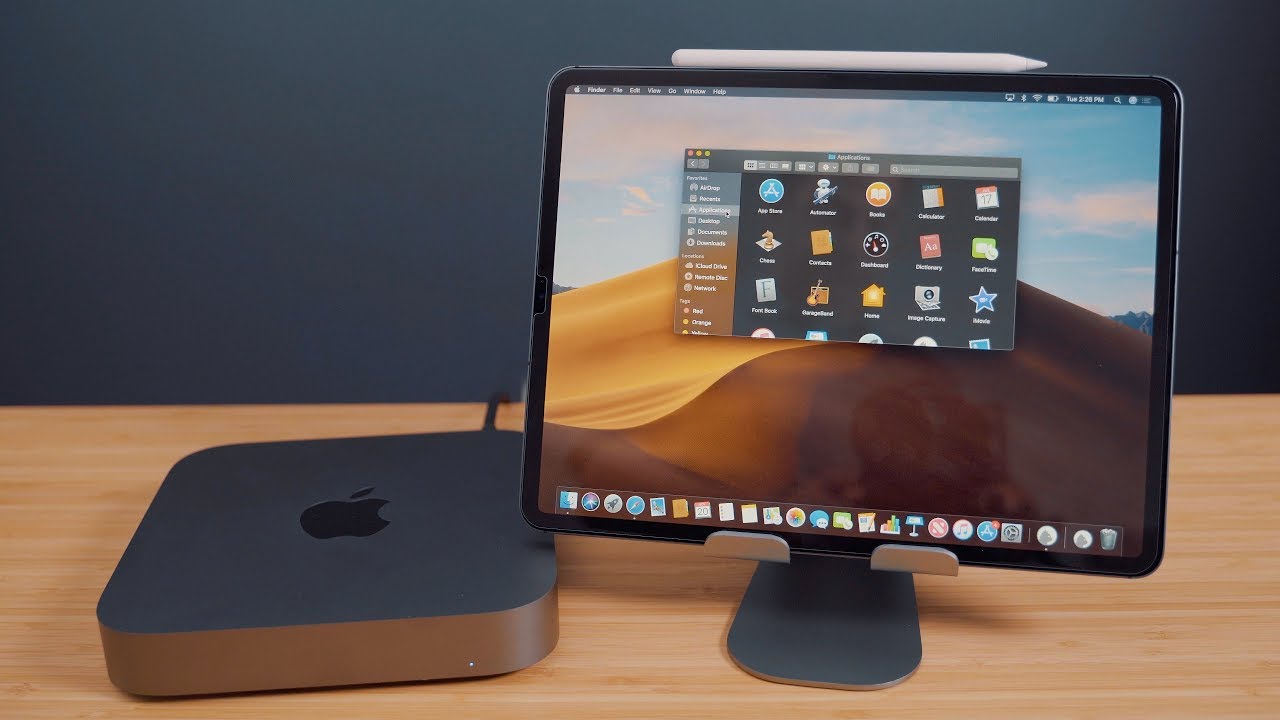

You can buy the Luna Display from the Luna Display website, and we also have five of them to give away to MacRumors readers. To enter to win our giveaway, use the Rafflecopter widget below and enter an email address. Email addresses will be used solely for contact purposes to reach the winners and send the prizes. You can earn additional entries by subscribing to our weekly newsletter, subscribing to our YouTube channel, following us on Twitter, following us on Instagram, or visiting the MacRumors Facebook page.

Due to the complexities of international laws regarding giveaways, only U.S. residents who are 18 years or older and Canadian residents (excluding Quebec) who have reached the age of majority in their province or territory are eligible to enter. To offer feedback or get more information on the giveaway restrictions, please refer to our Site Feedback section, as that is where discussion of the rules will be redirected.

The contest will run from today (February 15) at 11:00 a.m. Pacific Time through 11:00 a.m. Pacific Time on February 22. The winners will be chosen randomly on February 22 and will be contacted by email. The winners will have 48 hours to respond and provide a shipping address before new winners are chosen.



Top Rated Comments

101 months ago
I was in early on kick starter and have had my Luna for a while.

It is VASTLY superior to Duet. The dongle is needed as it actually acts as a hardware attached monitor; the signal to that monitor is the re-bound by Luna and sent over a proprietary framework via wifi which is the decoded and displayed by the app on the other side. The latency is VERY low and it allows you to treat it as any other monitor in MacOS; where you can mirror, extend have the iPad function in highDPI or 1:1.

It can also work via USB for wifi free environments (I just tested this method on a plane) and has settings for crowded office environments where multiple Luna may exist.

It’s just really well thought out; and they continue to improve it. They just updated the app which supposedly lowered the latency even further (no difference to my useage case; but good for some I guess).

This is a GREAT option for people who are used to a dual screen set up for work but travel a lot; I just wish they had a way to physically teather the dongle to something like a key ring.

For the guy asking about Illistrator! Yes! Also natively works with Apple Pencil. The company also first developed called AstroPad which is even further improved with Luna!

You really should check it out! Great hardware based acceleration and well though put integration makes it a winner in my books!
Score: 4 Votes (Like | Disagree)
ipedro Avatar
101 months ago
I spoke with Astropad and they confirmed an important point: if you drag a window on to the iPad, it will then be able to be manipulated with an Apple Pencil so you could work on Mac apps like Photoshop on an iPad using the Pencil.
Score: 3 Votes (Like | Disagree)
bbeagle Avatar
101 months ago
so if its over WIFI, what does the dongle actually do? is it just a key?
The dongle is acting like a monitor cable and transmitting the data to the iPad. Your laptop is not transferring the data - the dongle is.

You're not mirroring the laptop's screen - this is an additional second screen like plugging in a monitor.
Score: 3 Votes (Like | Disagree)
101 months ago
I’ve been using Luna on my 12.9” iPad to control a headless Mac mini I keep in the basement. It’s fantastic, and can even run the UI @2x (retina).

When you open it, it essentially feels like a 13” touch Mac.
Score: 2 Votes (Like | Disagree)
nate13 Avatar
101 months ago
The dongle is acting like a monitor cable and transmitting the data to the iPad. Your laptop is not transferring the data - the dongle is.

You're not mirroring the laptop's screen - this is an additional second screen like plugging in a monitor.
As I understand it, that's not exactly true. If the dongle was transmitting, you'd either need another dongle for the iPad, or your iPad would need to join the dongle's wifi network. What I believe is happening is the dongle is in fact tricking the mac into thinking there is an external display, which forces the OS to output another display signal. The Luna app then grabs that pre-processed signal and sends it over WiFi to the iPad. Other apps, instead spoof that display via software (I'm assuming via a MacOS API).

I'm not quite sure why the dongle is needed if there is in fact an API mechanism, unless there are performance or user experience benefits.
Score: 2 Votes (Like | Disagree)
jlc1978 Avatar
101 months ago
You can also plug in a lightning cable for data connection instead of WiFi (to improve picture quality). So not entirely sure what the dongle is for, probably to improve input lag.
As I understand it, the dongle makes the Mac think an external monitor is installed and thus allows Luna to use the GPU for an external display; it also appears to act as a DEM tool so that they can let the associated programs be downloaded at no cost.

I’ve got one and barely use it. Disappointed that it doesn’t support pressure with Apple Pencil unless you subscribe to unlock that feature.
Luna display does not do any pressure sensitivity nor is it subscription based, so I think you are talking about Astropad standard, which does do pressure sensitivity, and it is a one time purchase.

Here is a comparison:

https://blog.astropad.com/standard-vs-studio/
[doublepost=1550404988][/doublepost]
Zero point in a wireless display if it still takes up a port on the computer imo..
I guess it depends on your use case, I find it very useful when traveling to turn my iPad Pro into a second display; which I connect via USB for best performance.
[doublepost=1550405408][/doublepost]
https://techcrunch.com/2018/12/05/duet-display-2-uses-hardware-acceleration-to-catch-up-with-luna-display/

An interesting take on Duet vs Luna.

I’m fine with my Duet arrangement- Luna would have to bring world peace or something if it wants my $80!
Interesting article, thanks a lot.

I do take issue with their claims Duet obsoletes Luna Display and costs 10x less; since version 2 now requires a subscription for a feature I had in V1 (wireless) and that Luna includes in it's price. That makes Duet only 1/3 the price in year one and requires an ongoing subscription. My guess is at $7 per ($10 less Apples 30% cut) they can't make enough to support ongoing development, so they pull a few key features in the new version in an attempt to convert users to the subscription model. I get it, but since I already got a Luna (on KS) I see no reason to lock myself into a subscription to get features I already achieve with Luna and had with Duet before they "upgraded" their software. Plus, who knows if Apple's next OS release won't break Duet again.


Score: 1 Votes (Like | Disagree)

Popular Stories

apple pro tell logo

Apple Launching Five New Products Today

Thursday November 5, 2026 12:59 am PST by
Apple is launching five new products on Friday, November 6, following pre-orders that opened last week, including its first touchscreen MacBook Pro models. The following new products will be available from today: iPad mini with OLED display and A20 Pro chip iMac with M6 chip 14-inch MacBook Pro with M6 chip 14-inch MacBook Pro with OLED touchscreen 16-inch MacBook Pro with OLED...
duo aquarium

More Fun iPhone Duo Apps: 30 New Picks to Try

Friday November 6, 2026 3:27 pm PST by
When the iPhone Duo launched, we shared a list of some of the fun apps developers created for the new form factor. Two weeks out, developers are continuing to come up with fresh ideas, so we thought we'd share some of our favorites. Games Marbles Unhinged ($2.99) - Marbles Unhinged is a marble maze designed for the Duo. When you fold it, the floor turns into a ramp. If you stand the top...
silver iphone 18 pro

Apple Rumored to Drop the iPhone's Action Button Next Year

Friday November 6, 2026 6:07 am PST by
Apple plans to merge the iPhone's Action button with the Camera Control starting next year, according to the leaker known as "Instant Digital." In a new post on Weibo, the leaker claimed that a single press of the combined button would open the camera, while a long press would trigger the function assigned to the Action button. They explicitly clarified that the dedicated Action button would ...
Latest Stories
Siri AI Rumored to Become 'More Like an Agent' as Early as Next Year
3 hours ago
Apple Taking New Approach to Developing iOS 28 and macOS 28
5 hours ago
Early Apple Black Friday Deals on Apple Watch, MacBook Air, and More
23 hours ago
'Backglow' Lets You Customize New MacBook Pro's Glowing Apple Logo
1 day ago
Top Stories: Apple Product Launches, iOS 27.3 Beta, and More
1 day ago
More Fun iPhone Duo Apps: 30 New Picks to Try
2 days ago
Hands-On With Apple's New OLED Touchscreen MacBook Pro
2 days ago
Apple Store With All-New Design Opening Soon in Southern California
2 days ago
Control the Glowing Apple Logo on Your New MacBook Pro
2 days ago
Apple Shares New 'Apple Card: Apply and Use in Minutes' Ad
2 days ago
Apple Says More Than 100,000 Apps Optimized for iPhone Duo, Here's What's Still Missing
2 days ago
Early Black Friday Deals Kickoff With Steep Discounts on Apple Watch Ultras and More
2 days ago
The MacRumors Show: iOS 27.3 Looks Like a Huge Update
2 days ago
Best Buy's Black Friday Event Begins With Sitewide Savings on Apple, TVs, More
2 days ago
Apple Releasing Yet Another Two New Products Next Week
2 days ago
MacBook Air Drops to Lowest Price in Months With Amazon's $250 Discount
2 days ago
Apple Rumored to Drop the iPhone's Action Button Next Year
2 days ago
Apple's Extended Return Policy Now in Effect for 2026 Holiday Season
2 days ago
Apple Music Classical Updated With New Icon and Refreshed Design
2 days ago
OLED iPad Mini, M6 iMac, and New MacBook Pros Available From Today
2 days ago
Apple Surveys iPhone Duo Buyers About Crease and Camera
3 days ago
Apple's First Touchscreen Mac is Now Arriving to Customers
3 days ago
Claude Gets Personal Finance Feature With Bank Account Linking
3 days ago
Apple Arcade Adds Crossy Road Rush and NBA 2K27
3 days ago
Apple's New HomeView Smart Home Hub: Here's How Much RAM It Has
3 days ago
iPad Mini vs. iPad Air Buyer's Guide: Now Just $50 Apart
3 days ago
First iOS 27.3 and macOS Golden Gate 27.3 Public Betas Now Available
3 days ago
Apple Announces a New Mac Sales Record
3 days ago
Paid $200 for Logic Pro? Apple Says You Won't Get This New Feature
3 days ago
Instagram's Edits Video Editor is Now Available on Mac
3 days ago







































