Apple Shares New Videos Highlighting What iPad Pro Can Do - MacRumorsOpen MenuShow RoundupsShow Forums menuVisit ForumsOpen Sidebar
Skip to Content

Apple Shares New Videos Highlighting What iPad Pro Can Do

Apple today uploaded six new videos focused on showing off iPad Pro features, continuing on with its "What You Can Do With iPad" series promoting the new 11 and 12.9-inch tablets.

Most of the videos are over a minute long and feature different ‌iPad Pro‌ apps, features, and capabilities, ranging from handwriting a note with Apple Pencil to creating music.


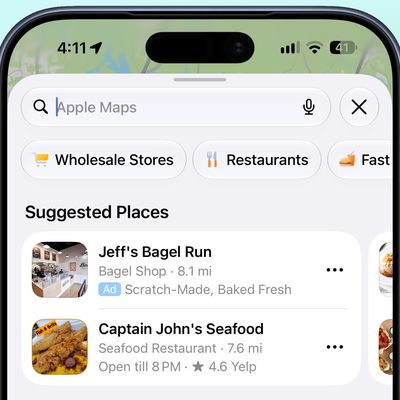
Multitasking with multiple windows, making notes with ‌Apple Pencil‌, browsing the web, using Maps, watching videos, reading with the Books app, annotating photos, using drag and drop, video editing, typing with both the on-screen keyboard and the Smart Keyboard Folio, and making music with GarageBand are all shown off in the video.

Apple also highlights charging the iPhone with the ‌iPad Pro‌, shooting in 4K, plugging in USB-C accessories, and Group FaceTime.

Several third-party apps are shown off in the videos, such as LumaFusion, Animation Desk, NBA 2K, Felt, Notability, Trello, Calm, Procreate, Affinity Designer, Impress, Universe, and more.

All of Apple's videos link to a "Look what you can do with iPad Pro" website that first launched in January. Apple says that all of the videos were filmed with the ‌iPad Pro‌, as were the previous videos in the series.

Related Roundup: iPad Pro
Buyer's Guide: iPad Pro (Neutral)

Popular Stories

apple world surf league video

Apple Shares Video on How Pro Surfers Use Apple Watch During Competition

Tuesday June 23, 2026 9:57 am PDT by
Apple today shared a video showing off the Apple Watch in use at the World Surf League Championship Tour, with surfers describing how they use the watch when competing. Surfers can be hundreds of meters away from the beach during competitions and can't hear announcements over the sound of the water and the wind. The World Surf League has adopted the Apple Watch to solve the problem, linking...
apple watch rescue

Apple Shares Apple Watch SOS Success Story

Tuesday July 21, 2026 9:26 am PDT by
Apple today highlighted the SOS feature in the Apple Watch, publishing a short video featuring a man named Phil, who crashed while mountain biking. Phil was biking with his two young children when he had an accident and was knocked unconscious. His Apple Watch detected the fall, calling emergency services and alerting his wife. He ended up breaking his collarbone and seven ribs, but was...
apple price hike

Apple Just Increased Prices on MacBooks, iPads, and More

Thursday June 25, 2026 5:44 am PDT by
Apple today dramatically increased device prices across multiple product lines. Subscribe to the MacRumors YouTube channel for more videos. After temporarily taking it down earlier today, Apple's online store is back up with a series of product price increases. The changes are as follows: HomePod mini: $129, up from $99 (+$30) HomePod: $349, up from $299 (+$50) Apple TV: $199, up from...

Top Rated Comments

Enclavean Avatar
95 months ago
Where is the video showing how i get my files off my external hard disk?
Score: 49 Votes (Like | Disagree)
GeoStructural Avatar
95 months ago
Now I will tell you what it cannot do:

- Replace a computer/Mac.
- Lower the volume without occupying a good portion of the screen.
- Transfer files with a drive.
- Open several documents at the same time.
- Work on more than one spreadsheet at the same time.
- Connect freaking headphones.
- Run professional software for anything other than drawing.
- Run full on Matlab, X-code and many engineering applications a pro really uses to get work done.
- Browse webpages that rely on horizontal and vertical scrolling (there is a website I have to use daily that my iPad doesn’t support, so even for browsing it cannot replace my computer).
- Play all sorts of video and audio files natively.
- And many more.
Score: 38 Votes (Like | Disagree)
falainber Avatar
95 months ago
Or just get a Mac. Not sure why you want the iPad in the first place if those are your requirements.
Maybe because Apple is trying to push iPad as a PC replacement? If Apple were "sharing" videos of iPad playing Netflix, perhaps, people would have few questions.
Score: 18 Votes (Like | Disagree)
magicschoolbus Avatar
95 months ago
Pro owner here - I can't get half of the work done that I would on my Mac on my iPad.. and tasks take twice as long.

iOS needs to mirror the Mac more... It also really could benefit from floating windows. The full-screen stuff and only some apps working side by side really makes it even worse to try and be productive on.

The iPad Pro feels like what "Could Be"... imagine the standard Macbook that everyone loves to hate, with the iPad Processor, in the iPad Pro form factor... Running iOS when no keyboards are connected, and Mac when you connect accessories.
Score: 13 Votes (Like | Disagree)
alexandr Avatar
95 months ago
very nice vids, but somehow it never works quite the same in "real life" :)
Score: 12 Votes (Like | Disagree)
EEzycade Avatar
95 months ago
Get a Mac instead?
I mean I can complain that the iPad cannot toast my bread. :shrug:
Most of the people who make this type of comment forget one thing. Apple positions the iPad Pro as a viable alternative to standard computers whether they be laptop or desktop. So if it is positioned as a computer, it should be able to do things a normal computer can so. For example, have mouse support, have support for external storage, etc.
Score: 11 Votes (Like | Disagree)