In iOS 13, the Home app has received a few notable updates that will make it easier than ever to control and identify your HomeKit devices.
The main Home app screens are the same in iOS 13, but the control options for specific HomeKit devices have been revamped and streamlined. Available controls vary by device, but in general, the change makes options you check or use frequently (such as various light colors) easier to access.
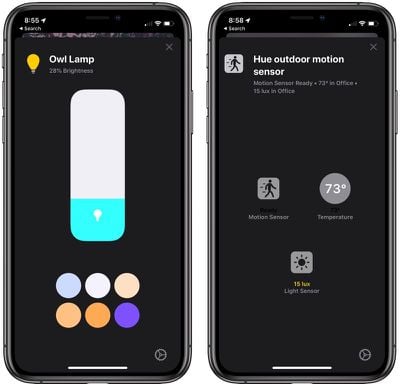
With HomeKit lights, for example, there's a main display with brightness controls front and center (as it was before), but now, if lights have multiple colors, you'll see a selection of favorites at the bottom rather than having to tap on the color button at the bottom. Settings have also been hidden away a bit and are now accessible from the corner.
Small changes like these have been made for all device types, putting the information that you need at the forefront. There are also several new icons for different HomeKit types such as water sensors, motion sensors, and air quality sensors, making it easier to identify what's what at a glance.
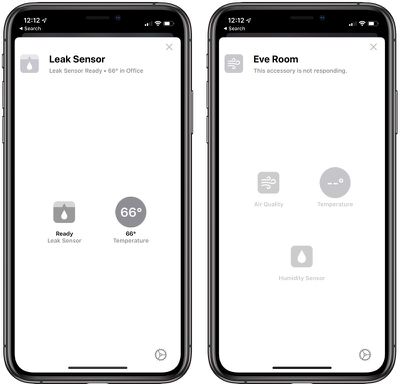
Certain devices, such as the Hue Motion Sensor, will display more information in one place rather than splitting up information. In iOS 12, for example, there are separate HomeKit entries for the motion sensing portion of the Hue sensor, the light measurement, and the temperature measurement, which is confusing and clutters up your Home app. In iOS 13, these are all combined into one.
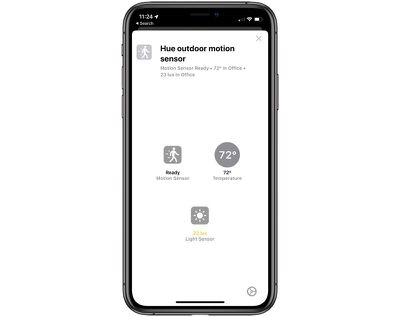
Controls for your HomeKit devices are also now shown in a card-style view so you can swipe them away to get back to the main Home app screen, which is an improvement over the full screen view in iOS 12.
Notably, your AirPlay 2 devices can be used in HomeKit Scenes and Automations for the first time in iOS 13, a major change from what's possible in iOS 12.
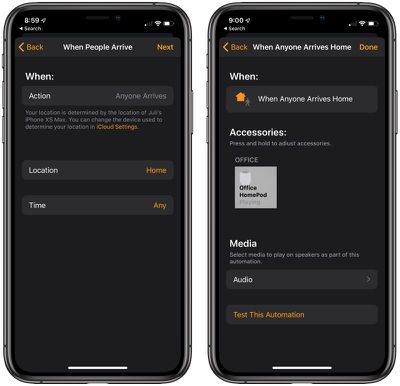
With automations support, your AirPlay 2 devices like the HomePod can be set to do things like play music when you arrive home, or turn off when you leave. You can also have music come on when a HomeKit sensor detects something like motion, or at a specific time of day.
In scenes, HomePod and other AirPlay 2 devices can be paired with other HomeKit devices, so you can do something like have your HomePod and lights come on all with one button press or Siri command.
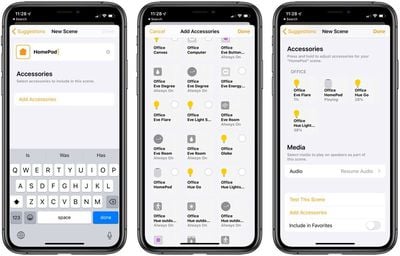
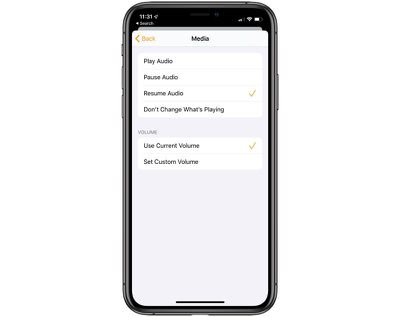
Controls for speakers in Scenes and Automations include Play Audio, Pause Audio, Resume Audio, Don't Change What's Playing, Use Current Volume, and Set Custom Volume.
These new controls for AirPlay 2 devices will apply to everything from HomePod and Apple TV to HomeKit-enabled third-party TV sets and speakers, providing new ways to integrate audio devices into your home.
Apple also announced other HomeKit-related changes that are worth noting. In-home security cameras are becoming increasingly important, but these introduce privacy concerns related to unauthorized access. Apple has a solution -- a new Secure Video feature.
Secure Video is a new HomeKit API that offers on-device video analysis, sending an encrypted stream to iCloud, so you can be sure that no one is spying on your in-home security cameras. Companies like Logitech and Arlo plan to release cameras that use this technology.
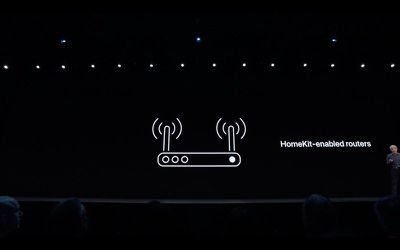
Apple is also adding HomeKit support to routers from companies like Linksys, Eero, and Charter/Spectrum for the first time in iOS 13. With HomeKit controls, users will be able to prevent accessories from accessing their entire home networks.
All of these HomeKit and Home app features will be available in iOS 13, which is limited to developers right now. Apple plans to release a public beta in July, and the software will see an official launch in the fall.