Apple Seeds Second Beta of tvOS 13 to Public Beta Testers - MacRumorsOpen MenuShow RoundupsShow Forums menuVisit ForumsOpen Sidebar
Skip to Content

Apple Seeds Second Beta of tvOS 13 to Public Beta Testers

Apple today seeded the second beta of an upcoming tvOS 13 update to its public beta testing group, one week after seeding the first public beta and a day after seeding the third developer beta.

Public beta testers can download the new update by going to the Settings app on the Apple TV and navigating to the Software Updates section under "System." "Get Public Beta Updates" will need to be toggled on, and once it is, the ‌Apple TV‌ will download the beta software.

tvos13
Those who want to beta test the software can sign up to do so on Apple's beta testing website.

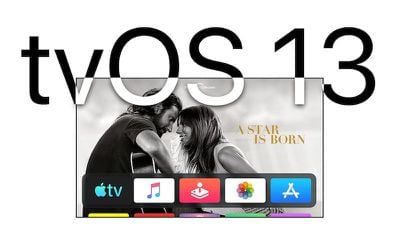
tvOS 13 includes a new Home screen that's aimed at making it easier to find new content, with support for autoplaying videos to show off new TV shows, movies, and apps, similar to Netflix.

Multi-user support is new in tvOS 13, letting each member of the family have their own customized ‌Apple TV‌ interface with separate recommendations, music playlists, and Watch Now lists. A new Control Center lets you swap between profiles.

tvOS 13 gets the ‌Apple TV‌ ready for Apple Arcade, Apple's new gaming service that's coming to the ‌Apple TV‌, iOS, iPadOS, and macOS later this year. ‌Apple Arcade‌ will offer unlimited access to more than 100 new and exclusive games, for one subscription fee.

‌Apple Arcade‌ preparations include support for the Xbox Wireless Bluetooth Controller and the PlayStation DualShock 4 Controller, both of which can be connected to an ‌Apple TV‌ over Bluetooth.

Apple is also adding new under-the-sea themed screensavers made in partnership with the BBC Natural History unit, also known for "Blue Planet," and the new software brings support for a picture-in-picture mode that lets you watch TV while doing other things on the ‌Apple TV‌.

For more on what's new in tvOS 13, make sure to check out our tvOS 13 roundup.

Related Roundup: Apple TV
Buyer's Guide: Apple TV (Don't Buy)

Popular Stories

tvOS 26 Feature

Apple Releases tvOS 26.5

Monday May 11, 2026 10:02 am PDT by
Apple today released tvOS 26.5, the fifth update to the tvOS operating system that came out last fall. tvOS 26.5 is available for the Apple TV 4K, and it comes over a month after Apple released tvOS 26.4. tvOS 26.5 can be downloaded using the Settings app on the ‌‌Apple TV‌‌. Open up Settings and go to System > Software Update to get the new software. ‌‌Apple TV‌‌ owners who...
General visionOS watchOS and tvOS Betas Feature Redux

Apple Releases First watchOS 26.6, tvOS 26.6 and visionOS 26.6 Betas

Tuesday May 26, 2026 10:03 am PDT by
Apple today provided developers with the first betas of upcoming watchOS 26.6, tvOS 26.6, and visionOS 26.6 betas for testing purposes. The software two weeks after Apple launched the 26.5 versions of each platform. The software updates are available through the Settings app on each device, and because these are developer betas, a free developer account is required. There's no word on...
Where is the New Apple TV Feature

Apple Previews New tvOS 27 Feature

Wednesday May 20, 2026 1:02 pm PDT by
Apple has announced that "Larger Text" support is coming to tvOS, allowing users to increase the on-screen text size to make it easier to read. "Larger Text" lets you adjust the size of text in supported apps, with the option already available on other devices like the iPhone, iPad, and Vision Pro. This was one of the new accessibility features that Apple previewed earlier this week, with ...

Top Rated Comments

90 months ago
There seems to be a new app opening animation.
Yes. it is very distracting.
Score: 2 Votes (Like | Disagree)
unfunfionn Avatar
90 months ago
Not in love with it so far. I preferred to have my "next up" shows just by having the TV apps icon highlighted like in 12.
Yeah that’s the most irritating omission for me too. It makes an almost useless app entirely useless.
Score: 1 Votes (Like | Disagree)
Hookemfins Avatar
90 months ago
Not in love with it so far. I preferred to have my "next up" shows just by having the TV apps icon highlighted like in 12.
Score: 1 Votes (Like | Disagree)
90 months ago
TvOS 13 installed this morning automatically. I guess not waiting for iOS 13 in the fall?
Score: 1 Votes (Like | Disagree)
dugbug Avatar
90 months ago
The problem I have with these auto play videos is that there is this pregnant pause while each one loads and it feels broken. Same with Netflix’s implementation.
Score: 1 Votes (Like | Disagree)