Nanoleaf Canvas Squares Now Support 'Touch Actions' to Activate HomeKit Scenes - MacRumorsOpen MenuShow RoundupsShow Forums menuVisit ForumsOpen Sidebar
Skip to Content

Nanoleaf Canvas Squares Now Support 'Touch Actions' to Activate HomeKit Scenes

by

Nanoleaf today introduced a useful new capability for its Nanoleaf Canvas Smarter Kit, allowing individual Canvas squares to serve as touch controls to activate HomeKit scenes.

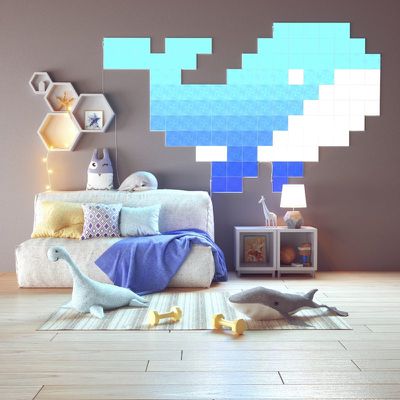
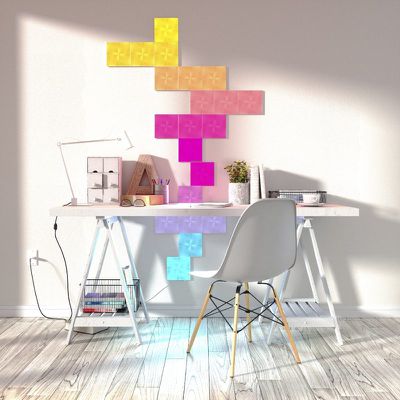
For those unfamiliar with the Nanoleaf Canvas, it's a set of light-up panels that attach to the wall or the ceiling, providing accent lighting. The Canvas tiles are touch-compatible and support different touch gestures, which is what enables this new feature.
nanoleaf2
Touch Actions lets a Canvas light square double as a smart button to activate different ‌HomeKit‌ scenes, such as turning off the lights or getting a bedtime scene ready. Three actions are available for each of the squares, including a single press, double press, and long press.

nanoleaf1
More than one button can have scenes assigned, so the Nanoleaf Canvas can double as a control panel for all of your ‌HomeKit‌ scenes.

nanoleaf3
Setting up Touch Actions requires a Home Hub for ‌HomeKit‌, which can be an Apple TV, a HomePod, or an iPad. Scenes need to be set up, and from there, you can turn Canvas panels into buttons by opening up the Nanoleaf app, selecting My Devices, choosing the Canvas, tapping the gear icon for more settings, and then selecting Touch Actions. It's a little bit complicated, but Nanoleaf has created a tutorial video.


Touch Actions are available today following a firmware update for the Nanoleaf Canvas. The Nanoleaf Canvas can be purchased from the Nanoleaf website starting at $119.99.


Top Rated Comments

Doctor Q Avatar
89 months ago
The implementation may be poor, but the idea is great, combining style, convenience, and practicality.
Score: 1 Votes (Like | Disagree)
89 months ago
An over-priced, cheaply made, buggy product. If you're up for spending a lot of time trying to diagnose why they keep disconnecting from your network then definitely order some. But personally, I regretted buying these and could want to return them.
Score: 1 Votes (Like | Disagree)

Popular Stories

Aston Martin CarPlay Ultra Screen

Apple Says CarPlay Ultra is Coming to These Vehicle Brands

Thursday May 21, 2026 11:53 am PDT by
Last year, Apple launched CarPlay Ultra, the long-awaited next-generation version of its CarPlay software system for vehicles. Nearly a year later, CarPlay Ultra is still limited to Aston Martin's latest luxury vehicles, but that should change fairly soon. In May 2025, Apple said many other vehicle brands planned to offer CarPlay Ultra, including Hyundai, Kia, and Genesis. CarPlay Ultra...
iphone 18 pro blue%402x

iPhone 18 Pro: Dark Cherry, Light Blue, and Dark Gray Chassis Leaked [Update]

Thursday June 4, 2026 5:18 am PDT by
Update: Since publication, new information has come to light suggesting the images have been AI-manipulated and are not in fact iPhone 18 Pro chassis parts. The original article follows. The color options Apple is reportedly planning for the upcoming iPhone 18 Pro and ‌iPhone 18 Pro‌ Max have appeared online today in the form of images of chassis parts of unknown authenticity....
iOS 27 All the New App Features

iOS 27: All the Rumored App Features

Wednesday June 3, 2026 3:48 pm PDT by
Siri is getting a major overhaul in iOS 27, but Apple also has some big updates planned for apps like Camera, Photos, and Wallet. There are multiple new AI features in the works, plus some non-AI upgrades. Camera Apple is moving Visual Intelligence from the Camera Control button to the Camera app in iOS 27, according to Bloomberg. There will be a Siri mode that will be available alongside...