CloudApp, software designed for visual collaboration and content sharing, received a major update today to add new functionality to the app.
The app has seen an overhauled interface that better matches macOS Catalina and iOS 13, Apple's newest operating systems. CloudApp for the Mac features larger interface elements and a streamlined design meant to improve the overall look and feel of the app.
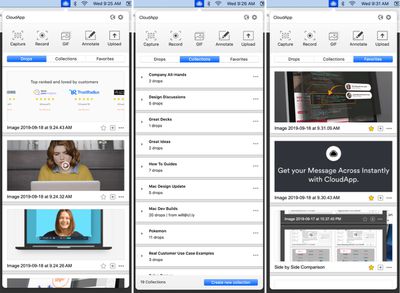
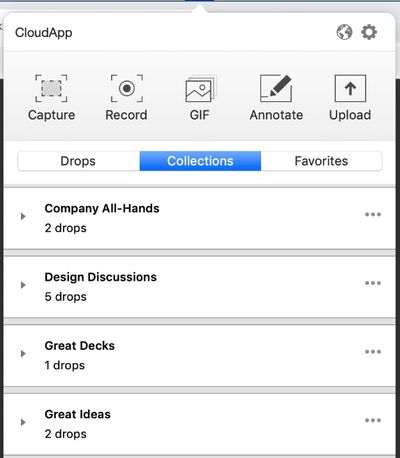
Collections and Favorites are also new additions, making it easier to share screen recordings, GIFs, videos, photos, and more with colleagues. Collections lets CloudApp users better organize their content, keeping it right at their fingertips for quick access. Users can create a Collection of commonly used files, get to those files right from a folder on the desktop, and easily share the content.
CloudApp imagines multiple use cases for Collections. Customer service representatives, for example, can create a Collection of videos, screenshots, and GIFs for answering common customer questions, while marketing teams can keep design elements on hand.
Favorites, meanwhile, are aimed at making it faster for CloudApp users to get to their most used Drops from the desktop. Favorites can be accessed from the new Favorites section, right next to Collections and Drops.
CloudApp is also gaining new short links, doing away with the cl.ly short links in favor of share.getcloudapp.com links. CloudApp says these are more customer friendly, direct, and offer better security with SSL. Paid customers can continue to offer links with a customized domain.
CloudApp can be downloaded from the CloudApp website. It's free for individual users and can be used to create and share videos, GIFs, screenshots, and more. The free plan is limited to 5 minutes of screen recording and 100MB of storage.
Paid individual plans are available for $9 a month with unlimited video recording, and team plans are available for $8 per user per month.