

Apple Releases macOS Catalina 10.15.3 With Pro Display XDR Optimizations, Improvements to Multi-Stream Video Editing for 16-Inch MacBook Pro - MacRumorsOpen MenuShow RoundupsShow Forums menuVisit ForumsOpen Sidebar
Skip to Content

Apple Releases macOS Catalina 10.15.3 With Pro Display XDR Optimizations, Improvements to Multi-Stream Video Editing for 16-Inch MacBook Pro

by

Apple today released macOS Catalina 10.15.3, the third update to the macOS Catalina operating system that was released in October. macOS Catalina 10.15.3 comes over a month after the release of macOS Catalina 10.15.2.

‌‌macOS Catalina‌‌ 10.15.3 can be downloaded from the Mac App Store for free using the Update feature in the System Preferences app, and it is available to anyone who has a compatible Mac.
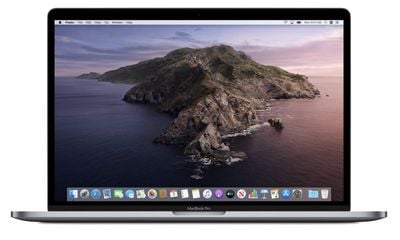
macos catalina wallpaper
macOS Catalina 10.15.3 has code in it that suggests a new "Pro Mode" is coming to Apple's Macs. Pro Mode appears to be an optional setting that overrides fan speed limits and energy saving restrictions to improve performance. The code says that apps "may run faster" but battery life could decrease and fan noise could increase.

It's not entirely clear if Pro Mode is coming to Macs in the 10.15.3 release, but the code is there so it is a possibility. According to Apple's release notes, the update includes Pro Display XDR optimizations and multi-stream video editing improvements.

The macOS Catalina 10.15.3 update improves the stability, reliability and security of your Mac, and is recommended for all users.
This update:
- Optimizes gamma handling of low gray levels on Pro Display XDR for SDR workflows when using macOS
- Improves multi-stream video editing performance for HEVC and H.264 encoded 4K video on the 16-inch MacBook Pro (2019)

For more on everything that's new in ‌macOS Catalina‌, make sure to check out our dedicated macOS Catalina roundup.

Related Forum: macOS Catalina

Top Rated Comments

sugargliderdude Avatar
84 months ago
i said i would install Catalina once its at 10.15.3 but still not sure if i should... hearing so many horror stories.
Score: 10 Votes (Like | Disagree)
84 months ago
Biggest question: Will it fix Mail's data loss bug? Or is Mail.app on Catalina still randomly deleting E-Mails?
Score: 8 Votes (Like | Disagree)
VanNess Avatar
84 months ago

I would switch the Apple Mail if it did one thing Outlook did. Separate days in my inbox. I have today, yesterday, last week and older in my main view in Outlook. Apple Mail is just here you go, sort it out.
You can set up smart mailboxes ('https://support.apple.com/guide/mail/use-smart-mailboxes-mlhlp1190/mac') for today, yesterday, last week, etc. Pretty easy to do and I have it set up that way with links copied to the favorites bar. Since they are smart mailboxes your inbox remains untouched. Since doing this I rarely access my inbox. No need.
Score: 5 Votes (Like | Disagree)
84 months ago

Fingers crossed for Notes syncing with iCloud again.
Never had a problem with notes syncing since the first version.
Score: 5 Votes (Like | Disagree)
Steve121178 Avatar
84 months ago

I just installed the update and the issue with the external monitor and the fans is still there, right now the fans are running at 3200 RPM and the machine is really hot just by browsing the web to get to this page.

I talked to Apple support (again) and now they want a video of the machine so they can hear the fans running, I can't believe that a company that just announced that made 92 billions in revenue in the last quarter can't replicate this issue on their offices. I'm starting to think that their priorities have changed
Not being funny, but you should know the Mac and macOS isn't a priority. The Mac has been severely neglected for many years and macOS gets a token annual update that doesn't really add very much and just further aligns the desktop OS with iOS in one way or another. There's been very little innovation and advancements with macOS.

The number of bugs and issues with Catalina is inexcusable, but do they really care? NO, they don't.

All the talent has been pulled from macOS over the years to work on iOS & it's variants as that is Apple's future. The Mac isn't.
Score: 4 Votes (Like | Disagree)
84 months ago
21 minutes in and the dreaded problem with SMB shares starts again...


Attachment Image
Score: 4 Votes (Like | Disagree)

Popular Stories

iCloud iPhone 17 Pro

iPhone Users Who Pay for iCloud Storage Get Two New Perks on iOS 27

Thursday July 2, 2026 6:10 am PDT by
If you pay for certain iCloud+ storage plans beyond the 5GB that Apple offers for free, you will receive two more perks on iOS 27 at no additional cost. A summary of the two new iCloud+ perks on iOS 27:Increased daily usage limits for some new Apple Intelligence features, including image generation in the revamped Image Playground app. HomeKit Secure Video cameras receive generated video...
Apple Event Logo

Apple Just Released a New Product

Thursday July 2, 2026 8:04 am PDT by
Apple's first product release of summer 2026 occurred this week, but do not get too excited, as it is merely the Beats Solo Buds in a new color. Beats Solo Buds are now offered in orange through Best Buy in the U.S., with availability set to expand to 7-Eleven stores in Japan on July 4. Apple already offered orange Solo Buds in India for free with the purchase of an iPhone 15 or iPhone 15 ...
iPhone 4 on Black Feature

Apple Facing One of Its Worst Leaks Since the iPhone 4

Thursday July 2, 2026 9:53 am PDT by
Apple supplier Tata Electronics recently suffered a cyberattack that resulted in thousands of confidential files being published on the dark web, and this reportedly included some photos and documents related to the upcoming iPhone 18 Pro. We have elected not to share any of the leaked photos in this story due to the illegal nature in which they were obtained, but they can easily be found...
















