Everything New in iOS 14 Beta 2: New Calendar Icon, Files Widget and More - MacRumorsOpen MenuShow RoundupsShow Forums menuVisit ForumsOpen Sidebar
Skip to Content

Everything New in iOS 14 Beta 2: New Calendar Icon, Files Widget and More

Apple today released the second beta of iOS 14 to developers for testing purposes, tweaking and refining some of the features that are coming in the update. Below, we've rounded up all of the changes that we found in the second beta.

- Calendar icon - There's a new Calendar app icon in iOS 14 beta 2, with the day of the week abbreviated rather than spelled out.
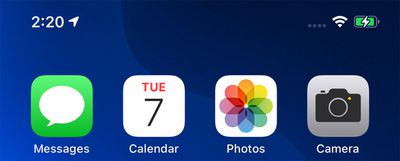
calendaricon
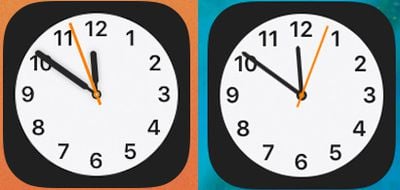
- Clock icon - The clock icon has also been slightly tweaked with a bolder font and thicker hour and minute hands.
clockappcomparison

New clock icon on left, beta 1 clock icon on right

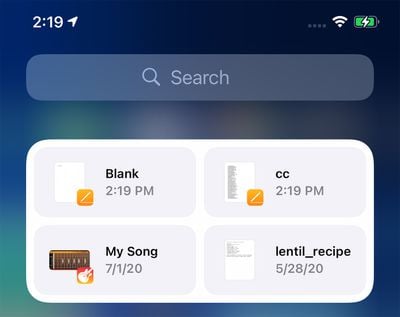
- Files widget - There's a new widget for the Files app that can be added to the Today View or the Home Screen.
filesappwidget
- Congestion Zones - Alerts are now provided in cities with congestion zones that charge tolls, such as London and Paris. There are also alerts for license plate restriction zones in countries that have license plate restrictions.

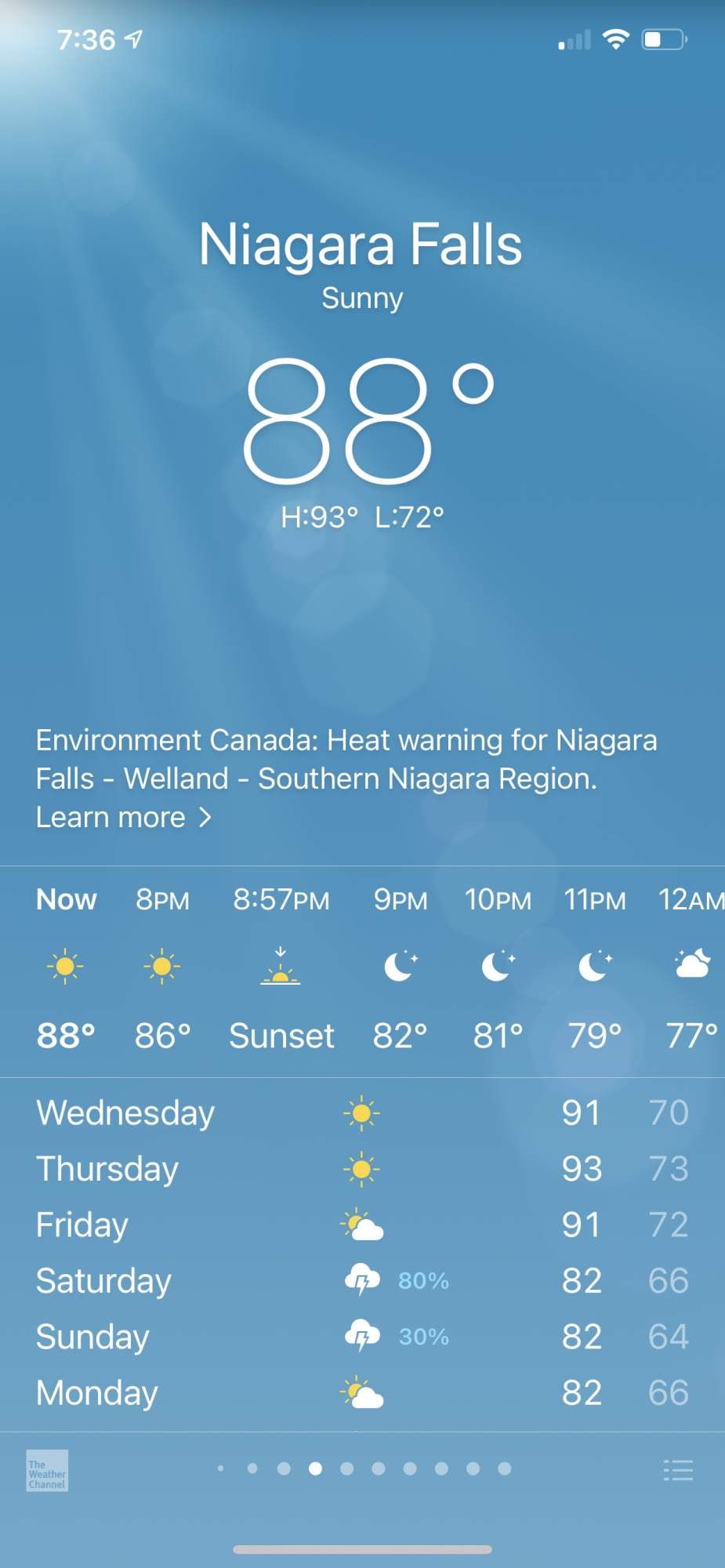
- Weather widget fix - The Weather widget has been fixed so it no longer shows Cupertino instead of current location.

- Reminders emoji - Emoji in Reminders lists have been redesigned.
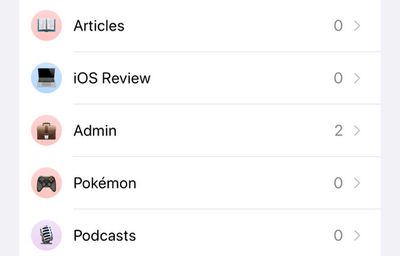
remindersemoji
- Shortcuts - There's no longer an option to open .shortcuts files in the Shortcuts app.
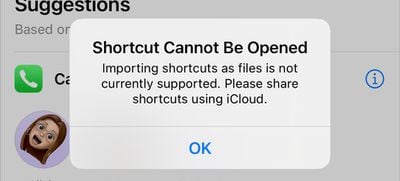
shortcutsopenfile
- App Library - Apps downloaded to the App Library and not the ‌Home Screen‌ can now be deleted directly from the App Library. The "Remove" feature for other apps is now "Delete."
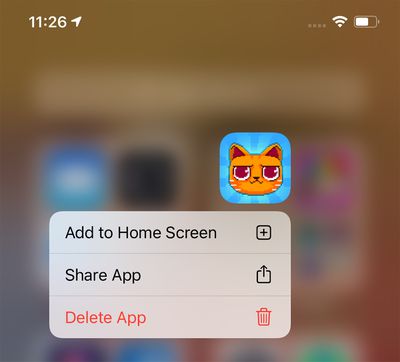
applibrarydelete
- HomeKit Favorites - The ‌HomeKit‌ favorites listed in the Control Center now feature larger icons for some people.
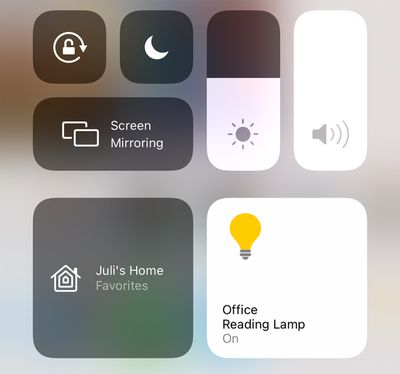
homekitcontrolcenter

- Music - A Music app setting allows animated cover art to be disabled. The Music app also no longer features a toggle for "Show Apple Music."
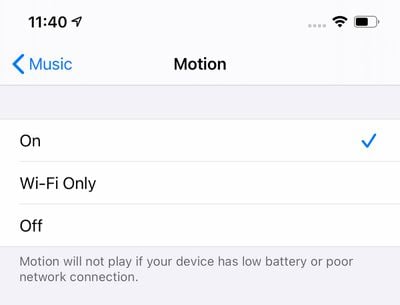
applemusicmotion
- Music haptics - Pressing the play, pause, next, and back buttons on the Now Playing screen in ‌Apple Music‌ provides haptic feedback.

- Family Sharing - There's a new icon for family sharing in the Settings app.
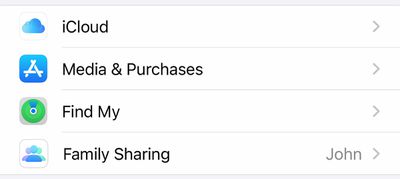
ios14familysharing
- Apple Pay - ‌Apple Pay‌ is now available in Mac catalyst apps.

- WiFi Privacy Warning - When connecting to a WiFi network that doesn't use Private Wi-Fi Address, Apple provides a warning message in the Settings app.
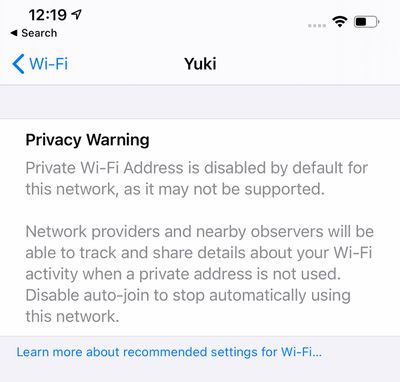
wifiwarning
- Control Center - Control Center now displays which apps have recently accessed the microphone or the camera.
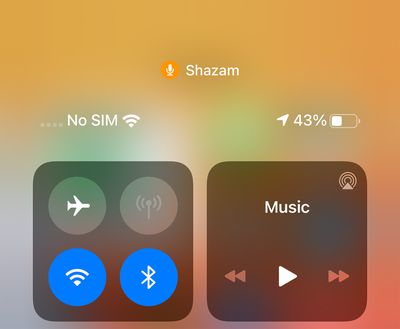
controlcentermicrophonecameraprivacy
Have you found other changes not listed here? Let us know in the comments and we'll add them to the list.


Related Forum: iOS 14

Popular Stories

apple pro tell logo

Apple Launching Five New Products Today

Thursday November 5, 2026 12:59 am PST by
Apple is launching five new products on Friday, November 6, following pre-orders that opened last week, including its first touchscreen MacBook Pro models. The following new products will be available from today: iPad mini with OLED display and A20 Pro chip iMac with M6 chip 14-inch MacBook Pro with M6 chip 14-inch MacBook Pro with OLED touchscreen 16-inch MacBook Pro with OLED...
duo aquarium

More Fun iPhone Duo Apps: 30 New Picks to Try

Friday November 6, 2026 3:27 pm PST by
When the iPhone Duo launched, we shared a list of some of the fun apps developers created for the new form factor. Two weeks out, developers are continuing to come up with fresh ideas, so we thought we'd share some of our favorites. Games Marbles Unhinged ($2.99) - Marbles Unhinged is a marble maze designed for the Duo. When you fold it, the floor turns into a ramp. If you stand the top...
silver iphone 18 pro

Apple Rumored to Drop the iPhone's Action Button Next Year

Friday November 6, 2026 6:07 am PST by
Apple plans to merge the iPhone's Action button with the Camera Control starting next year, according to the leaker known as "Instant Digital." In a new post on Weibo, the leaker claimed that a single press of the combined button would open the camera, while a long press would trigger the function assigned to the Action button. They explicitly clarified that the dedicated Action button would ...

Top Rated Comments

JGIGS Avatar
83 months ago
Would love the ability to toggle off the app names at the bottom of the icons. It's great being able to do this on Android. Looks so much cleaner.
Score: 17 Votes (Like | Disagree)
83 months ago
I still wish there was a function to customize which of my favorited HomeKit accessories show up in Control Center.
Score: 14 Votes (Like | Disagree)
WB2Colorado Avatar
83 months ago

Control Center - Control Center now displays which apps have recently accessed the microphone or the camera.
This is not new in beta 2. It was in beta 1 as well.
Score: 9 Votes (Like | Disagree)
Alan Gordon Avatar
83 months ago

I wonder why “old” widgets are still around.

they can’t be moved, are unable to leave left of home, and are totally destroyed by new widgets. Not sure why they are still part of the OS
I'm guessing it's to give developers time to upgrade their apps before breaking functionality.
Score: 7 Votes (Like | Disagree)
GtrDude Avatar
83 months ago
Another iOS update with at least half of the updates completely useless or just visual stuff.
Apple needs to:
1. redesign the notification center. It's ridiculous.
2. add haptic feedback to the keyboard, and make it possible to customize different intensities to your heart's content. It's crazy that you have no feedback whatsoever if you're typing and have the phone on mute.Those who are concerned with battery can just turn it off.


3. make it possible to adjust volume for independent apps and settings and not this general thing they're doing, forcing you to do it while the thing is being played, such as separate volume control for keyboard volume, music volume, ring volume, system volume.
4. add suggestions from the address book when you're dialing a phone number. Common now Apple.
5. make it possible to customize the texting app in every conceivable way. Font size, bubble size shape color.
6. make it possible to schedule a message to be sent at a certain time/date.
7. make it possible to move the icons anywhere you want to.
8. Use an OS-wide clipboard and make it not expire. You should be able to copy text now and paste it tomorrow if you want to.
9. Give us an option to NOT go to the next email but back to inbox after deleting an email.
Score: 6 Votes (Like | Disagree)
83 months ago
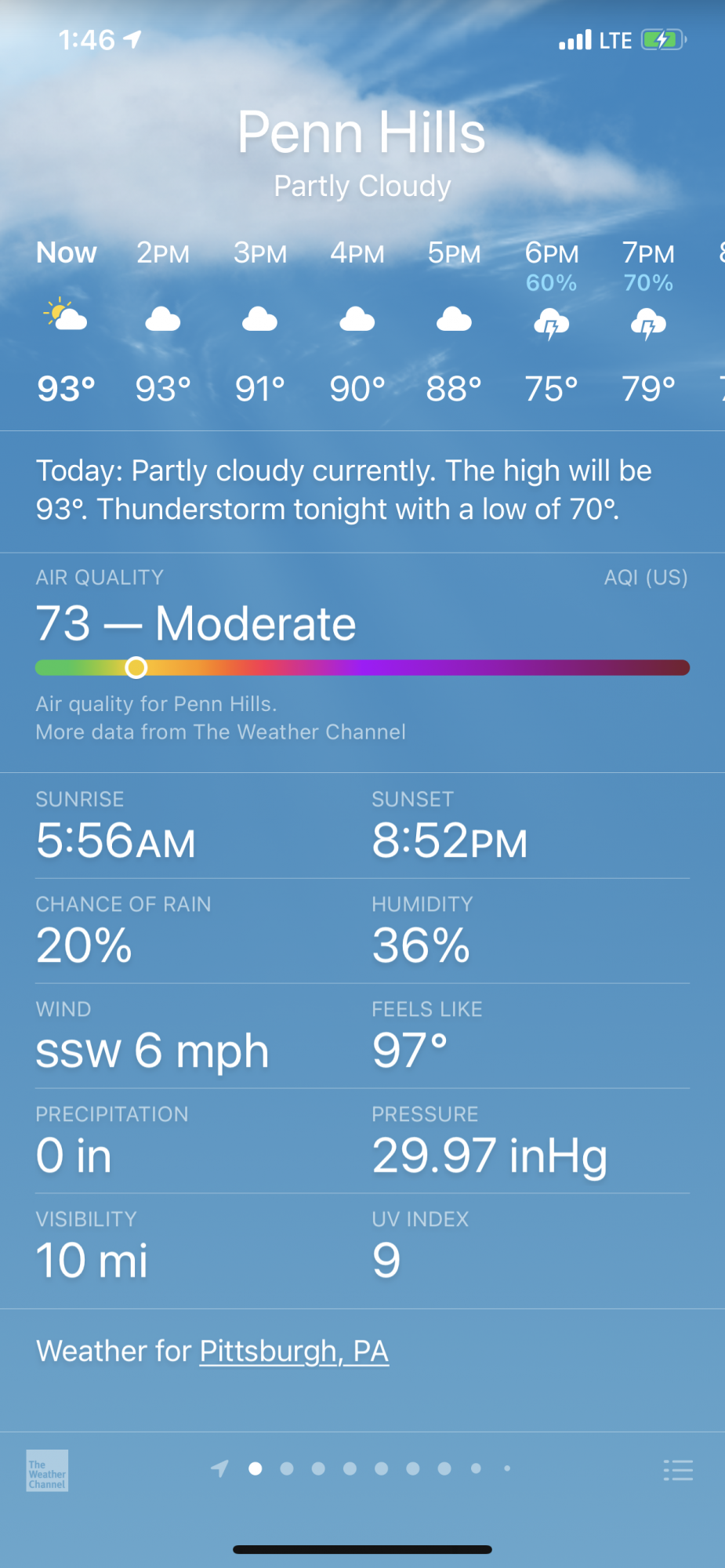
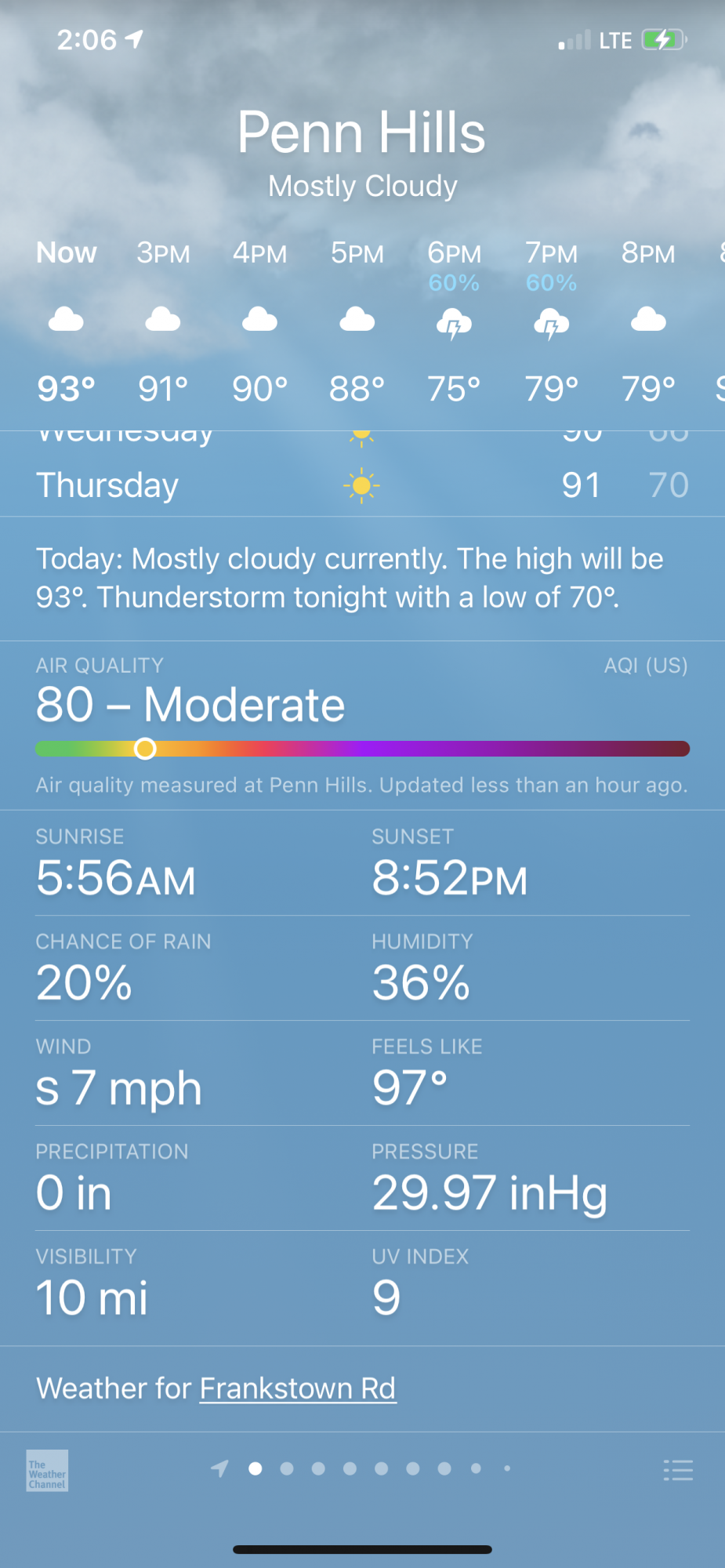
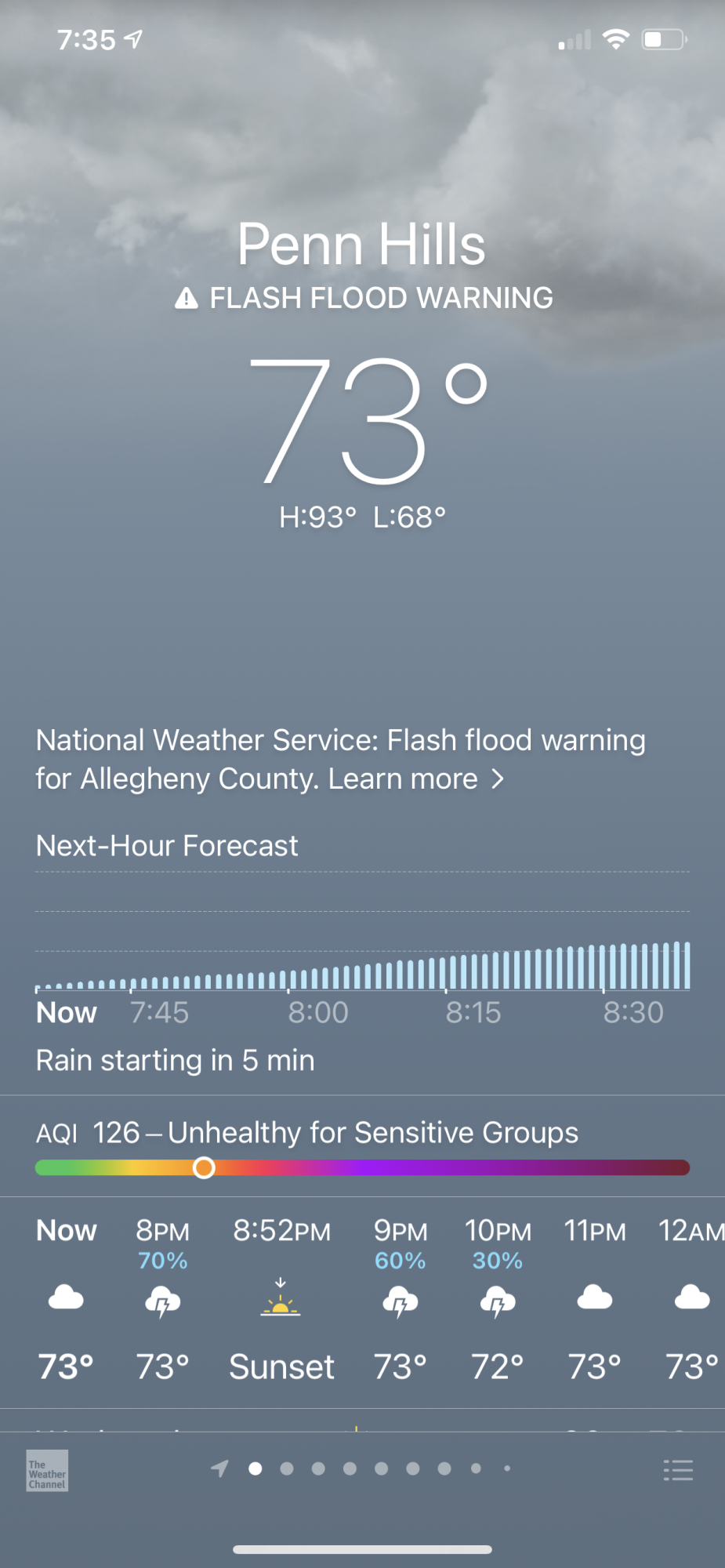
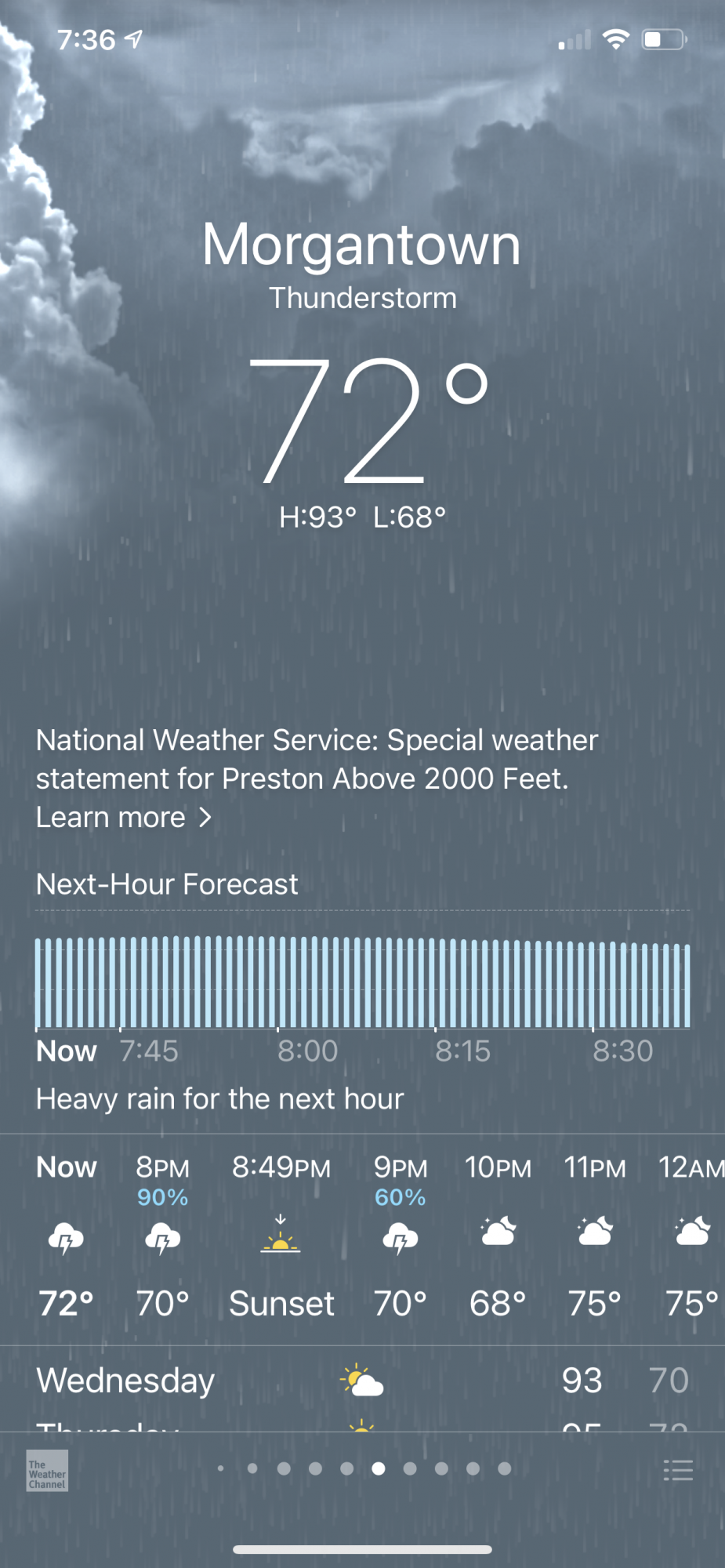
Changes in the weather app:

-Minor changes to how air quality is displayed.
-At the bottom of the weather app in iOS 14 beta one, it displayed the city name. Now in beta 2, it is displaying a street name, hinting at deeper integration with Dark Sky


-in beta 2, weather warnings and advisories from government weather offices are displayed


Attachment Image

Attachment Image

Attachment Image

Attachment Image

Attachment Image
Score: 4 Votes (Like | Disagree)
Latest Stories
Siri AI Rumored to Become 'More Like an Agent' as Early as Next Year
2 hours ago
Apple Taking New Approach to Developing iOS 28 and macOS 28
4 hours ago
Early Apple Black Friday Deals on Apple Watch, MacBook Air, and More
23 hours ago
'Backglow' Lets You Customize New MacBook Pro's Glowing Apple Logo
23 hours ago
Top Stories: Apple Product Launches, iOS 27.3 Beta, and More
1 day ago
More Fun iPhone Duo Apps: 30 New Picks to Try
2 days ago
Hands-On With Apple's New OLED Touchscreen MacBook Pro
2 days ago
Apple Store With All-New Design Opening Soon in Southern California
2 days ago
Control the Glowing Apple Logo on Your New MacBook Pro
2 days ago
Apple Shares New 'Apple Card: Apply and Use in Minutes' Ad
2 days ago
Apple Says More Than 100,000 Apps Optimized for iPhone Duo, Here's What's Still Missing
2 days ago
Early Black Friday Deals Kickoff With Steep Discounts on Apple Watch Ultras and More
2 days ago
The MacRumors Show: iOS 27.3 Looks Like a Huge Update
2 days ago
Best Buy's Black Friday Event Begins With Sitewide Savings on Apple, TVs, More
2 days ago
Apple Releasing Yet Another Two New Products Next Week
2 days ago
MacBook Air Drops to Lowest Price in Months With Amazon's $250 Discount
2 days ago
Apple Rumored to Drop the iPhone's Action Button Next Year
2 days ago
Apple's Extended Return Policy Now in Effect for 2026 Holiday Season
2 days ago
Apple Music Classical Updated With New Icon and Refreshed Design
2 days ago
OLED iPad Mini, M6 iMac, and New MacBook Pros Available From Today
2 days ago
Apple Surveys iPhone Duo Buyers About Crease and Camera
3 days ago
Apple's First Touchscreen Mac is Now Arriving to Customers
3 days ago
Claude Gets Personal Finance Feature With Bank Account Linking
3 days ago
Apple Arcade Adds Crossy Road Rush and NBA 2K27
3 days ago
Apple's New HomeView Smart Home Hub: Here's How Much RAM It Has
3 days ago
iPad Mini vs. iPad Air Buyer's Guide: Now Just $50 Apart
3 days ago
First iOS 27.3 and macOS Golden Gate 27.3 Public Betas Now Available
3 days ago
Apple Announces a New Mac Sales Record
3 days ago
Paid $200 for Logic Pro? Apple Says You Won't Get This New Feature
3 days ago
Instagram's Edits Video Editor is Now Available on Mac
3 days ago