M1 Macs Support WiFi 6, MacBook Air Has Updated Function Keys - MacRumorsOpen MenuShow RoundupsShow Forums menuVisit ForumsOpen Sidebar
Skip to Content

M1 Macs Support WiFi 6, MacBook Air Has Updated Function Keys

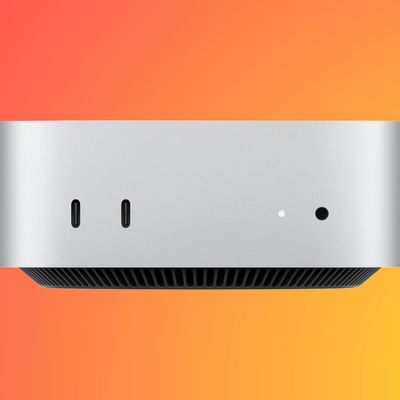
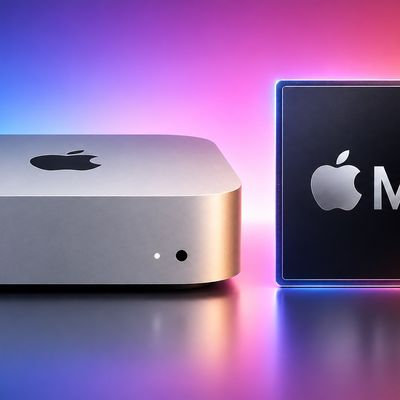
The M1 MacBook Air, 13-inch MacBook Pro, and Mac mini are the first of Apple's Macs to support WiFi 6, or 802.11ax. WiFi 6 support started rolling out in Apple devices with the March 2020 launch of the iPad Pro, but Apple did not include the feature in Macs refreshed earlier in the year.
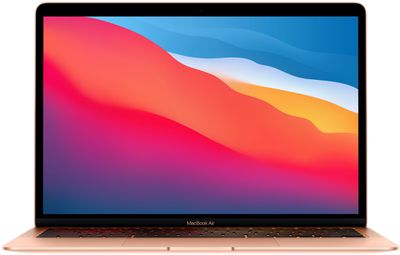
m1 macbook air
WiFi 6 brings faster speeds, expanded network capacity, lower latency, and improved power efficiency, plus it is ideal for homes where there are many WiFi-connected smart home products in use. With more and more routers starting to offer WiFi 6 performance, the update is a welcome change to the Mac lineup.

None of the Macs refreshed today got major design changes, but the ‌MacBook Air‌ features an updated row of function keys that gains Spotlight search instead of Launchpad, and a dictation key and a Do Not Disturb key in place of the function keys that used to be available for adjusting keyboard brightness.
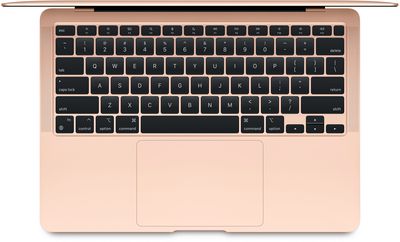
m1 macbook air keyboard
The Fn key at the bottom of the keyboard has also been updated to serve as an emoji key for bringing up emoji on the ‌MacBook Air‌.

Aside from these function key updates, the ‌M1‌ ‌MacBook Air‌ uses the same scissor switch keyboard that Apple added to the 2020 ‌MacBook Air‌ earlier this year. The scissor switch keyboard is more reliable than the prior-generation Butterfly Keyboard and not prone to failure due to exposure to crumbs and other small particulates.

The new ‌M1‌ Macs are available for purchase as of today from Apple's online store, and the first orders are set to arrive to customers on November 17.

Related Roundups: MacBook Air, Mac mini
Related Forums: MacBook Pro, MacBook Air, Mac mini

Popular Stories

apple price hike

Apple Just Increased Prices on MacBooks, iPads, and More

Thursday June 25, 2026 5:44 am PDT by
Apple today dramatically increased device prices across multiple product lines. Subscribe to the MacRumors YouTube channel for more videos. After temporarily taking it down earlier today, Apple's online store is back up with a series of product price increases. The changes are as follows: HomePod mini: $129, up from $99 (+$30) HomePod: $349, up from $299 (+$50) Apple TV: $199, up from...
mac mini blue

Apple Hikes M4 Pro Mac Mini Starting Price Amid Rising Memory Costs

Thursday June 25, 2026 6:10 am PDT by
Apple today increased the starting price of the Mac mini with M4 Pro chip by $200, taking the higher-tier model up to $1,599 on its online store. When the M4 Pro model launched in October 2024, the starting price was $1,399, but Apple has been hit by the rapid expansion of AI data centres, which has driven up the demand for memory and storage chips across the tech industry. Apple had...
macbook air blue

M6 MacBook Air: Release Date, Pricing, and What to Expect

Thursday June 18, 2026 8:11 am PDT by
Apple refreshed the MacBook Air with the M5 chip in March 2026, but attention is already turning to what comes next. While the next-generation model isn't expected to arrive until next year, early rumors suggest it could mark the beginning of a more ambitious phase in Apple's chip roadmap. From potential advances in processor technology to the prospect of higher prices, here's what the...

Top Rated Comments

74 months ago
Still way better than a touch bar
Score: 34 Votes (Like | Disagree)
74 months ago
So how do you adjust the keyboard brightness now?
Score: 21 Votes (Like | Disagree)
74 months ago

Is the touch bar really worth the extra cash?
No! The touch bar is worth absolutely nothing, it's just plain annoying. Often wish my MacBook Pro had regular keys...
Score: 16 Votes (Like | Disagree)
74 months ago
The only times I use my touchbar are when I'm trying to type a number and get mistaken. So I put it to sleep. Or I mute it. Or who knows what.
Score: 16 Votes (Like | Disagree)
74 months ago
Wow, keyboard brightness keys are of utmost importance to me!
Score: 14 Votes (Like | Disagree)
JimmyBanks6 Avatar
74 months ago
How do you adjust keyboard brightness in that case?
Score: 14 Votes (Like | Disagree)