Microsoft Excel for iPad Now Supports Split View, Word Gains Full Trackpad Support, and PowerPoint Offers Presenter Coaching - MacRumorsOpen MenuShow RoundupsShow Forums menuVisit ForumsOpen Sidebar
Skip to Content

Microsoft Excel for iPad Now Supports Split View, Word Gains Full Trackpad Support, and PowerPoint Offers Presenter Coaching

Microsoft today released updates to its suite of Office apps for iPad, including Word, PowerPoint, and Excel. Notably, Excel for ‌‌iPad‌‌ now supports Split View, which allows you to open two spreadsheets simultaneously side-by-side to view and edit. Word and PowerPoint received support for Split View in May 2020.
word excel powerpoint ipad
Split View can be accessed by touching and holding on a spreadsheet document in any file view and then dragging it to the left or right side of the screen. To exit Split View, grab the slider in the middle of the screen and drag it to either the left or right to close one of the spreadsheet documents and take the remaining one full-screen.

Meanwhile in PowerPoint, users can now rehearse their presentations with the new Presenter Coach feature, which offers feedback on the things that keep an audience engaged, such as pacing, pitch, filler words, sensitive phrases, and more.
ipadpromagickeyboardtrackpad
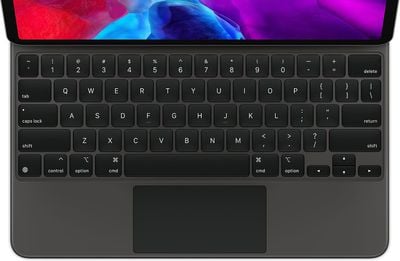
Microsoft has also been working to implement full support for the iPadOS trackpad controls that were introduced in iPadOS 13.4, and the latest version of Word (2.45) does just that. Following the update, users can connect a trackpad and mouse to their ‌iPad‌ to interact with documents. Keyboards with trackpads include Apple's Magic Keyboard and Brydge's Pro+ for the iPad Pro and Logitech's Combo for the 10.2-inch ‌iPad‌ and the 10.5-inch iPad Air.

Popular Stories

iCloud iPhone 17 Pro

iPhone Users Who Pay for iCloud Storage Get Two New Perks on iOS 27

Thursday July 2, 2026 6:10 am PDT by
If you pay for certain iCloud+ storage plans beyond the 5GB that Apple offers for free, you will receive two more perks on iOS 27 at no additional cost. A summary of the two new iCloud+ perks on iOS 27:Increased daily usage limits for some new Apple Intelligence features, including image generation in the revamped Image Playground app. HomeKit Secure Video cameras receive generated video...
iPhone 4 on Black Feature

Apple Facing One of Its Worst Leaks Since the iPhone 4

Thursday July 2, 2026 9:53 am PDT by
Apple supplier Tata Electronics recently suffered a cyberattack that resulted in thousands of confidential files being published on the dark web, and this reportedly included some photos and documents related to the upcoming iPhone 18 Pro. We have elected not to share any of the leaked photos in this story due to the illegal nature in which they were obtained, but they can easily be found...
American Express Gold Apple Pay Feature

American Express Announces New Apple Pay Feature

Tuesday June 30, 2026 10:27 am PDT by
American Express today announced that you can now redeem Membership Rewards points when checking out with Apple Pay on the web and in apps on the iPhone and iPad. When checking out with Apple Pay on iOS 18 or iPadOS 18 or later, tap on your eligible American Express card (Platinum, Gold, Green, and others) and select the Membership Rewards points option. You can use points to cover all or...

Top Rated Comments

72 months ago

trackpad on the ipad is so stupid. doesn't belong on a touch first device.
Then don't buy it... I have a MK and am loving it.
Score: 12 Votes (Like | Disagree)
72 months ago

trackpad on the ipad is so stupid. doesn't belong on a touch first device.

i knew arm MacBooks were coming out (redesigned ones are coming soon that will be far lighter and thinner than an iPad Pro with magic keyboard attached) and have said it before it even came out: you don't need a cursor on an iPad.
Totally disagree. I use my iPad 12.9 Pro with Magic Keyboard for almost everything for work and home. Barely use my work laptop. Have trackpad and touch is awesome. I am sure you are in the minority here, but that is why we have choices. :)
Score: 5 Votes (Like | Disagree)
jlc1978 Avatar
72 months ago

Totally disagree. I use my iPad 12.9 Pro with Magic Keyboard for almost everything for work and home. Barely use my work laptop. Have trackpad and touch is awesome. I am sure you are in the minority here, but that is why we have choices. :)
I agree - a touchscreen is fine for many applications, and probably better for some; but a mouse/trackpad and cursor make using the iPad much more viable as a laptop replacement for many use cases.
Score: 4 Votes (Like | Disagree)
jlc1978 Avatar
71 months ago

and developers are forced to adopt that option. additional work and investments for indie developers that barely make any money.
Only if they decide to support that feature; they have to decide if it adds enough value to make the cost worthwhile.

Giving you more choices puts more work on us solo indie developers who have to spend more time away from implementing new features and fixing bugs to support your marginally worse workflow compared to a MacBook Air.
It's your call, don't add the feature if you think it isn't worthwhile and add ones you do; let the market decide if you are right.
Score: 1 Votes (Like | Disagree)
cipher29 Avatar
71 months ago

NO MORE OUTLOOK for MAC or Windows!
the future is a web based outlook for both Mac and Windows.
Keep your 2019 Mac Office and treasure it!

Web APPs the future as 5G internet gets more widely used
And more Software as a service. You don't own it.


https://9to5mac.com/2021/01/05/microsoft-outlook-mac-web-app/
You never owned the software you bought in physical media or downloaded either - read the EULA - you're buying the right to use the software - no different in a subscription model, they just found a way to get you to keep paying for the upgrades :)
Score: 1 Votes (Like | Disagree)
bradman83 Avatar
71 months ago

Regarding Word and trackpad: anyone notice a difference in capabilities or handling compared to 2.44? I don't see any at first glance, trackpad integration was already offered with 2.44 ....
I don’t think this is a new feature to 2.45. I think MS just repeats the same recently added major features for a few updates for those who don’t update as often.
Score: 1 Votes (Like | Disagree)