Some Users Having External Display Connection Issues With macOS Big Sur 11.1 and 11.2 - MacRumorsOpen MenuShow RoundupsShow Forums menuVisit ForumsOpen Sidebar
Skip to Content

Some Users Having External Display Connection Issues With macOS Big Sur 11.1 and 11.2

Some macOS Big Sur users who are running the 11.1 and recently released 11.2 update have been experiencing ongoing issues with external displays, based on multiple reports on the MacRumors forum, Apple Support Communities, Twitter, and Reddit.
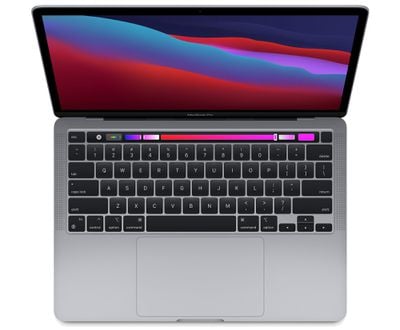
macbook pro touch bar m1
There are at least two separate issues at play, but both are related to external display connections. The problems appear to have started with the macOS Big Sur 11.1 update, and the 11.2 update has not provided a fix and in some cases, has worsened the issue.

The first issue causes USB-C ports to fail to recognize external monitors, rendering external displays unusable and unable to connect. This appears to be affecting both DisplayPort and HDMI displays connected directly and through hubs and adapters.


We saw this issue firsthand after upgrading a MacBook Pro to macOS Big Sur 11.2, with the update preventing an external monitor from connecting with USB-C, and there are several other complaints from affected users. From Reddit:

Upgrading to 11.2 broke my second external monitor connection.
Primary monitor LG Ultrafine 4k (Mac version) connected via Thunderbolt.
Secondary monitor (same model) connected via HDMI->DisplayPort adapter (BENFEI), then DisplayPort->USB-C cable no longer works after updating (worked fine on 11.1 before updating).
macOS appears to recognize the monitor and resolution, as it is shown in display settings, and Apple Support was able to remove into my computer and see both screens. It's almost as if the signal for the monitor to turn on is not being sent.

The second issue results in resolution issues with external displays unable to work at a full 4K 60Hz resolution, instead locked at 30Hz. In some cases, a 4K monitor is only recognized as a 1080p monitor.


It appears that many of those affected with display issues have a 16-inch ‌MacBook Pro‌, but there are also reports of other Macs with the same connectivity problems. There does not appear to be a reliable, widespread and tested fix or workaround at this time.

Mac users did not experience these problems in the initial release of macOS Big Sur 11.0.1, and it appears that the macOS Big Sur 11.3 update released yesterday also does not address the problem, but there is still some time for Apple to work in a fix before the 11.3 software sees a public release.


Related Forum: macOS Big Sur

Popular Stories

duo aquarium

More Fun iPhone Duo Apps: 30 New Picks to Try

Friday November 6, 2026 3:27 pm PST by
When the iPhone Duo launched, we shared a list of some of the fun apps developers created for the new form factor. Two weeks out, developers are continuing to come up with fresh ideas, so we thought we'd share some of our favorites. Games Marbles Unhinged ($2.99) - Marbles Unhinged is a marble maze designed for the Duo. When you fold it, the floor turns into a ramp. If you stand the top...
apple pro tell logo

Apple Launching Five New Products Today

Thursday November 5, 2026 12:59 am PST by
Apple is launching five new products on Friday, November 6, following pre-orders that opened last week, including its first touchscreen MacBook Pro models. The following new products will be available from today: iPad mini with OLED display and A20 Pro chip iMac with M6 chip 14-inch MacBook Pro with M6 chip 14-inch MacBook Pro with OLED touchscreen 16-inch MacBook Pro with OLED...
iOS 28 AI

Apple Taking New Approach to Developing iOS 28 and macOS 28

Sunday November 8, 2026 7:42 am PST by
Apple has made a change to its development process for iOS 28, macOS 28, and corresponding software updates, according to Bloomberg's Mark Gurman. In his Power On newsletter today, he said Apple separates development of each year's new operating systems into three major stages. Typically, he said each stage consists of four weeks of coding followed by a four-week "convergence" period where...

Top Rated Comments

cal6n Avatar
75 months ago
It’s good to see this on the front page. Let’s get some visibility.


My Benq PD2720U drops to 1920 x 1080 when my MBP M1 wakes from sleep, but still tries to display my higher res desktop.

Turning the monitor off and on restores normality, so it’s an annoyance but it still shouldn’t be happening.
Score: 12 Votes (Like | Disagree)
Johnny907 Avatar
75 months ago
Well yeah, because in so many ways Big Sur is a huge piece of garbage. Apple needs to get serious about squashing bugs and getting back to “It just works” again.
Score: 8 Votes (Like | Disagree)
75 months ago
Thats an understatement. Huge issues with external display for me on the M1 MacBook Air. HDMI connection is not recognized after the Mac goes to sleep. I have to unplug the cable and plug it back in and then bang on the space bar repeatedly for the Mac to detect the monitor via the HDMI port on the monitor.

The DP 1.4 (5K) connection on this monitor is not recognized by the M1 MacBook Air at all no matter what I do. It works just fine with the 2020 MacBook Pro (10th generation Intel CPU).

Apple admitted to me (after a month of me badgering them and demanding that the ticket be sent to Engineering again and again) that the M1 Macs have an issue with DP1.4 not being recognized.
Score: 8 Votes (Like | Disagree)
75 months ago
I've had this issue since I bought my Mac mini M1. USB-C to Display Port (cable straight from the Mac mini to the display - no hubs or anything). At least once a day, it will not wake long enough to detect the display. When this happens, I can VNC in and everything looks fine.


* It's almost as though the signal to wake isn't being transmitted or detected long enough to really wake the display.
* When this wake issue happens, on my monitor, NEC PA301W, I also get an error warning me that the display input has not been detected. Even though I keep my Mac running all the time. It's not like I'm even asking the Mac to wake from sleep.
* But the only way in is by powering off the monitor. When it comes back, sometimes it's all I need to do. Occasionally, the resolution has gone to hell and I have to go in and redo all my open windows.
* It happens often enough now that I know it's a genuine fault.
* For the last few years, I had an Intel MacBook Air connected to this display and I never once had the 'Wake' issue.


Honestly, I've been tearing my hair out over this. Hope this thread gets some good visibility and Apple sort it.
Score: 7 Votes (Like | Disagree)
star-affinity Avatar
75 months ago
An SMC reset ('https://support.apple.com/en-us/HT201295') doesn't help?

By the way, I think having more than one display connected in macOS is handled pretty badly compared to Windows 10 as far as what I know is possible.

Things I'm missing in macOS that Windows 10 can do:


* In software, disable one of the connected display as if it was disconnected despite being physically connected and turned on.
* Have the Dock (Task Bar in Windows) displayed on both (or all) displays at the same time.
* Have the menu bar being displayed on both (or all) displays at the same time (well in Windows each menu bar follows the application window, but in practice it becomes like having a menu bar on each display if having one app on each display).


Or am I missing some setting in macOS to achieve something like the above?

Edit:
OK, I see the menu bar is on both the MacBook Pro 13" (2018) display and my external display using Big Sur 11.2 here at work. Don't know why the menu bar only show up on on the main display of my old Mac Pro (2010) with Big Sur 11.2 at home. At the same time Big Sur isn't officially supported on that computer, so can't really complain I guess...

Edit 2:
The menu bar missing on my second screen was due to the setting Displays have separate spaces being disabled in Apple meny -> System Preferences -> Mission Control.
Score: 3 Votes (Like | Disagree)
MDMac Avatar
75 months ago
Had washed-out colors and incorrect black levels over USB-C on my LG 27UK850-W since I received my M1 MacBook Air. Issues were resolved in 11.2 final and still are in 11.3 beta 1.

EDIT: I’ve now tested this on my second, identical monitor and the issue is still present.
Score: 3 Votes (Like | Disagree)
Latest Stories
Apple Store Subscription Sign-Up Controversy Exposed
4 hours ago
Siri AI Rumored to Become 'More Like an Agent' as Early as Next Year
14 hours ago
Apple Taking New Approach to Developing iOS 28 and macOS 28
15 hours ago
Early Apple Black Friday Deals on Apple Watch, MacBook Air, and More
1 day ago
'Backglow' Lets You Customize New MacBook Pro's Glowing Apple Logo
1 day ago
Top Stories: Apple Product Launches, iOS 27.3 Beta, and More
2 days ago
More Fun iPhone Duo Apps: 30 New Picks to Try
2 days ago
Hands-On With Apple's New OLED Touchscreen MacBook Pro
2 days ago
Apple Store With All-New Design Opening Soon in Southern California
2 days ago
Control the Glowing Apple Logo on Your New MacBook Pro
2 days ago
Apple Shares New 'Apple Card: Apply and Use in Minutes' Ad
3 days ago
Apple Says More Than 100,000 Apps Optimized for iPhone Duo, Here's What's Still Missing
3 days ago
Early Black Friday Deals Kickoff With Steep Discounts on Apple Watch Ultras and More
3 days ago
The MacRumors Show: iOS 27.3 Looks Like a Huge Update
3 days ago
Best Buy's Black Friday Event Begins With Sitewide Savings on Apple, TVs, More
3 days ago
Apple Releasing Yet Another Two New Products Next Week
3 days ago
MacBook Air Drops to Lowest Price in Months With Amazon's $250 Discount
3 days ago
Apple Rumored to Drop the iPhone's Action Button Next Year
3 days ago
Apple's Extended Return Policy Now in Effect for 2026 Holiday Season
3 days ago
Apple Music Classical Updated With New Icon and Refreshed Design
3 days ago
OLED iPad Mini, M6 iMac, and New MacBook Pros Available From Today
3 days ago
Apple Surveys iPhone Duo Buyers About Crease and Camera
3 days ago
Apple's First Touchscreen Mac is Now Arriving to Customers
3 days ago
Claude Gets Personal Finance Feature With Bank Account Linking
3 days ago
Apple Arcade Adds Crossy Road Rush and NBA 2K27
3 days ago
Apple's New HomeView Smart Home Hub: Here's How Much RAM It Has
3 days ago
iPad Mini vs. iPad Air Buyer's Guide: Now Just $50 Apart
3 days ago
First iOS 27.3 and macOS Golden Gate 27.3 Public Betas Now Available
4 days ago
Apple Announces a New Mac Sales Record
4 days ago
Paid $200 for Logic Pro? Apple Says You Won't Get This New Feature
4 days ago








































