

Apple Updates Pages, Numbers, and Keynote With New Features for iOS 15 and macOS Monterey - MacRumorsOpen MenuShow RoundupsShow Forums menuVisit ForumsOpen Sidebar
Skip to Content

Apple Updates Pages, Numbers, and Keynote With New Features for iOS 15 and macOS Monterey

Apple today announced updates to its iWork suite of apps with new features, including some that are limited to iOS 15 and macOS Monterey. This includes updates to the Pages, Numbers, and Keynote apps across the iPhone, iPad, and Mac.
iWork macOS Trio Feature

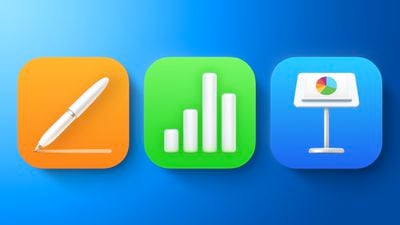
Newly redesigned iWork icons on the Mac

Apple says Keynote now offers an option to show a live camera view of the presenter directly in slides across the iPhone, iPad, and Mac. In addition, Pages now automatically displays text and images in a single-column flow that is optimized for the iPhone, and Numbers introduces pivot tables for data analytics across the iPhone, iPad, and Mac.

The latest versions of Pages, Numbers, and Keynote for Mac let you instantly translate selected text in up to 11 languages and add the translation to your document, spreadsheet, or presentation with a single click. This feature requires a Mac running macOS Monterey, which is currently in beta and will be released later this year.

The new iWork apps for Mac also include the redesigned icons we first spotted in a macOS Monterey beta last month.

The full release notes for Pages version 11.2 for macOS:

• Improved book publishing with 2-page spreads, optimized images, and more flexible versioning
• Flexible collaboration allows participants to add others to a shared document*
• Instant translation lets you translate selected text in up to 11 languages and add the translation to your document with a click*
• Create new documents from the app icon in the Dock
• Radar charts help you visually compare multiple variables at once to easily show similarities and differences in your data
* Requires macOS Monterey

iOS 15 introduced cross-app drag and drop, allowing users to drag and drop images, text, files, and more between apps on the iPhone, and this functionality is fully supported by the latest versions of Pages, Numbers, and Keynote for iOS.

The updates are currently rolling out on the App Store and the Mac App Store, complete with full release notes for the other apps.


Popular Stories

Apple Card iPhone 16 Pro Feature

Apple Card Promo to Offer Free AirPods Pro 3

Friday May 15, 2026 8:59 am PDT by
Starting as early as next week, customers who sign up for an Apple Card at Apple's retail stores in the U.S. will receive $249 cash back when they purchase AirPods Pro 3, according to Bloomberg's Mark Gurman. The promotion has yet to be officially announced by Apple, so exact terms and conditions are not available at this time. AirPods Pro 3 are priced at $249 in the U.S., so customers who...
Apple WWDC25 iOS 26 CarPlay Light mode 250609

Six Popular iPhone Apps Now Available on CarPlay

Thursday May 14, 2026 9:10 am PDT by
Apple's CarPlay system for accessing iPhone apps on a vehicle's dashboard screen has received six popular apps in recent weeks: ChatGPT, Perplexity, Grok, Google Meet, WhatsApp, and the indie artist streaming platform Audiomack. Make sure you have the latest version of each app and they will automatically appear on CarPlay. ChatGPT Starting with iOS 26.4, CarPlay supports voice-based...
ipad mini 7 blue

OLED iPad Mini: Release Date, Pricing, and What to Expect

Thursday May 14, 2026 5:08 am PDT by
According to the latest rumors, Apple is close to launching its next-generation iPad mini. So what should we expect from the successor to the iPad mini 7 that Apple released over a year ago? Read on to find out. Processor and Performance Apple is working on a next-generation version of the iPad mini (codename J510/J511) that features the A19 Pro chip, according to information found in code...

Top Rated Comments

Westside guy Avatar
61 months ago
I really don't get the excitement over updated icons.
Score: 7 Votes (Like | Disagree)
61 months ago
If you’ve got other iOS devices still running iOS 14 or lower — don’t use any of these apps on your existing files, otherwise you won’t be able to open the files again on your other devices running an earlier version of iOS.
Score: 7 Votes (Like | Disagree)
61 months ago
Pivottables added! No mention in article! Stop the presses, and rewrite the article
Score: 6 Votes (Like | Disagree)
HeavenDynamic Avatar
61 months ago
It took them a year to realize that macOS icons were absolutely horrible?
Score: 6 Votes (Like | Disagree)
61 months ago

Pivot Tables ...

https://support.apple.com/en-gb/guide/numbers/tan7ce76e776/11.2/mac/1.0
Excellent. So I can now not understand pivot tables in Excel AND Numbers.
Score: 5 Votes (Like | Disagree)
DinkThifferent Avatar
61 months ago
Much better icons for macOS! Love them!
Score: 5 Votes (Like | Disagree)















