Apple Releases watchOS 8.0.1 With Fixes for Apple Watch Series 3 Bugs
Apple today released watchOS 8.0.1, a minor update to the watchOS 8 operating system that was first released in September. watchOS 8.0.1 comes three weeks after the launch of watchOS 8.
watchOS 8 can be downloaded for free through the dedicated Apple Watch app on the iPhone by going to General > Software Update. To install the new software, the Apple Watch needs to have at least 50 percent battery, it needs to be placed on a charger, and it needs to be in range of the iPhone.
According to Apple's release notes for the update, watchOS 8 fixes a couple of Apple Watch Series 3 bugs that affected software update progress and accessibility settings.
- Software update progress may not be displayed accurately for some Apple Watch Series 3 users
- Accessibility settings may not have been available for some Apple Watch Series 3 users
watchOS 8.0.1 is being released alongside iOS 15.0.2, a bug fix update for iPhone users.
Popular Stories
Thursday September 10, 2026 11:57 am PDT by
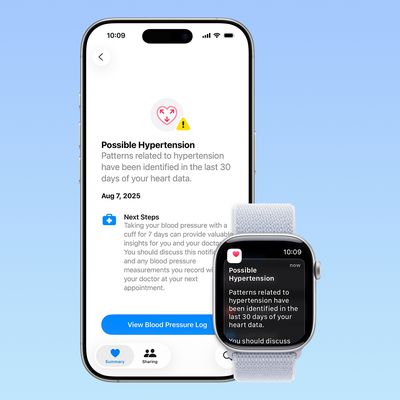
Juli CloverSome Apple Watch users who upgrade to the Series 12 or the Ultra 4 might temporarily lose access to hypertension notifications.
On the watchOS feature availability page, Apple says notifications might not be available on the Series 12 or Ultra 4 at launch because regulatory clearances are in process.
Hypertension Notifications may not be available on Apple Watch Series 12 or Ultra 4 in your ...
Apple today released watchOS 27, the newest version of the operating system that runs on the Apple Watch. watchOS 27 is compatible with the Apple Watch Series 9 and later, the Apple Watch Ultra 2 and later, and the Apple Watch SE 3.
watchOS 27 can be downloaded for free on a compatible device through the Settings app on the watch.
The update introduces support for Siri AI, a more capable...
Wednesday September 9, 2026 12:06 pm PDT by
Juli CloverApple today seeded the release candidate versions of watchOS 27, visionOS 27, and tvOS 27 to developers and public beta testers. The release candidates are the final versions of the updates that will be seeded to the public as long as no final bugs are found during this last round of testing.
The updates can be installed through the Software Update section in the Settings app on each...





/https://forums.macrumors.com/attachments/1862435/)
/https://forums.macrumors.com/attachments/1862436/)
/https://forums.macrumors.com/attachments/1862437/)


















