Some SD Cards Not Working Properly With 2021 14 and 16-Inch MacBook Pros - MacRumorsOpen MenuShow RoundupsShow Forums menuVisit ForumsOpen Sidebar
Skip to Content

Some SD Cards Not Working Properly With 2021 14 and 16-Inch MacBook Pros

The SD card reader slot on the new 14 and 16-inch MacBook Pro models is not functioning as expected with some SD cards, according to multiple reports on the MacRumors forums.
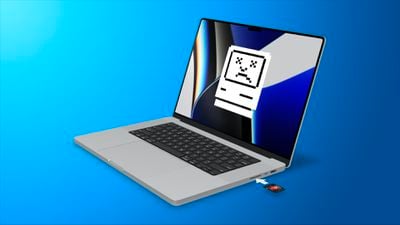
2021 MBP SD Card Error Feature
In a long complaint thread, MacRumors readers have detailed the issues that they're having with some SD cards, and there seems to be little consistency between reports and affected SD cards. Some SD cards crash and can't be accessed, while some have unusually slow transfer speeds. MacRumors reader Wildct explains the issue:

Same issues with 14" M1 Pro. Just seems to be super flakey and inconsistent. Half the time it'll recognize the card successfully (though it takes anywhere from 30s to 1m) and half the time it'll throw an error. These are all Sandisk Ultra cards, both XC and HC, that were formatted in my camera. I tried reformatting them w/ the MBP and that didn't seem to make a difference. All my cards work as expected in my 3 other USB card readers.

In some situations, there's just an error message when attempting to use the SD card, sometimes Finder crashes, and sometimes the SD card takes many minutes to be accesible. From MacRumors reader 2Stepfan:

It's very frustrating. I was hoping that import from SD card including preview of images would be quick on my new 14" MBP. I have a fairly new 64GB SD card which had been working fine. But Photos on the MBP using the internal SD card slot takes minutes to show photos and sometimes crashes half way through. Sometimes the Finder crashes too.

Based on the thread, formatting does not appear to be the issue, though it could be a factor. There also does not seem to be a common thread between which cards work and which do not, but multiple users have reported that using an SD card reader over USB-C works when the SD card slot does not. From MacRumors reader wilberforce:

I tried many cards, and could find no pattern of brand, size, type, format, age. Seems to be completely random. The only thing that is consistent is that if a card works, it always works, and if a card does not work properly it never works properly. Reformatting, even to all other possible formats, makes no difference. Sandisk, Sony, Samsung, 16GB, 32GB, 64GB, 128GB, 256GB, UHS-I, UHS-II, micro-SD, FAT32, exFAT, makes no difference. 100% of my cards work perfectly via a dongle.

Some readers who have contacted Apple have been told that the company is aware of the issue and that a fix is coming in a future software update, but it is not clear if this is a hardware issue or a software issue. Some users who had problems replaced their MacBook Pro and did not continue to have issues, so it's not known exactly what might be going on.

Many of the reports are about older SD cards and there may be a particular issue with some 128GB cards, but for the most part, complaints are all over the place in terms of SD card brand, speed, and capacity.

One user reported that the macOS Monterey 12.1 beta had fixed the issue, but another person on Reddit said that the most recent beta did not address it, so we also don't know if macOS Monterey 12.1 might have a fix.

Those affected who are unable to use their SD cards with the SD card slot can access their cards by using an SD card reader dongle, which is not an ideal solution but at least provides a way to get SD card content onto an M1 Pro or M1 Max Mac.

Related Roundup: MacBook Pro
Buyer's Guide: MacBook Pro (Buy Now)
Related Forum: MacBook Pro

Popular Stories

M5 MacBook Pro

Apple Apparently Cancels Plans for Two New MacBooks

Thursday September 3, 2026 7:12 am PDT by
Apple has canceled plans for a foldable MacBook and a larger OLED MacBook Pro model, according to research firm Omdia. In a new research note, Omdia said Apple has scrapped development of a large foldable MacBook that would have measured between 16.1 and 18 inches when unfolded. It was previously reported that this device had already slipped out of its original 2026 production window, with...
Apple MacBook Pro M4 hero

MacBook Pro With OLED Touch Screen Running macOS 27.1 Inside Apple

Monday September 14, 2026 2:04 pm PDT by
Apple's rumored 14-inch and 16-inch MacBook Pro models with touch-enabled OLED displays are currently being tested with macOS 27.1, which is scheduled for release in late October, according to the latest word from Bloomberg's Mark Gurman. While he previously said these high-end MacBook Pro models would be released in either late 2026 or early 2027, Gurman's latest report today has the...
macOS Golden Gate HDR

macOS Golden Gate Seems to Hint at MacBook Pro With OLED Display

Tuesday September 1, 2026 12:34 pm PDT by
As noted by Broadcasts developer Steven Troughton-Smith, many Liquid Glass interface elements on the macOS Golden Gate beta have an even glassier appearance on certain high-end OLED displays with HDR support than they do on ordinary displays. Apple reportedly plans to release new MacBook Pro or "MacBook Ultra" models with an OLED display by early 2027, so it is likely that macOS Golden Gate...

Top Rated Comments

Michael Scrip Avatar
62 months ago

This sounds about right for SD cards. They are slow and prone to fail.
So wait... you're blaming this problem on the cards themselves?

Not these new Macbook Pros?

How do you explain when a card works fine in an external card reader... but not in their $2,000 Macbook Pro?

Is it still the card's fault?

:P
Score: 42 Votes (Like | Disagree)
Radeon85 Avatar
62 months ago
How the hell can Apple break something as basic as an SD Card reader?. Most likley a software issue as Apple seems to have a lot of those latley.
Score: 25 Votes (Like | Disagree)
Michael Scrip Avatar
62 months ago
SD card slot finally comes back... Hooray!

SD card slot doesn't work properly... D'oh!

:(
Score: 25 Votes (Like | Disagree)
sideshowuniqueuser Avatar
62 months ago

Each microSD card has its own controller and there are dozens of companies making their own controllers, each with different firmware.

This is probably why Apple hates add-on storage. They're used to coding for only Apple approved vendors.
And yet other companies can make external card readers that "just work" with every card. Sigh, bring back those days for Apple.
Score: 20 Votes (Like | Disagree)
boss.king Avatar
62 months ago

This sounds about right for SD cards. They are slow and prone to fail.
I’ve literally never had an SD card fail on me in all the years I’ve used them. I get that they’re not the most robust storage system in the world but you make it sound like storing anything on them is a total gamble.
Score: 14 Votes (Like | Disagree)
bart4u Avatar
62 months ago
I am sorry but an SD card reader is such a basic thing to add to a computer. Even the cheapest card readers on Amazon will read all SD cards. How could apple blow this. Did they not test a variety of SD card manufactures cards with their computers. I rather an another input port on my computer than having to deal with Apple's SD card reader. It looks like that cannot get that one right.
Score: 12 Votes (Like | Disagree)