Apple Releases iOS 15.2 With App Privacy Report, Legacy Contacts, Hide My Email Improvements and More - MacRumorsOpen MenuShow RoundupsShow Forums menuVisit ForumsOpen Sidebar
Skip to Content

Apple Releases iOS 15.2 With App Privacy Report, Legacy Contacts, Hide My Email Improvements and More

Apple today released iOS 15.2 and iPadOS 15.2, the second major updates to the iOS and iPadOS 15 operating systems that were released in September 2021. iOS 15.2 comes more than a month after the launch of iOS 15.1.


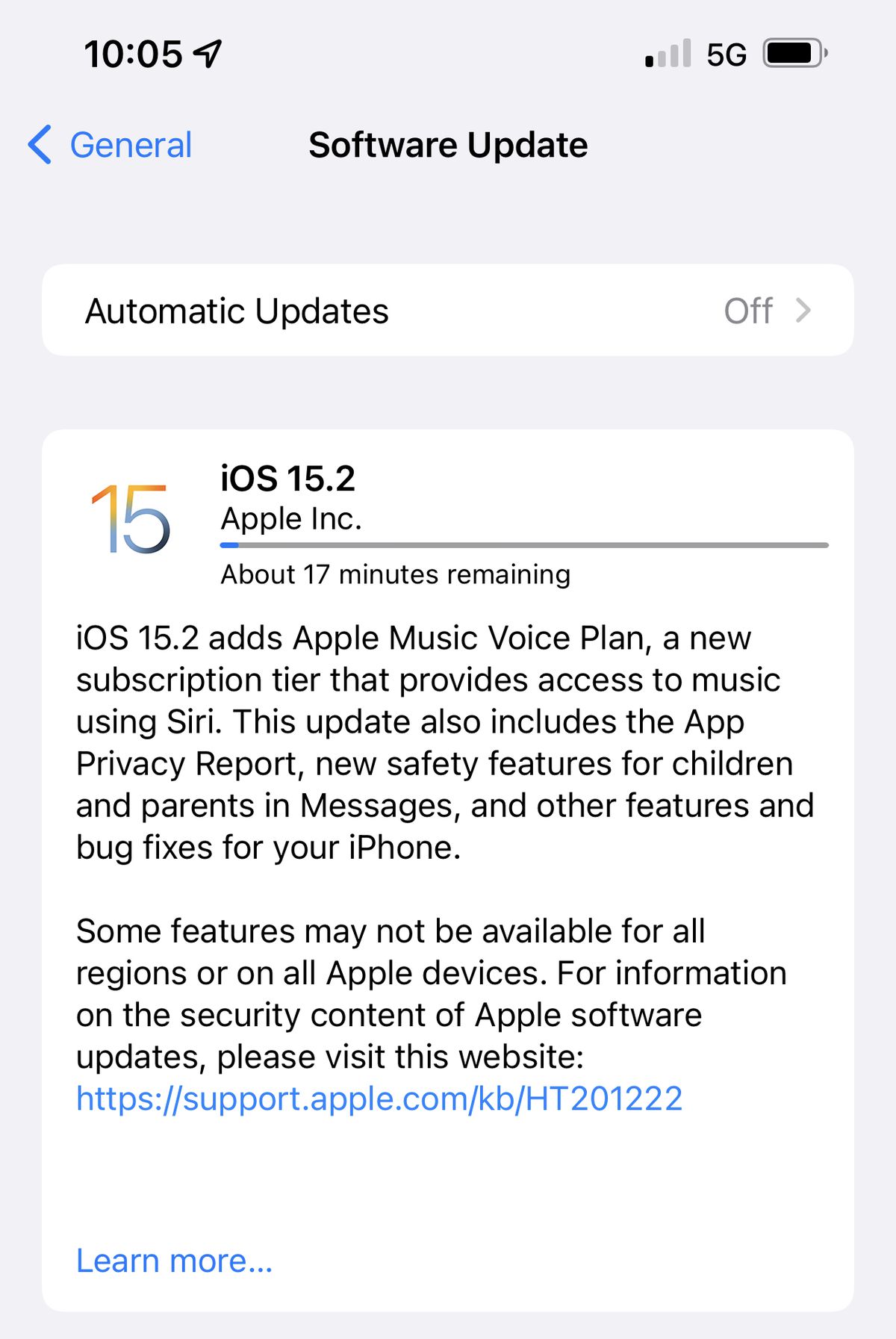
The iOS and iPadOS 15.2 updates can be downloaded for free and the software is available on all eligible devices over-the-air in the Settings app. To access the new software, go to Settings > General > Software Update. It may take some time for the update to roll out to all users.

iOS 15.2 adds App Privacy Report, a feature designed to let you know how often apps are accessing permissions-restricted info like the camera and the microphone, plus it lets you know the domains that apps and websites are contacting so you can keep an eye on what's going on behind the scenes.

The update includes Communication Safety for devices owned by children and the Apple Music Voice Plan, plus it introduces Legacy Contacts for managing your data after you die, and it adds improvements to Find My, Hide My Email, and more. Apple's full release notes for the iOS 15.2 update are below:

iOS 15.2 adds Apple Music Voice Plan, a new subscription tier that provides access to music using Siri. This update also includes the App Privacy Report, new safety features for children and parents in Messages, and other features and bug fixes for your iPhone.

Apple Music Voice Plan

  • Apple Music Voice Plan is a new subscription tier that gives you access to all songs, playlists, and stations in Apple Music using Siri
  • Just Ask Siri suggests music based on your listening history and likes or dislikes
  • Play it Again lets you access a list of your recently played music

Privacy

  • App Privacy Report in Settings lets you see how often apps have accessed your location, photos, camera, microphone, contacts and more during the last seven days, as well as their network activity

Messages

  • Communication safety setting gives parents the ability to enable warnings for children when they receive or send photos that contain nudity
  • Safety warnings contain helpful resources for children when they receive photos that contain nudity

Siri and Search

  • Expanded guidance in Siri, Spotlight and Safari Search to help children and parents stay safe online and get help with unsafe situations

Apple ID

  • Digital Legacy allows you to designate people as Legacy Contacts so they can access your iCloud account and personal information in the event of your death

Camera

  • Macro photo control for switching to the Ultra Wide lens to capture macro photos and videos can be enabled in Settings on iPhone 13 Pro and iPhone 13 Pro Max

TV app

  • Store tab lets you browse, buy, and rent movies and TV Shows all in one place

CarPlay

  • Enhanced city map in Apple Maps with road details like turn lanes, medians, bike lanes, and pedestrian crosswalks for supported cities

This release also includes the following enhancements for your iPhone:

  • Hide My Email is available in the Mail app for iCloud+ subscribers to create unique, random email addresses
  • Find My can locate iPhone for up to five hours when in Power Reserve
  • Stocks allows you to view the currency for a ticker and see year-to-date performance when viewing charts
  • Reminders and Notes now allow you to delete or rename tags

This release also includes bug fixes for your iPhone:

  • Siri may not respond while VoiceOver is running and iPhone is locked
  • ProRAW photos may appear overexposed when viewing in third-party photo editing apps
  • HomeKit scenes that include a garage door may not run from CarPlay when your iPhone is locked
  • CarPlay may not update Now Playing information for certain apps
  • Video streaming apps may not load content on iPhone 13 models
  • Calendar events may appear on the wrong day for Microsoft Exchange users

For a complete overview of all of the features that are available in iOS 15, we have a dedicated iOS 15 roundup.


Related Forum: iOS 15

Popular Stories

apple pro tell logo

Apple Launching Five New Products Today

Thursday November 5, 2026 12:59 am PST by
Apple is launching five new products on Friday, November 6, following pre-orders that opened last week, including its first touchscreen MacBook Pro models. The following new products will be available from today: iPad mini with OLED display and A20 Pro chip iMac with M6 chip 14-inch MacBook Pro with M6 chip 14-inch MacBook Pro with OLED touchscreen 16-inch MacBook Pro with OLED...
duo aquarium

More Fun iPhone Duo Apps: 30 New Picks to Try

Friday November 6, 2026 3:27 pm PST by
When the iPhone Duo launched, we shared a list of some of the fun apps developers created for the new form factor. Two weeks out, developers are continuing to come up with fresh ideas, so we thought we'd share some of our favorites. Games Marbles Unhinged ($2.99) - Marbles Unhinged is a marble maze designed for the Duo. When you fold it, the floor turns into a ramp. If you stand the top...
silver iphone 18 pro

Apple Rumored to Drop the iPhone's Action Button Next Year

Friday November 6, 2026 6:07 am PST by
Apple plans to merge the iPhone's Action button with the Camera Control starting next year, according to the leaker known as "Instant Digital." In a new post on Weibo, the leaker claimed that a single press of the combined button would open the camera, while a long press would trigger the function assigned to the Action button. They explicitly clarified that the dedicated Action button would ...

Top Rated Comments

chumps52 Avatar
64 months ago

"
Messages

* [I]Communication safety setting gives parents the ability to enable warnings for children when they receive or send photos that contain nudity[/I]
* Safety warnings contain helpful resources for children when they receive photos that contain nudity"

CSAM sneaked in?
You clearly don’t know what CSAM is.

Is this what this thread is going to turn into? Safety warnings for kids receiving unsolicited nudes is not CSAM.
Score: 15 Votes (Like | Disagree)
TheYayAreaLiving 🎗️ Avatar
64 months ago
Yay! Happy updating folks!!! Did Apple really just surprise us?

Woo hoo! It just showed up. Let’s go!!!



Attachment Image
Score: 11 Votes (Like | Disagree)
SRLMJ23 Avatar
64 months ago

You clearly don’t know what CSAM is.

Is this what this thread is going to turn into? Safety warnings for kids receiving unsolicited nudes is not CSAM.
Beat me to it, but you sir are 100% correct.

:apple:
Score: 8 Votes (Like | Disagree)
64 months ago
Macrumors jump the gun again?
Score: 8 Votes (Like | Disagree)
podycust Avatar
64 months ago

Ok I think of myself as a tech guy but even I don’t understand some of apples explanations.. What does this mean?

* Find My can locate iPhone for up to five hours when in Power Reserve

What is power reserve? Low power mode?
power Reserve is when the iPhone battery runs out of battery and turns off, it’s basically an ultra low power mode where the nfc chip is still enabled where you can still use express transit cards such as on the tube in London - https://support.apple.com/en-gb/guide/security/sec90cd29d1f/web
Score: 7 Votes (Like | Disagree)
GtrDude Avatar
64 months ago
Yet another meaningless update by Apple. It should be 15.1.1 at the most.

Here's my personal list of what I'd like to see in the next update:

As to their iphones, I would like to see Apple

1. redesign the notification center. It's ridiculous. At the very least add "Clear All" button immediately, even if there's only one notification.

2. give us an LED visual for notifications in addition to sound and vibration. Allow us the change the colors of the LED based on what the notification app is.
The fine folks who like things the way they are can just turn any or all of this off and be constantly hitting the screen on their phones to see if there are any messages when the phone is on mute, much like we all have to do all day long the way it current is.

3. give us an always-on screen for the clock. On the always-on screen we should also be able to choose if we want to see if we have any notifications (the amount and the app) or if we to just want to see the clock.
Once again, the people who don't like it should be able to turn it off. No more Apple forcing us to do stuff.

4. add haptic feedback to the keyboard and make it possible to customize different intensities to your heart's content.
It's beyond crazy that you have no feedback whatsoever if you're typing and the phone is on mute. Those who are concerned with battery or simply don't like this should be able to turn it off.

5. make it possible to adjust volume for independent apps and settings and not this general thing they're doing. Separate volume control for keyboard volume, music volume, ring volume, system volume.
I, for example, would like the keyboard clicks to be much louder than they are but without it affecting the volume on the entire phone or the ring and notifications volume. It's silly of Apple to force it to be like this.

6. add suggestions from the address book as you start a phone number.
Common now Apple, this has been available for the last 15 years on Android.

7. make it possible to customize the texting app in every conceivable way. Font size, bubble size shape color etc.

8. make it possible to schedule a text message to be sent at a certain time/date. This is a basic feature. Compose your message now and schedule it to be sent when the time is right. I used to use this feature all the time when I had to text people who are in different time zones when they have to get the text at a certain time in their time zone but it's way too late for me to stay up to send the text.

9. use an OS-wide clipboard and make cut and/or copy not expire until you, the user, cleans it.
You should be able to copy text now and paste it tomorrow if you want to.
And 9b make it possible to copy multiple copy entries ready to paste any one of them by long pressing, at least the last 10 cut/copies should be possible.

10. in Mail give us the option to NOT go to the next email when you are deleting an email but to go back to the inbox. Those who want to keep things the way they are should be able to turn this feature off.

11. make it possible to move the icons on the desktop anywhere you want to.
Score: 6 Votes (Like | Disagree)
Latest Stories
Early Apple Black Friday Deals on Apple Watch, MacBook Air, and More
9 hours ago
'Backglow' Lets You Customize New MacBook Pro's Glowing Apple Logo
9 hours ago
Top Stories: Apple Product Launches, iOS 27.3 Beta, and More
16 hours ago
More Fun iPhone Duo Apps: 30 New Picks to Try
1 day ago
Hands-On With Apple's New OLED Touchscreen MacBook Pro
1 day ago
Apple Store With All-New Design Opening Soon in Southern California
1 day ago
Control the Glowing Apple Logo on Your New MacBook Pro
1 day ago
Apple Shares New 'Apple Card: Apply and Use in Minutes' Ad
2 days ago
Apple Says More Than 100,000 Apps Optimized for iPhone Duo, Here's What's Still Missing
2 days ago
Early Black Friday Deals Kickoff With Steep Discounts on Apple Watch Ultras and More
2 days ago
The MacRumors Show: iOS 27.3 Looks Like a Huge Update
2 days ago
Best Buy's Black Friday Event Begins With Sitewide Savings on Apple, TVs, More
2 days ago
Apple Releasing Yet Another Two New Products Next Week
2 days ago
MacBook Air Drops to Lowest Price in Months With Amazon's $250 Discount
2 days ago
Apple Rumored to Drop the iPhone's Action Button Next Year
2 days ago
Apple's Extended Return Policy Now in Effect for 2026 Holiday Season
2 days ago
Apple Music Classical Updated With New Icon and Refreshed Design
2 days ago
OLED iPad Mini, M6 iMac, and New MacBook Pros Available From Today
2 days ago
Apple Surveys iPhone Duo Buyers About Crease and Camera
2 days ago
Apple's First Touchscreen Mac is Now Arriving to Customers
2 days ago
Claude Gets Personal Finance Feature With Bank Account Linking
2 days ago
Apple Arcade Adds Crossy Road Rush and NBA 2K27
2 days ago
Apple's New HomeView Smart Home Hub: Here's How Much RAM It Has
2 days ago
iPad Mini vs. iPad Air Buyer's Guide: Now Just $50 Apart
2 days ago
First iOS 27.3 and macOS Golden Gate 27.3 Public Betas Now Available
2 days ago
Apple Announces a New Mac Sales Record
3 days ago
Paid $200 for Logic Pro? Apple Says You Won't Get This New Feature
3 days ago
Instagram's Edits Video Editor is Now Available on Mac
3 days ago
Prevent Siri and Search From Accessing Specific iPhone Apps
3 days ago
Best Early Black Friday Deals on iPhone 18 Pro and iPhone Duo
3 days ago