Apple Releases macOS Ventura 13.0.1 Update With Bug Fixes - MacRumorsOpen MenuShow RoundupsShow Forums menuVisit ForumsOpen Sidebar
Skip to Content

Apple Releases macOS Ventura 13.0.1 Update With Bug Fixes

Apple today released macOS Ventura 13.0.1, a minor update to the macOS Ventura operating system that was released in October. The new software comes two weeks after the official launch of Ventura.
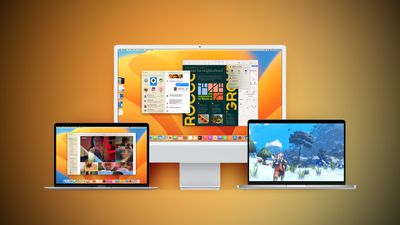
Ventura Macs Feature Yellow
The ‌macOS Ventura‌ update can be downloaded on eligible Macs using the Software Update section of System Settings.

macOS Ventura 13.0.1 is a bug fix update, and it addresses two security vulnerabilities that could allow for unexpected app termination or arbitrary code execution by a remote user. Neither was known to have been exploited in the wild.

Related Forum: macOS Ventura

Popular Stories

iphone 18 pro blue%402x

iPhone 18 Pro: Dark Cherry, Light Blue, and Dark Gray Chassis Leaked [Update]

Thursday June 4, 2026 5:18 am PDT by
Update: Since publication, new information has come to light suggesting the images have been AI-manipulated and are not in fact iPhone 18 Pro chassis parts. The original article follows. The color options Apple is reportedly planning for the upcoming iPhone 18 Pro and ‌iPhone 18 Pro‌ Max have appeared online today in the form of images of chassis parts of unknown authenticity....
Aston Martin CarPlay Ultra Screen

Apple Says CarPlay Ultra is Coming to These Vehicle Brands

Thursday May 21, 2026 11:53 am PDT by
Last year, Apple launched CarPlay Ultra, the long-awaited next-generation version of its CarPlay software system for vehicles. Nearly a year later, CarPlay Ultra is still limited to Aston Martin's latest luxury vehicles, but that should change fairly soon. In May 2025, Apple said many other vehicle brands planned to offer CarPlay Ultra, including Hyundai, Kia, and Genesis. CarPlay Ultra...
iOS 27 All the New App Features

iOS 27: All the Rumored App Features

Wednesday June 3, 2026 3:48 pm PDT by
Siri is getting a major overhaul in iOS 27, but Apple also has some big updates planned for apps like Camera, Photos, and Wallet. There are multiple new AI features in the works, plus some non-AI upgrades. Camera Apple is moving Visual Intelligence from the Camera Control button to the Camera app in iOS 27, according to Bloomberg. There will be a Siri mode that will be available alongside...

Top Rated Comments

AndiG Avatar
47 months ago
Ventura … Maybe I‘ll update in late summer 2023. Apple should really follow the Linux distribution path and offer LTS versions. It is a pain in the a** to upgrade every year just for some stupid gimmicks.

What I need is a stable OS that runs my software - i do not need an OS that changes every month and adds some new features and bugs. When I take all the features of the last 5 years, the text recognition in photos is something I really like.
Did I forget something? All the rest is just bloatware, something people should install using the AppStore.
Score: 26 Votes (Like | Disagree)
bradl Avatar
47 months ago

Ventura … Maybe I‘ll update in late summer 2023. Apple should really follow the Linux distribution path and offef LTS versions. It is a pain in the a** to upgrade every year just for some stupid gimmicks.
Not for nothing, but Linux doesn't run off of an Ubuntu release cycle, let alone the multiple distributions of Linux. RHEL and CentOS certainly don't, Debian doesn't, Slackware never has, and Arch and Mint definitely don't.


What I need is a stable OS that runs my software - i do not need an OS that changes every month and adds some new features and bugs. When I take all the features of the last 5 years, the text recognition in photos is something I really like.
Did I forget something? All the rest is just bloatware, something people should install using the AppStore.
Heh. Then Linux isn't the path for you, especially when you look at what it truly is: the kernel. In a period of 27 days, there were 7 releases of the Linux kernel, and that was just October alone. Oh; and that is the STABLE release branch.

Trust me (I'm a now 30 year long Linux sysadmin), MacOS is a hell of a lot more stable than what you think or are making it out to be.

BL.
Score: 14 Votes (Like | Disagree)
cmChimera Avatar
47 months ago

I don't like how the only way to check for updates is to Command Q the settings app and reopen General --> Software Updates. Otherwise it appears to not even check when you open and close Software Updates. :p
You can hit command + R to refresh.
Score: 13 Votes (Like | Disagree)
47 months ago
Also, you can scan for and download the full installer from the command line.

Trigger a scan with:
% sudo softwareupdate --background

Then list the available installers with:
% softwareupdate --list-full-installers

Download 13.0.1 with:
% softwareupdate --fetch-full-installer --full-installer-version 13.0.1


Attachment Image
Score: 9 Votes (Like | Disagree)
47 months ago

Data shows that Apple supports N-2, meaning you can still run Big Sur and expect security fixes.
Apple recently acknowledged that in fact it does *not* fully patch security holes in N-1 and N-2 releases of macOS. The following is an excerpt from an Apple support document ('https://support.apple.com/guide/deployment/about-software-updates-depc4c80847a/') updated last month:


Because of dependency on architecture and system changes to any current version of macOS (for example, macOS 13), not all known security issues are addressed in previous versions (for example, macOS 12).
Howard Oakley and Joshua Long have written about this, see
https://eclecticlight.co/2022/11/06/last-week-on-my-mac-home-truths-about-macos/
and
https://www.intego.com/mac-security-blog/apples-poor-patching-policies-potentially-make-users-security-and-privacy-precarious/

The bottom line seems to be that in fact one can not run anything less than the current major version of macOS and expect a fully patched system.
Score: 8 Votes (Like | Disagree)
BigMcGuire Avatar
47 months ago
I don't like how the only way to check for updates is to Command Q the settings app and reopen General --> Software Updates. Otherwise it appears to not even check when you open and close Software Updates. :p

Edit: Obligatory


Edit2: Thank you @cmChimera !!!! Command+R to refresh. NICE.

Attachment Image
Score: 8 Votes (Like | Disagree)


















