Apple Seeds Release Candidate Version of macOS Ventura 13.1 to Developers - MacRumorsOpen MenuShow RoundupsShow Forums menuVisit ForumsOpen Sidebar
Skip to Content

Apple Seeds Release Candidate Version of macOS Ventura 13.1 to Developers

Apple today seeded the release candidate version of an upcoming macOS Ventura 13.1 update to developers for testing purposes, with the beta launching less than a week after Apple seeded the fourth macOS Ventura 13.1 beta.
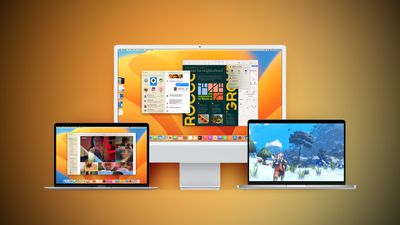
Ventura Macs Feature Yellow
Registered developers can download the beta through the Apple Developer Center and after the appropriate profile is installed, the beta will be available through the Software Update mechanism in System Settings.

The latest macOS 13.1 update introduces Advanced Data Protection for iCloud, which adds end-to-end encryption for ‌iCloud‌ Backup, Notes, Photos, iCloud Drive, Reminders, Voice Memos, and more. The new encryption functionality is available across all platforms and will be introduced in the U.S. with the launch of iOS 16.2, iPadOS 16.2, and macOS 13.1.

With macOS Ventura 13.1, Apple has debuted the Freeform app, which is aimed at creative collaboration. It can be used for brainstorming, planning out ideas, jotting down thoughts, sketching, and other creative purposes. Users can insert drawings, sticky notes, shapes, text boxes, photos, videos, PDFs, links, and other documents, with Freeform serving as a blank canvas. Freeform "boards" can be shared with other people and discussed over FaceTime, with updates from all participants synced to everyone in real-time.

macOS Ventura 13.1 also introduces support for an updated Home app architecture that improves performance for smart home devices, with these features also available in iOS 16.2 and iPadOS 16.2.


Related Forum: macOS Ventura

Popular Stories

iphone 18 pro blue%402x

iPhone 18 Pro: Dark Cherry, Light Blue, and Dark Gray Chassis Leaked [Update]

Thursday June 4, 2026 5:18 am PDT by
Update: Since publication, new information has come to light suggesting the images have been AI-manipulated and are not in fact iPhone 18 Pro chassis parts. The original article follows. The color options Apple is reportedly planning for the upcoming iPhone 18 Pro and ‌iPhone 18 Pro‌ Max have appeared online today in the form of images of chassis parts of unknown authenticity....
Aston Martin CarPlay Ultra Screen

Apple Says CarPlay Ultra is Coming to These Vehicle Brands

Thursday May 21, 2026 11:53 am PDT by
Last year, Apple launched CarPlay Ultra, the long-awaited next-generation version of its CarPlay software system for vehicles. Nearly a year later, CarPlay Ultra is still limited to Aston Martin's latest luxury vehicles, but that should change fairly soon. In May 2025, Apple said many other vehicle brands planned to offer CarPlay Ultra, including Hyundai, Kia, and Genesis. CarPlay Ultra...
iOS 27 All the New App Features

iOS 27: All the Rumored App Features

Wednesday June 3, 2026 3:48 pm PDT by
Siri is getting a major overhaul in iOS 27, but Apple also has some big updates planned for apps like Camera, Photos, and Wallet. There are multiple new AI features in the works, plus some non-AI upgrades. Camera Apple is moving Visual Intelligence from the Camera Control button to the Camera app in iOS 27, according to Bloomberg. There will be a Siri mode that will be available alongside...

Top Rated Comments

Realityck Avatar
46 months ago

So does 13.1 do anything at all to address the reportedly abysmal new "system settings"? ..Asking for a friend..LOL!
If you bring up system settings, the view pulldown menu offers 40 shortcuts that you can go to immediate without scrolling or looking inside nestled hierarchy. Image courtesy 9to5Mac

MacRumors content image
Score: 9 Votes (Like | Disagree)
46 months ago
So does 13.1 do anything at all to address the reportedly abysmal new "system settings"? ..Asking for a friend..LOL!
Score: 9 Votes (Like | Disagree)
BanjoDudeAhoy Avatar
46 months ago

Good that you verified it. The iOS/IPadOS RC and tvOS RC were available 2+ hours ago.
Haha, I even scrolled through here to see if it was mentioned and completely missed your post 🙈

Btw, I appreciate how you’re always posting the release notes and build numbers and all. Super useful!
Score: 6 Votes (Like | Disagree)
Hushhh Avatar
46 months ago

So does 13.1 do anything at all to address the reportedly abysmal new "system settings"? ..Asking for a friend..LOL!
They removed the ability to hide 'login items' and its grinding my gears. There use to be a 'Hide' checkbox but instead of fixing the functionality, they've started removing features.🥲
Score: 5 Votes (Like | Disagree)
46 months ago
Build number is 22C65

Also release candidates for Monterey 12.6.2 build 21G320 and Big Sur 11.7.2 build 20G1020
Score: 5 Votes (Like | Disagree)
gank41 Avatar
46 months ago

Is Freeform going to sync with eventual iPadOS/iOS versions of the same app?
Yes! Earlier I started messing around on my iPhone while the app was open on my iPad, and changes were syncing across almost instantly. Was pretty cool. I can see this being very helpful, especially with teams of people collaborating.
Score: 4 Votes (Like | Disagree)