Apple Details What to Do If You Can't Update HomePod When Advanced Data Protection Is Enabled - MacRumorsOpen MenuShow RoundupsShow Forums menuVisit ForumsOpen Sidebar
Skip to Content

Apple Details What to Do If You Can't Update HomePod When Advanced Data Protection Is Enabled

Apple has published a new support document explaining what to do if users are unable to set up or update a HomePod when Advanced Data Protection for iCloud is enabled.
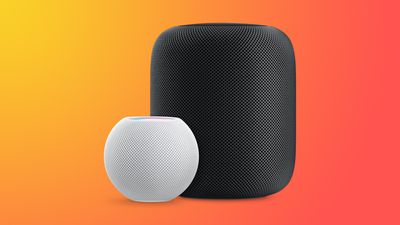
HomePodandMini feature orange
To use Advanced Data Protection for iCloud, all the devices logged into your Apple ID require a minimum software version. That includes HomePod speakers, which must be running at least HomePod software 16.2.

However, according to Bloomberg's Mark Gurman, there is a bug in the Home app that prevents HomePods running older versions of the software from being updated if iCloud end-to-end encryption has been turned on.

This means anyone buying a HomePod that ships with an OS older than 16.2 won't be able to set it up, because doing so first requires an update.

Apple's support document explains what options are available to customers facing this predicament. If the speaker in question is a HomePod mini, users can connect it to a Mac via the USB-C cable and update it through Finder (or iTunes on a PC) by selecting the HomePod in the Finder sidebar and clicking the Restore HomePod option. This will update the speaker to the latest software, after which it can be properly set up.

The full-size first-generation HomePod and the new 2023 HomePod have no USB-C port, so unless Apple includes a fix in iOS 16.3, which is expected to be released next week, owners of these speakers will have to temporarily turn off Advanced Data Protection to update the HomePod software. Apple outlines how to do that in the following way:

  1. Turn off Advanced Data Protection in iCloud settings on your iPhone, iPad, or Mac: In Settings or System Settings, tap your name, then tap iCloud. Scroll to Advanced Data Protection and turn off Advanced Data Protection.
  2. If you received an error message when you previously tried to set up your HomePod, you may need to reset your HomePod. Then set up your HomePod.
  3. Update your HomePod to the latest software using the Home app.
  4. Turn on Advanced Data Protection in iCloud settings on your iPhone, iPad, or Mac: In Settings or System Settings, tap your name, then tap iCloud. Scroll to Advanced Data Protection and turn on Advanced Data Protection.

Apple advises anyone who temporarily turns off Advanced Data Protection to turn it back on immediately after their HomePod software is updated.

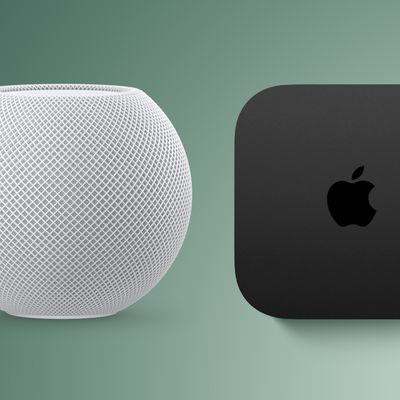
Related Roundups: HomePod, HomePod mini

Popular Stories

Apple iCloud Plus expansion hero

iCloud+ Now Includes Apple TV, Apple Arcade, and Curated Apple Music Stations in Over 100 Countries

Tuesday September 15, 2026 1:43 am PDT by
Apple today announced a new subscription initiative that turns paid iCloud+ subscriptions into a broader services bundle in more than 100 countries. In select countries, Apple says every paid iCloud+ plan, including the cheapest 50GB tier, now includes Apple TV and Apple Arcade "at no additional cost," while family sharing extends the storage, TV and Arcade access to up to five people....
HomePod mini and Apple TV Sage

New Apple TV, HomePod Mini, and More on Track to Launch This Year

Monday September 14, 2026 2:18 pm PDT by
The rumor that never ends: Bloomberg's Mark Gurman today reiterated that new Apple TV and HomePod mini models with Siri AI support remain on track to launch this year. Other new products he expects this year: an all-new Apple home hub, an updated entry-level 14-inch MacBook Pro with an M6 chip, an iMac with an M6 chip, and an iPad mini with an OLED display. Apple often announces new products...
homepods four

Apple Is Testing a Four-HomePod Surround System, Code Suggests

Friday September 4, 2026 2:29 am PDT by
Apple appears to be working on some major new HomePod home theater features, including a four-speaker surround sound system and a new "Party Mode," according to code found in audioOS 27 beta 8, and shared on the MacRumors forums by member pdfu. References in the software for the second-generation HomePod suggest the ability to tune for a setup with front-left, front-right, rear-left, and...

Top Rated Comments

cashville2400 Avatar
48 months ago
This is ridiculously embarrassing! I miss the old Apple.
Score: 16 Votes (Like | Disagree)
contacos Avatar
48 months ago
It just works …

if you research. That value preposition of Apple is long gone unfortunately
Score: 15 Votes (Like | Disagree)
48 months ago

The full-size first-generation HomePod and the new 2023 HomePod have no USB-C port
Why don’t they just standardize on USB-C?

The product lineup is becoming too fragmented.
Score: 13 Votes (Like | Disagree)
48 months ago
Oops. But I'm not surprised. This is the new Apple.
Score: 12 Votes (Like | Disagree)
MacWiz_007 Avatar
48 months ago
Here's what I'll do, I won't buy a HomePod...for the second time around.
Score: 7 Votes (Like | Disagree)
Menel Avatar
48 months ago

It just works …

if you research. That value preposition of Apple is long gone unfortunately
It's an optional security layer.
The more security layers you heap on, the more issues you're going to have, in general.
Score: 6 Votes (Like | Disagree)