

Apple Fixes 2023 Mac Pro Hard Drive Issue in macOS Ventura 13.5 - MacRumorsOpen MenuShow RoundupsShow Forums menuVisit ForumsOpen Sidebar
Skip to Content

Apple Fixes 2023 Mac Pro Hard Drive Issue in macOS Ventura 13.5

In a support document published last month, Apple said certain SATA hard drives might unexpectedly disconnect from the 2023 Mac Pro after the computer wakes from sleep. Apple said it was aware of the issue and would fix it in a future macOS update, and the company followed through on that promise today.
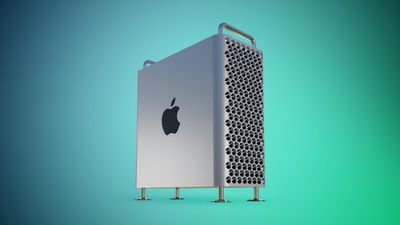
Mac Pro Feature Teal
Apple updated the support document today to indicate that the issue has been resolved in the macOS Ventura 13.5 update released today, so users simply need to update their Mac. The issue will also likely be resolved in the macOS Sonoma beta.

The Issue

While the Mac Pro is configured with SSD storage, it has SATA ports for connecting internal hard drives, and sometimes the drives could disconnect due to a bug.

"Certain models of internal SATA drives might unexpectedly disconnect from your computer after your Mac wakes from sleep," said Apple. "This can occur if your Mac automatically goes to sleep or if you manually put your Mac to sleep. If you see a message that your disk was not ejected properly, you can restart your Mac to reconnect to the drive."

New Mac Pro

Unveiled at WWDC last month, the new Mac Pro features Apple's M2 Ultra chip. The desktop tower has the same design as the Intel-based model from 2019, but lacks graphics card support and user-upgradeable RAM due to Apple silicon's unified architecture. Customers who do not need PCIe expansion should consider the Mac Studio instead.


Buyer's Guide: Mac Pro (Don't Buy)
Related Forums: macOS Ventura, Mac Pro

Popular Stories

iCloud iPhone 17 Pro

iPhone Users Who Pay for iCloud Storage Get Two New Perks on iOS 27

Thursday July 2, 2026 6:10 am PDT by
If you pay for certain iCloud+ storage plans beyond the 5GB that Apple offers for free, you will receive two more perks on iOS 27 at no additional cost. A summary of the two new iCloud+ perks on iOS 27:Increased daily usage limits for some new Apple Intelligence features, including image generation in the revamped Image Playground app. HomeKit Secure Video cameras receive generated video...
iPhone 4 on Black Feature

Apple Facing One of Its Worst Leaks Since the iPhone 4

Thursday July 2, 2026 9:53 am PDT by
Apple supplier Tata Electronics recently suffered a cyberattack that resulted in thousands of confidential files being published on the dark web, and this reportedly included some photos and documents related to the upcoming iPhone 18 Pro. We have elected not to share any of the leaked photos in this story due to the illegal nature in which they were obtained, but they can easily be found...
American Express Gold Apple Pay Feature

American Express Announces New Apple Pay Feature

Tuesday June 30, 2026 10:27 am PDT by
American Express today announced that you can now redeem Membership Rewards points when checking out with Apple Pay on the web and in apps on the iPhone and iPad. When checking out with Apple Pay on iOS 18 or iPadOS 18 or later, tap on your eligible American Express card (Platinum, Gold, Green, and others) and select the Membership Rewards points option. You can use points to cover all or...

Top Rated Comments

HobeSoundDarryl Avatar
39 months ago
Amen. Limited only to Mac Pro or does this bug fix also apply to all other Macs? It would be nice for external enclosures hooked up via USB to make the U mean what it is supposed to be mean again... instead of being a "hit or miss", works-for-some-enclosures-but-not-all proposition.

I have a Mac Studio Ultra and a very important enclosure will not maintain a connection for more than about 3 hours, even without any sleep during that 3 hours. In fact, it "unexpectedly ejects" even when actively transferring files to/from it (so neither end is asleep).

Unhook it from Studio Ultra and hook it to old Intel Macs running macOS BEFORE Big Sur and all is fine again (same cable, same enclosure, same drives, same connection type).

* 2 Old Macs or a PC = stable connection.
* 1 "latest & greatest", "most powerful" Mac = unexpected ejections within about 3 hours.

I know this is not a problem for everyone: some enclosures (including some of my own, including one from the same brand) work just fine. But I'm far from the only one with this problem (many threads about this, identifying many different enclosures with this issue). And I've tested enough to feel very confident that this is a bug(s) in macOS (so please fans/ADF: no "redirection" posts trying to blame enclosure, cable, firmware, etc. Been there, tested through ALL of that more than a few times). Hopefully this fix for Mac Pro is actually a fix for all Macs.

I'd love to see some people not enjoying this same bug (too) chime in that this update resolved it for their (not Mac Pro) Macs.
Score: 13 Votes (Like | Disagree)
EugW Avatar
39 months ago
Good to hear. Now if they could only fix this issue with USB drives, that'd be great.
Score: 13 Votes (Like | Disagree)
Realityck Avatar
39 months ago
https://support.apple.com/en-us/HT213778

Nice typos with MacOS version, it’s suppose to be 13, not 12.

If you see 'disk not ejected properly' on your Mac Pro (2023)
If an internal SATA drive unexpectedly disconnects from your Mac Pro, update to macOS Ventura 12.5 or later ('https://support.apple.com/kb/HT201541').

Certain models of internal SATA drives might unexpectedly disconnect from your computer after your Mac wakes from sleep. This can occur if your Mac automatically goes to sleep or if you manually put your Mac to sleep.
To resolve this issue, update to macOS Ventura 12.5 or later ('https://support.apple.com/kb/HT201541').
Published Date: July 24, 2023
Score: 7 Votes (Like | Disagree)
macduke Avatar
39 months ago
This the most Apple story ever.


* $7000 machine
* Spinning disk drives
* Took a month and a half to fix
Score: 5 Votes (Like | Disagree)
Schizoid Avatar
39 months ago
The seven people that bought these Macs are overjoyed.
Score: 4 Votes (Like | Disagree)
oogje Avatar
39 months ago
13.5 apparently also fixes SoftRaid ('https://forums.softraid.com/ventura-forum/kernel-panics-softraid-7-5/paged/4/#post-19651') related Kernel panics with M2 Studio and 2023 Mac Pro.
Score: 4 Votes (Like | Disagree)















