Apple Seeds Third Beta of tvOS 17.1 to Developers - MacRumorsOpen MenuShow RoundupsShow Forums menuVisit ForumsOpen Sidebar
Skip to Content

Apple Seeds Third Beta of tvOS 17.1 to Developers

Apple today seeded the third beta of an upcoming tvOS 17.1 to developers for testing purposes, with the beta coming a week after the launch of the second tvOS 17.1 beta.
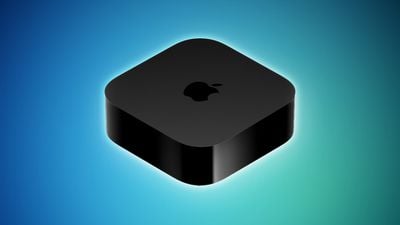
Apple TV 2022 Feature Blue
Registered developers can download the tvOS 17.1 update by opting in to the beta through the Settings app on the Apple TV. A registered developer account is required.

tvOS updates are often minor in scale compared to other operating system updates, focusing primarily on bug fixes and smaller improvements rather than notable outward-facing changes. tvOS 17.1 adds a new favoriting option to the Music app on the ‌Apple TV‌, along with some other minor Music changes.

Apple shares some information on tvOS releases in its tvOS support document, which is updated after each tvOS launch, but Apple does not provide notes during beta testing.

Though we don't often know much about what's new in tvOS betas, we let MacRumors readers know when new updates are available so those who are developers can download new software upon release. Apple has also seeded a new beta of HomePod 17.1 software for developers.

Related Roundup: Apple TV
Buyer's Guide: Apple TV (Don't Buy)

Popular Stories

General visionOS watchOS and tvOS Betas Feature Redux

Apple Releases Third watchOS 26.6, tvOS 26.6 and visionOS 26.6 Betas

Monday June 29, 2026 10:08 am PDT by
Apple today provided developers with the third betas of upcoming watchOS 26.6, tvOS 26.6, and visionOS 26.6 betas for testing purposes. The software comes two weeks after Apple seeded the second betas. The software updates are available through the Settings app on each device, and because these are developer betas, a free developer account is required. There's no word on what's in the...
Apple TV 2025 Thumb 2 Sans Text

iOS 27 Lets You Update Your Apple TV Using Your iPhone

Tuesday June 23, 2026 9:09 am PDT by
If the idea of digging out your Siri Remote to install a tvOS update on your Apple TV sounds like too much effort, Apple's upcoming iOS 27 software will have a new feature you'll surely welcome. Based on the latest iOS 27 beta 2, you can push Apple TV software updates straight from your iPhone, and you don't even need to turn the Apple TV on first. Apple's set-top box now appears in the...
Chase Sapphire Reserve Apple Perk Feature

Chase Sapphire Credit Cards Offering New Apple TV and Apple One Perks

Wednesday June 24, 2026 7:00 am PDT by
Chase recently introduced new Apple TV and Apple One perks for its Sapphire Preferred and Sapphire Reserve credit cards in the United States. Sapphire Preferred cardholders ($95 annual fee) are now eligible to receive a complimentary one-year Apple TV streaming subscription, or a $7.50/month discount on an active Apple One subscription for 12 months instead. Sapphire Reserve cardholders...

Top Rated Comments

36 months ago

I was confused why the icons were smaller. I agree with you. Is this another case of Apple not doing adequate user testing, and making assumptions based on their own well-financed setups?
The new six mode works well only if you have a big screen, from 55 inch and up. I my opinion the clock is really small too. Maybe at Apple they have only 65/85 inch screens.
Score: 5 Votes (Like | Disagree)
GaryMumford Avatar
36 months ago

The new six mode works well only if you have a big screen, from 55 inch and up. I my opinion the clock is really to small. Maybe at Apple have 65/85 inch screens.
Maybe it's just me, But I only have a 49" TV and think the 6 icons are so much better than the 5. I think 5 icons are way too big!!!
Score: 3 Votes (Like | Disagree)
36 months ago

Hopefully 17.1 adds a way to switch back to the 5 column grid .. (is there a setting that I'm missing?) the 6 column grid icons are too small on my parents TV..

Why isn't this a user-adjustable setting? Not everyone has a 75"+ TV FFS...
I was confused why the icons were smaller. I agree with you. Is this another case of Apple not doing adequate user testing, and making assumptions based on their own well-financed setups?
Score: 3 Votes (Like | Disagree)
36 months ago

tvOS 17.1 DB3 broke the ability to swipe using my iPhone (running 17.1 DB3) as the remote.

Restart hasn’t fixed it.
Works fine on both my iPad and iPhone, both running 17.1. Just to be clear, the remote app has benn deprecated. Functionality has been migrated to the control panel.
Score: 3 Votes (Like | Disagree)
36 months ago

Maybe it's just me, But I only have a 49" TV and think the 6 icons are so much better than the 5. I think 5 icons are way too big!!!
Agree, and I own a 43” TV. What do people need huge tvOS app icons for? With 6 apps per row there’s less scrolling needed.
Score: 2 Votes (Like | Disagree)
RGPphotog Avatar
36 months ago
I'm just gonna drop a ProTip™ in here, that as a replacement to an actual remote App, a Shortcuts "app" button works quite well. I find that's easier/faster to get to than the control panel. I keep it in a "Favorites" folder on my dock.
Score: 2 Votes (Like | Disagree)