Apple Seeds Second Beta of watchOS 10.2 to Developers
Apple today seeded the second beta of an upcoming watchOS 10.2 update to developers for testing purposes, with the beta coming two weeks after Apple seeded the first watchOS 10.2 beta.
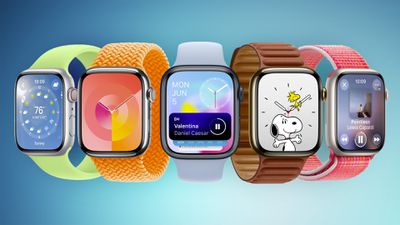
To install the watchOS 10.2 update, developers will need to open the Apple Watch app, go to the Software Update section under "General" in Settings, and toggle on the watchOS 10 Developer Beta. An Apple ID linked to a developer account is required.
Once beta updates have been activated, watchOS 10 can be downloaded under the same Software Update section. To install software, an Apple Watch needs to have 50 percent battery life and it must be placed on an Apple Watch charger.
watchOS 10.2 adds support for iMessage Contact Key Verification, a feature designed for those who face "extraordinary digital threats," such as journalists, human rights activists, and government officials.
Users can ensure that there is no "man in the middle" snooping on iMessage conversations, and there is a Contact Verification Code so that iMessage users can verify that they're speaking to the correct individual during in-person meetings or on FaceTime calls.
Popular Stories
Thursday September 10, 2026 11:57 am PDT by
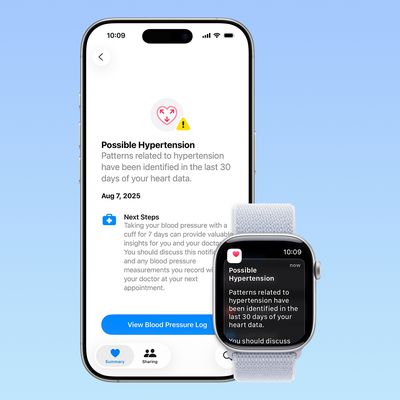
Juli CloverSome Apple Watch users who upgrade to the Series 12 or the Ultra 4 might temporarily lose access to hypertension notifications.
On the watchOS feature availability page, Apple says notifications might not be available on the Series 12 or Ultra 4 at launch because regulatory clearances are in process.
Hypertension Notifications may not be available on Apple Watch Series 12 or Ultra 4 in your ...
Apple today released watchOS 27, the newest version of the operating system that runs on the Apple Watch. watchOS 27 is compatible with the Apple Watch Series 9 and later, the Apple Watch Ultra 2 and later, and the Apple Watch SE 3.
watchOS 27 can be downloaded for free on a compatible device through the Settings app on the watch.
The update introduces support for Siri AI, a more capable...
Wednesday September 9, 2026 12:06 pm PDT by
Juli CloverApple today seeded the release candidate versions of watchOS 27, visionOS 27, and tvOS 27 to developers and public beta testers. The release candidates are the final versions of the updates that will be seeded to the public as long as no final bugs are found during this last round of testing.
The updates can be installed through the Software Update section in the Settings app on each...