Apple Releases watchOS 10.2 With Health Data Support for Siri, Swipe to Change Watch Face Option and More - MacRumorsOpen MenuShow RoundupsShow Forums menuVisit ForumsOpen Sidebar
Skip to Content

Apple Releases watchOS 10.2 With Health Data Support for Siri, Swipe to Change Watch Face Option and More

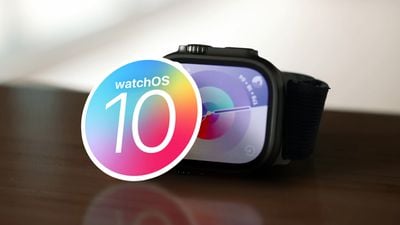
Apple today released watchOS 10.2, the newest version of the watchOS 10 operating system that was released in September. watchOS 10.2 comes over a month after watchOS 10.1, a major update that brought Double Tap support, NameDrop, and more.
watchOS 10 Launch Feature
‌watchOS 10‌‌.2 can be downloaded for free through the Apple Watch app on an iPhone running iOS 17 or later by opening it up and going to General > Software Update. To install the new software, the Apple Watch needs to have at least 50 percent battery and it needs to be placed on a charger.

The watchOS 10.2 update adds support for using Siri to access and record data in the Health app on the Apple Watch Series 9 and the Apple Watch Ultra 2. Users can ask ‌Siri‌ questions like "How did I sleep last night?" or "How many steps have I taken this week?"

Health data can be added to the Health app through ‌Siri‌ as well with statements like "My weight is 195.3 pounds," or "I've taken my 6:00 p.m. medications." This is functionality that Apple announced with the launch of the newest Apple Watch models, and it is limited to these devices as they are the only Apple Watches that support on-device ‌Siri‌ processing.

watchOS 10.2 also reintroduces an option to swipe to change the Apple Watch face, a feature that was removed in watchOS 10 and has been missed by some. Apple's full release notes for the update are below.

watchOS 10.2 includes new features, improvements, and bug fixes, including:

  • Access and log Health app data with Siri (Available on Apple Watch Series 9 and Apple Watch Ultra 2)
  • Automatically view Now Playing when in proximity of HomePod (2nd generation) or HomePod mini playing media from Music or Podcasts (Available on - Apple Watch Series 6 and later and Apple Watch Ultra)
  • Enable the ability to swipe to change watch faces in Settings
  • Enable the ability to confirm ending workouts in Settings
  • Prioritize the volume of either the music or trainers' voices in most Fitness+ workouts
  • Resolves an issue that can cause watch faces added in the Watch app on iPhone to not appear on Apple Watch

More information on the features in watchOS 10 can be found in our watchOS 10 roundup.
Related Roundups: watchOS 26, watchOS 27
Related Forum: Apple Watch

Popular Stories

watchos 26 hypertension alert

Upgrading to Apple Watch Series 12 Could Cost You Hypertension Notifications

Thursday September 10, 2026 11:57 am PDT by
Some Apple Watch users who upgrade to the Series 12 or the Ultra 4 might temporarily lose access to hypertension notifications. On the watchOS feature availability page, Apple says notifications might not be available on the Series 12 or Ultra 4 at launch because regulatory clearances are in process. Hypertension Notifications may not be available on Apple Watch Series 12 or Ultra 4 in your ...
watchos 27

Apple Releases watchOS 27 With Siri AI, New Watch Face, Smart Stack Improvements and More

Monday September 14, 2026 10:03 am PDT by
Apple today released watchOS 27, the newest version of the operating system that runs on the Apple Watch. watchOS 27 is compatible with the Apple Watch Series 9 and later, the Apple Watch Ultra 2 and later, and the Apple Watch SE 3. watchOS 27 can be downloaded for free on a compatible device through the Settings app on the watch. The update introduces support for Siri AI, a more capable...
watchos 27

Apple Seeds watchOS 27, visionOS 27, and tvOS 27 Release Candidates

Wednesday September 9, 2026 12:06 pm PDT by
Apple today seeded the release candidate versions of watchOS 27, visionOS 27, and tvOS 27 to developers and public beta testers. The release candidates are the final versions of the updates that will be seeded to the public as long as no final bugs are found during this last round of testing. The updates can be installed through the Software Update section in the Settings app on each...

Top Rated Comments

36 months ago

I can't find the swipe to change faces setting after update, anyone found?
It's very stupidly placed - Settings - Clock - Swipe to Switch Watch face
Score: 30 Votes (Like | Disagree)
36 months ago

Holy crap that is indeed stupidly placed.
Additionally it’s only within the clock settings on the watch itself. Not within the clock setting on the Apple Watch app. Madness.
Score: 16 Votes (Like | Disagree)
page3 Avatar
36 months ago
Swipe to change watch face has a rather obvious bug - when the face is changed it always resets to 10:09pm before adjusting to the correct time!
Score: 13 Votes (Like | Disagree)
SolarSailer120 Avatar
36 months ago
I can't find the swipe to change faces setting after update, anyone found?
Score: 10 Votes (Like | Disagree)
al256 Avatar
36 months ago
The workout ending was super annoying. I'm not sure why a change was needed now after so many years but I certainly don't need an idiot-proof button for something I clearly pushed.
Score: 10 Votes (Like | Disagree)
36 months ago

Swipe to change watch face has a rather obvious bug - when the face is changed it always resets to 10:09pm before adjusting to the correct time!
Isn't 10:09 the default time it shows on faces in the face gallery? And anyway Apple, "face" isn't the power terminology for a watch (my grandfather, born in 1889, was a watch and clock repairman for decades) - the proper term is dial.
Score: 8 Votes (Like | Disagree)