Review: Three Weeks With the M2 iPad Air - MacRumorsOpen MenuShow RoundupsShow Forums menuVisit ForumsOpen Sidebar
Skip to Content

Review: Three Weeks With the M2 iPad Air

It's been three weeks since Apple introduced the new iPad Pro and iPad Air models, and after revisiting the iPad Pro last week, we thought we'd take a deeper look at the ‌iPad Air‌ now that it's been out long enough for day-to-day usage testing.


The ‌iPad Air‌ is the best iPad for people who want a powerful tablet that's also fairly affordable. The M2 chip is close to the same chip that Apple used in the prior-generation ‌iPad Pro‌, and while it's a little older now, it's still more than powerful enough for anything you might want to do on a tablet.

It is worth noting that Apple recently admitted an error and clarified that the ‌M2‌ chip in the ‌iPad Air‌ has a 9-core GPU instead of a 10-core GPU, but in comparing the ‌M2‌ ‌iPad Pro‌ with 10-core GPU to the ‌M2‌ ‌iPad Air‌ with 9-core GPU, there was basically no difference in performance for day-to-day tasks and even with more system intensive apps like those used for video editing.

As we said in our M4 ‌iPad Pro‌ review, there's nothing that can really tax the M4 chip, and that's also true of the ‌M2‌. With iPadOS 18 and the AI capabilities that Apple is working on, chip performance might become much more important in the future, but as of now, the ‌M2‌ ‌iPad Air‌ isn't going to really struggle with anything you throw at it.

The ‌iPad Air‌ doesn't have the OLED display technology of the ‌iPad Pro‌, and it lacks features like ProMotion 120Hz refresh rates, but it otherwise offers a lot of the features you get with the ‌iPad Pro‌ at much more affordable prices. The ‌iPad Pro‌ starts at $999, while the ‌iPad Air‌ starts at $599.

Face ID is not available on the ‌iPad Air‌, with Apple instead using a Touch ID power button. ‌Touch ID‌ isn't as reliable as ‌Face ID‌ because it can fail depending on finger placement, but it works fine for the most part. The ‌iPad Pro‌ has a Thunderbolt port, but the ‌iPad Air‌ is limited to USB-C, so you can't connect Thunderbolt devices.

You're mostly missing out on ‌OLED‌ and the M4 chip with the ‌iPad Pro‌, but you also won't be able to use the redesigned Magic Keyboard that Apple made for the ‌iPad Pro‌ because it isn't compatible with the ‌iPad Air‌. Apple is selling the older Magic Keyboard alongside the ‌iPad Air‌, and it lacks the aluminum frame and palm rest, function keys, and the larger glass trackpad. You can still use the Apple Pencil Pro and all of its features with the ‌iPad Air‌, though.

One of the nice features about the ‌iPad Air‌ compared to prior-generation models is the relocated front-facing camera, which is now on the landscape edge instead of the portrait edge. That means the camera is in an upright orientation when it's in landscape mode, such as when connected to a keyboard, so it no longer looks funny if you're FaceTiming while holding the ‌iPad‌ horizontally.

The ‌M2‌ ‌iPad Air‌ is essentially an ‌M2‌ ‌iPad Pro‌ without the higher-quality display, and it's a good middle tier option if you want solid performance for futureproofing but also don't want to spend $1,000+ on a tablet. For a lot of people who just want a tablet for browsing the web, sending emails, and other simple day-to-day tasks, the ‌iPad Air‌ may even be overkill.

Related Roundup: iPad Air
Buyer's Guide: iPad Air (Buy Now)
Related Forum: iPad

Popular Stories

apple price hike

Apple Just Increased Prices on MacBooks, iPads, and More

Thursday June 25, 2026 5:44 am PDT by
Apple today dramatically increased device prices across multiple product lines. Subscribe to the MacRumors YouTube channel for more videos. After temporarily taking it down earlier today, Apple's online store is back up with a series of product price increases. The changes are as follows: HomePod mini: $129, up from $99 (+$30) HomePod: $349, up from $299 (+$50) Apple TV: $199, up from...
rock paper pencil overview

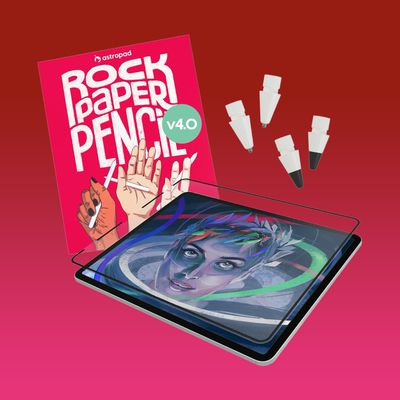
MacRumors Giveaway: Win an iPad Air and Rock Paper Pencil From Astropad

Friday June 26, 2026 10:33 am PDT by
For this week's giveaway, we've teamed up with Astropad to offer MacRumors readers a chance to win an iPad Air, an Apple Pencil Pro, and one of Astropad's Rock Paper Pencil kits to use with it. Rock Paper Pencil makes writing on your iPad with an Apple Pencil feel like writing on paper instead of a slippery display, offering a more comfortable and natural writing experience. The Rock...
m3 ipad air mint

Apple Adds 36-Month Carrier Financing for Cellular iPads

Wednesday July 15, 2026 7:41 am PDT by
Apple has introduced 36-month financing for cellular iPad purchases through AT&T and Verizon, adding to the 12-month option previously available via Apple Card. The new financing, first reported by 9to5Mac, replaces Apple Card Monthly Installments as the sole route to spreading out a cellular iPad purchase. That plan paid off the balance interest-free over 12 months; the new carrier options...

Top Rated Comments

GMShadow Avatar
28 months ago

Why does that matter? In what real world way does that affect anything?
Their eyes will literally explode if they see something below 120hz.

Never mind that Apple's ProMotion displays are adaptive refresh and they're seeing sub-120hz content all the time.
Score: 20 Votes (Like | Disagree)
28 months ago

Why does that matter? In what real world way does that affect anything?
It affects everything?
Source: switched from owning an iPad Pro to an Air and it’s immediately noticeable.
Score: 12 Votes (Like | Disagree)
Johnny907 Avatar
28 months ago

No brainer if it had 120hz but with 60hz no way.
Why does that matter? In what real world way does that affect anything?
Score: 11 Votes (Like | Disagree)
Jmausmuc Avatar
28 months ago
No brainer if it had 120hz but with 60hz no way.
Score: 11 Votes (Like | Disagree)
28 months ago

It affects everything?
Source: switched from owning an iPad Pro to an Air and it’s immediately noticeable.
It’s weird how people are different. I have both Promotion and non-Promotion devices and I can only notice the difference when I use them side by side, which is never.
Retina though was a totally different story for me. I remember going to the Apple store to get a non-Retina MBP when I saw the Retina MBP on display. I looked at its crisp resolution, took one look back at the non-Retina and I knew I was ruined. I spent more money and happily got the Retina.
But yeah, 120hz—couldn’t care less. Actually I would prefer not to have 120hz as it would be a waste of battery for me, if 60hz also had variable refresh that is.
Score: 8 Votes (Like | Disagree)
GMShadow Avatar
28 months ago

I wonder if the M2 iPad Pro will become compatible with the Pencil Pro. Really seems like that's something they can update over software.
The magnets are completely different, they don't snap onto each other.
Score: 7 Votes (Like | Disagree)