

Apple Seeds Second tvOS 18 Public Beta - MacRumorsOpen MenuShow RoundupsShow Forums menuVisit ForumsOpen Sidebar
Skip to Content

Apple Seeds Second tvOS 18 Public Beta

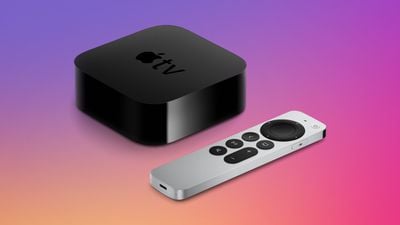
Apple today released the second public beta of tvOS 18, giving the general public a chance to try out the new features ahead of the software's fall launch. The second beta comes a week after the first.
apple tv 4k design triad
Public beta testers can download the tvOS 18 beta by opening up the Settings app on Apple TV, choosing the Software Updates section under System, and then toggling on the Get Public Beta Updates option. Signing up on Apple's public beta website is required to get the option to show up.

tvOS 18 isn't as feature rich as some of Apple's other updates, but it brings a new InSight feature to the ‌Apple TV‌ app. InSight is similar to Amazon X-Ray, providing real-time information about actors, music, and more in ‌Apple TV‌+ shows and movies.

The Enhanced Dialogue feature uses computational audio and machine learning to better boost vocal clarity over background noise and music, plus it works with built-in TV speakers, AirPods, and other Bluetooth devices. Subtitles have been tweaked to show up automatically when relevant, such as when the TV is muted.

Apple added new screen savers and made it easier to swap between them, plus there's 21:9 aspect ratio support for projectors and an option for Live Captions during FaceTime calls.

tvOS 18 is limited to public beta testers and developers right now, but it will see a public launch this fall.


Related Roundup: Apple TV
Buyer's Guide: Apple TV (Don't Buy)

Popular Stories

tvOS 26 Feature

Apple Releases tvOS 26.5

Monday May 11, 2026 10:02 am PDT by
Apple today released tvOS 26.5, the fifth update to the tvOS operating system that came out last fall. tvOS 26.5 is available for the Apple TV 4K, and it comes over a month after Apple released tvOS 26.4. tvOS 26.5 can be downloaded using the Settings app on the ‌‌Apple TV‌‌. Open up Settings and go to System > Software Update to get the new software. ‌‌Apple TV‌‌ owners who...
General visionOS watchOS and tvOS Betas Feature Redux

Apple Releases First watchOS 26.6, tvOS 26.6 and visionOS 26.6 Betas

Tuesday May 26, 2026 10:03 am PDT by
Apple today provided developers with the first betas of upcoming watchOS 26.6, tvOS 26.6, and visionOS 26.6 betas for testing purposes. The software two weeks after Apple launched the 26.5 versions of each platform. The software updates are available through the Settings app on each device, and because these are developer betas, a free developer account is required. There's no word on...
Where is the New Apple TV Feature

Apple Previews New tvOS 27 Feature

Wednesday May 20, 2026 1:02 pm PDT by
Apple has announced that "Larger Text" support is coming to tvOS, allowing users to increase the on-screen text size to make it easier to read. "Larger Text" lets you adjust the size of text in supported apps, with the option already available on other devices like the iPhone, iPad, and Vision Pro. This was one of the new accessibility features that Apple previewed earlier this week, with ...

Top Rated Comments

Jetson Avatar
24 months ago

After the latest update, when I go to watch a purchased movie, it starts right away without the description screen with all its options. I read to disable the quick start option, but I believe that’ll also affect playback quality.
Yes, after the iOS 17 update when they retired the TV and Movie apps, the AppleTV app does not present the description screen for movies anymore.

To be more precise, from the Library when you click on a movie the app quick-starts the movie, bypassing the description screen. In Settings you used to be able to disable "quick-start", but all references to that feature have been deleted.

The description screen is displayed as expected when in the Store or Search, just not from your Library. TV shows with episodes display a description screen from the Library. And *some* movies (very few) do display a description screen first. There is no consistency here.

I much prefer the way that the old TV app worked in regards to this. I want to have the opportunity to view the description of the movie, watch the preview, etc. before launching the movie. This is especially useful for guests.

I had hoped that the beta may have corrected this problem but so far no one has mentioned it.
Score: 2 Votes (Like | Disagree)














