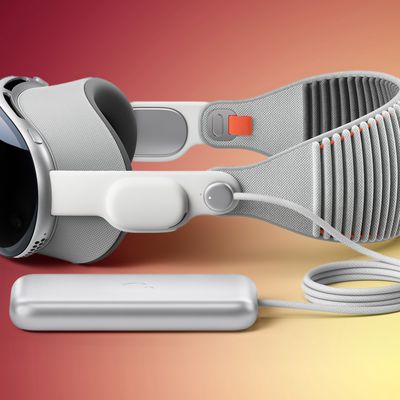
Apple today released visionOS 2, the newest version of the visionOS operating system that launched alongside the Vision Pro back in February.
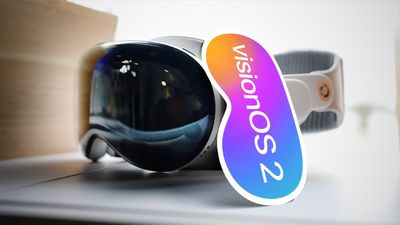
visionOS 2 can be downloaded on all Vision Pro headsets by navigating to the Settings app, selecting the General section, and choosing the Software Update option. To install an update, the Vision Pro headset needs to be removed, and there is a software progress bar available on the front EyeSight display.
Apple's visionOS 2 update allows users to create 3D spatial photos from 2D images, taking advantage of depth information and machine learning to add natural-looking depth and dimension.
The Home View can now be customized and apps can be moved around, and Apple added a new Bora Bora Environment. Environments have also been updated so that you can see your Magic Keyboard or MacBook keyboard while you're immersed, so it's easier to type, plus you can use them with Safari when watching web-based videos.
Personas have more accurate skin tones and more vibrant clothing color options, plus hand movement animations have been updated to be more fluid and natural. For controlling the Vision Pro, there are new pinch and rotate gestures for getting to the Home View, accessing Control Center, controlling volume, and checking battery level.
You can now use a mouse with the Vision Pro, and Apple improved Guest Mode so the most recent guest's hand and eye data is saved for 30 days for easier access without repeat setups.
Later this year, visionOS 2 will support a larger ultrawide view for a connected Mac, and support for Multiview for MLS and MLB games. Apple's full release notes for visionOS 2 are below.
Photos
- Create a spatial photo from past memories with just the tap of a button
- Share your favorite moments over FaceTime with others who use an Apple Vision Pro with SharePlay for Photos
- Find and enjoy your most precious memories in the redesigned Photos app with Collections, including Featured Spatial Photos
- Trim videos in your Photos libraryHome View
- Personalize your Home View by rearranging apps, including those from the Compatible Apps folder
- Start a FaceTime call, send texts, or look up contact information easier with improved People ViewInput
- Use new hand gestures for easy access to Home View, see the time, control volume, check the battery level, and open Control Center
- Input text quickly in Messages with Look to Dictate by simply looking at the microphone icon
- Navigate Apple Vision Pro using your favorite Bluetooth mouse
- See your Magic Keyboard or MacBook keyboard in an immersive experience with Keyboard AwarenessSafari
- Immerse yourself in panoramas that wrap around you just like in the Photos app
- Watch web videos from sites such as YouTube.com, Netflix.com and more with a massive screen, including glow and reflection
- Ask Siri to read content on Safari web pages
- Access your most important information quickly with pinned tabs
- Separate browsing topics like work, personal, or school using ProfilesGuest User
- Save your most recent guest's eye and hand data up to 30 days so they can skip setup and get right back into Apple Vision ProTravel Mode
- Use Travel Mode on trains to work privately, multitask with multiple apps, and watch your favorite shows on your long commuteEnvironments
- Explore a new beach Environment, Bora BoraPersona
- Create Personas with more accurate skin tones, fluid and natural hand movements with effects, improved vibrant clothing colors, and more eyewear choices
- Choose from a variety of backgrounds including your own photos during FaceTime or third‑party video callsMindfulness
- Meditate to visual animations that follow your breathingPrivacy
- Turn on Communication Safety which includes protections for sensitive videos and photos that children may receive or attempt to send
- Blur sensitive photos and videos you've received with Sensitive Content WarningAccessibility
- Use Live Captions for real‑time transcriptions of speech, audio, and video content including FaceTime calls
- Anchor Apple Immersive Video closed captions wherever you like in your space
- Pair Made for iPhone cochlear implant devices
- Invert colors to easily see what's in your view by changing how content is displayed
- Automatically dim video content that depicts flashing or strobing lights
- Reduce the transparency of an object to make it easier to see or readThis release also includes other features and improvements:
- Use Apple Vision Pro as an AirPlay receiver to mirror content from any nearby iPhone or iPad on the same wireless network
- Watch Apple Immersive Video in a new windowed view alongside other apps
- Edit playlists together and join the ultimate sing-along sessions using Sing in Apple Music
- Use Quick Look to anchor objects to a horizontal surface and preview themSome features may not be available for all regions. For more information, please visit this website:
https://www.apple.com/visionos/visionos-2
For information on the security content of Apple software updates, please visit this website:
https://support.apple.com/100100
More information on the new features that are in visionOS 2 can be found in our comprehensive visionOS 2 roundup.