iOS 18.1 Beta 5 Adds New Selfie Option for Camera Control - MacRumorsOpen MenuShow RoundupsShow Forums menuVisit ForumsOpen Sidebar
Skip to Content

iOS 18.1 Beta 5 Adds New Selfie Option for Camera Control

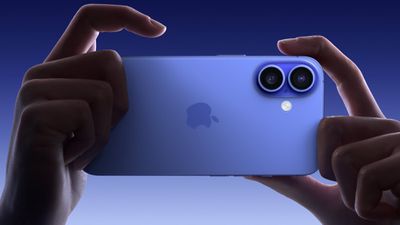
With the fifth beta of iOS 18.1, Apple has made a small tweak to the Camera Control button that was introduced on the iPhone 16, ‌iPhone 16‌ Plus, ‌iPhone 16‌ Pro, and ‌iPhone 16‌ Pro Max.

iphone 16 capture button 2
When you dig into the Camera Control settings, there is now a way to set it to the front-facing camera without having to interact with the iPhone's display.

To get to the selfie camera, open up the Camera app with a press on the Camera Control button, and then use a swipe gesture on the button to scroll through the lenses. The person icon at the very top swaps to the front-facing selfie camera.

iphone 16 selfie camera control
Note that if you have Camera Control set to a different setting, you will need to open up the Camera app, activate Camera Control, and then tap on the screen to swap tools. The selfie camera and lens options are under the "Cameras" heading. The last tool you used will be the tool Camera Control opens with.

Prior to iOS 18.1, you could use this gesture to swipe through the different lens options, like 0.5x, 1x, 2x, and 5x (Pro only), but now it also includes the selfie camera to make it easier to get to all of the available lens options.
Related Roundup: iPhone 16
Related Forum: iPhone

Popular Stories

Aston Martin CarPlay Ultra Screen

Apple Says CarPlay Ultra is Coming to These Vehicle Brands

Thursday May 21, 2026 11:53 am PDT by
Last year, Apple launched CarPlay Ultra, the long-awaited next-generation version of its CarPlay software system for vehicles. Nearly a year later, CarPlay Ultra is still limited to Aston Martin's latest luxury vehicles, but that should change fairly soon. In May 2025, Apple said many other vehicle brands planned to offer CarPlay Ultra, including Hyundai, Kia, and Genesis. CarPlay Ultra...
iphone 18 pro blue%402x

iPhone 18 Pro: Dark Cherry, Light Blue, and Dark Gray Chassis Leaked [Update]

Thursday June 4, 2026 5:18 am PDT by
Update: Since publication, new information has come to light suggesting the images have been AI-manipulated and are not in fact iPhone 18 Pro chassis parts. The original article follows. The color options Apple is reportedly planning for the upcoming iPhone 18 Pro and ‌iPhone 18 Pro‌ Max have appeared online today in the form of images of chassis parts of unknown authenticity....
iOS 27 All the New App Features

iOS 27: All the Rumored App Features

Wednesday June 3, 2026 3:48 pm PDT by
Siri is getting a major overhaul in iOS 27, but Apple also has some big updates planned for apps like Camera, Photos, and Wallet. There are multiple new AI features in the works, plus some non-AI upgrades. Camera Apple is moving Visual Intelligence from the Camera Control button to the Camera app in iOS 27, according to Bloomberg. There will be a Siri mode that will be available alongside...

Top Rated Comments

22 months ago
I'm also surprised why such a seemingly simple concept wasn't already part of iOS 18.0 when released as general release. Why would it wait until iOS 18.1?
Score: 5 Votes (Like | Disagree)
contacos Avatar
22 months ago
Read this like 5 times and I still don't understand what that even means 🤪 so far I only use this button to open the camera, everything else seems too complicated for something that is already shown on the screen anyway. The few times I tried it, it made my photos blurry because I was ever so slightly shaking the phone when I pushed the button. I also have a hard time differenciating between a press to take a photo and a press to get to the different options and don't care enough to figure it out either
Score: 4 Votes (Like | Disagree)
22 months ago
the most useful function would have been to add a “Focus” button. Where I can slide the focus around or at least push the button instead of reaching for and tapping the screen
honestly the use ive had for it is for adjusting EV. Highly highly recommend turning off “Clean Preview“ in Settings. Not sure why this is on by default.
Score: 4 Votes (Like | Disagree)
J InTech82 Avatar
22 months ago

I'm also surprised why such a seemingly simple concept wasn't already part of iOS 18.0 when released as general release. Why would it wait until iOS 18.1?
Probably an after thought.
Score: 4 Votes (Like | Disagree)
22 months ago
Good to see this new option.
Score: 1 Votes (Like | Disagree)
mansplains Avatar
22 months ago

honestly the use ive had for it is for adjusting EV. Highly highly recommend turning off “Clean Preview“ in Settings. Not sure why this is on by default.
Thanks! I thought it was silly all of the options disappeared, and wished for a setting to disable such behavior. I had looked in camera control settings to disappointment. The description beneath Clean Preview doesn't describe what it does at all!
Score: 1 Votes (Like | Disagree)