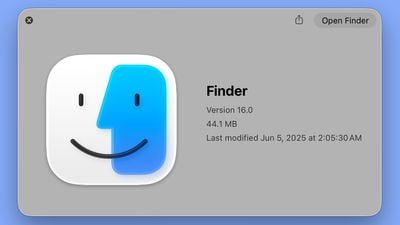
In the initial macOS Tahoe beta, Apple swapped the colors of the Finder icon, a longtime Mac classic. Rather than featuring blue on the left side of the face and light blue on the right side, the icon was primarily white and the right side of the face was blue.
macOS Tahoe Finder icon in beta 2
The updated Finder look was a significant deviation from the design that Apple has used for Finder since 1996, and many Mac users were unhappy with the change. Apple had tweaked the Finder colors and design slightly over the years, but the first Tahoe beta marked the first significant change that we've seen because of the decision to put the darker color on the right.
Apple has now reverted the Finder icon to a more traditional color scheme, while keeping the Liquid Glass look. The left side of the face is blue, while the lighter side is a white/blue gradient that has a layered, glass-like appearance.
macOS Tahoe Finder icon in beta 1
The icon isn't the same as the version in macOS Sequoia because it doesn't use an even color split, but it's much closer to the original design while still looking fresh.
Monday September 14, 2026 10:40 am PDT by Juli Clover
Alongside macOS Golden Gate, Apple today released new versions of macOS Tahoe and macOS Sequoia. macOS Tahoe 26.7 and macOS Sequoia 15.8 are available for users with older Macs or those who don't yet want to update to Golden Gate.
The updates can be downloaded through the Software Update section of the System Settings app. On Macs eligible to install macOS Golden Gate, users will see both...
The macOS Tahoe 26.7 release candidate that Apple seeded today has references to several unreleased products, from home devices to iPhones, iPads, AirPods, and Macs.
Subscribe to MacRumors on YouTube
Some of these codenames have shown up in prior software updates but have new feature flags, while others haven't been seen in the code before.
Home Accessories
Home Hub...
Monday August 17, 2026 12:11 pm PDT by Juli Clover
The iOS 26.6.1, iPadOS 26.6.1, and macOS Tahoe 26.6.2 updates Apple released today fix almost 30 security vulnerabilities, according to Apple's security support document. This is Apple's third security release in three weeks as AI surfaces bugs faster than the company's typical release schedule can absorb.
Apple says the software includes security fixes that were previously added to the iOS...
The new Finder icon did appear strikingly different, and not better. I'm glad they reverted this.
The Finder icon has always been an odd duck, and I'm glad they are retaining it at all, since they could change it to a boring Home icon, in the name of consistency.
The new Finder icon did appear strikingly different, and not better. I'm glad they reverted this.
The Finder icon has always been an odd duck, and I'm glad they are retaining it at all, since they could change it to a boring Home icon, in the name of consistency.
Yeah, I'm honestly surprised they've kept the icon for this long. While I like it, it doesn't really make "sense" in the way the other icons do. It certainly doesn't say anything about file management. But there's something about that familiar smiling face that makes using the Mac a little more pleasant and human. I'm glad they've kept it.
Did this change really need a whole article? I didn’t see a problem with inverting the colors in Beta 1
Yeah people were pretty mad. And understandably so, the icon has been instantly recognizable for like 40 years and there was no reasonable justification for inverting the colors.
Rather than featuring blue on the left side of the face and light blue on the right side, the icon was primarily white and the right side of the face was blue.


 macOS Tahoe Finder icon in beta 2
 macOS Tahoe Finder icon in beta 1