

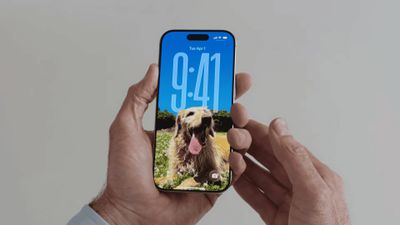
With the iOS 26 public beta now out, you may have chosen to give the new software update a try ahead of its general release in the fall. If that's the case, Apple has made some changes and feature additions to the iPhone Lock Screen that you may want to check out.
To download the iOS 26 public beta to your iPhone, go to Settings ➝ General ➝ Software Update, then tap Beta Updates and choose iOS 26 Public Beta from the checklist. Tap Back, and wait for the update screen to appear, then hit Update Now.
Things can always change before the software makes its way to the general iPhone-owning public, but here are five new things iOS 26 can do on the Lock Screen as of the current developer beta.
Widgets Top or Bottom
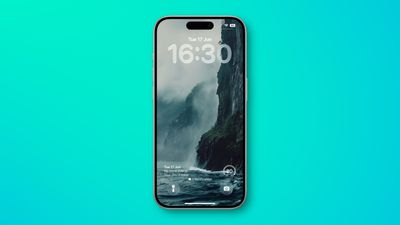
In iOS 18, the row of widgets on your Lock Screen is literally locked in place right below the clock. In iOS 26, however, Customize mode lets you drag them down to the bottom of the screen, so that they hover just above the two quick actions (assuming you have any). The new optional positioning makes tapping a widget during one-handed use a lot easier. Note: to customize your Lock Screen, long press on it, then tap Customize.
Make the Time Bigger
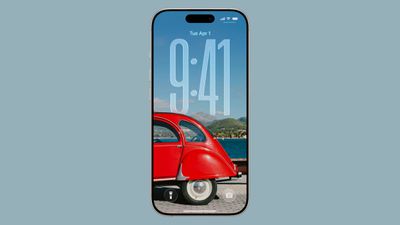
In iOS 26, Apple has made it so that the clock on the Lock Screen can be expanded to fill more of the display, making it easier to read. This can be done in Customize mode thanks to a new drag handle on the bottom-right corner of the selection frame around the time.
You can make the digits take up half of the screen, though if you have any widgets, they will slide down to the bottom of the display. In addition, if you have a depth effect applied to a photo and pinch to crop, the time will automatically adjust to accommodate the subject. Bear in mind that the ability to expand the time seems to depend on the selected photo – if there's no space above the photo's subject, the drag handle won't appear.
Quicker Photo Access
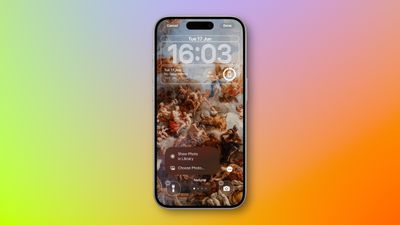
The Lock Screen in iOS 26 has a different Photos selection button in Customize mode that appears as a miniature version of the currently displayed photo. If you tap it, you now have an option to Show Photo in Library, making it easier to find the picture, or you can take the existing route and tap Choose Photo to pick another image.
Spatial Scenes
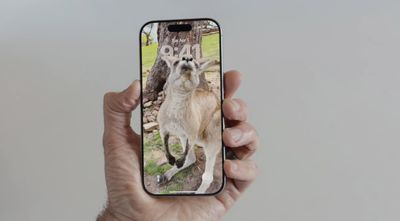
The iPhone 15 Pro and newer models can take Spatial Photos, and while the 3D photos have a realistic depth to them, they're best viewed on Apple's Vision Pro. In iOS 26, however, the Photos app has inherited the Vision Pro's ability to convert 2D images into a 3D Spatial Scene. Not all photos work with the spatial feature, but if you create a new Lock Screen wallpaper, iOS will automatically serve up compatible photos with the feature already applied and ready to be viewed.
The feature is hard to appreciate with a still image, but the results are impressive as the image animates when you move your device. Spatial Scenes use machine learning rather than Apple Intelligence, which means the feature is available on iPhone 12 and newer devices.
Music Album Animations
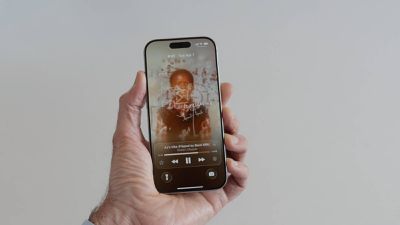
iOS 26 introduces full-screen animated album art on the iPhone Lock Screen for select Apple Music tracks. By tapping the album art in the Lock Screen music player, the artwork expands and animates, creating a more immersive listening experience. While animated album art has been available within the Apple Music app for some time, this marks its first appearance on the Lock Screen. Not all songs support it yet, but the number is steadily increasing. Apple is also opening the Animated Album Art feature to third‑party developers, so expect it to work with apps like Spotify and YouTube Music soon.

















