iOS 26: 7 New AirPods Features - MacRumorsOpen MenuShow RoundupsShow Forums menuVisit ForumsOpen Sidebar
Skip to Content

iOS 26: 7 New AirPods Features

With iOS 26, Apple is bringing several new features to the AirPods, making them more useful than before. The added functionality will be available this fall when Apple releases ‌iOS 26‌ and updated AirPods firmware, but you can test everything new right now.
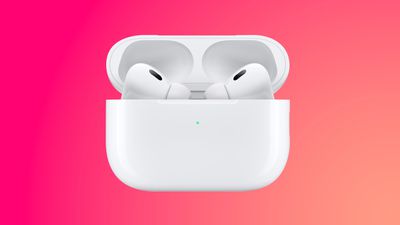
airpods pro 2 pinnk

Camera Remote

The AirPods can be used as a camera remote for the Camera app or third-party iOS camera apps. You'll need to enable the feature if you want to use it, and you can do so by connecting your AirPods to your iPhone, opening up the AirPods section in the Settings app, and then choosing the Camera Remote option.

Once the feature is turned on, using it is as simple as popping in your AirPods, opening the camera app, and then pressing and holding on the AirPods stem to take a photo or start a video recording.

When you're finished, a second press and hold gesture will stop the recording. If you have an Apple Watch, you can already control your iPhone remotely from your wrist, but the AirPods have the potential to be even quicker since it's a one-press physical gesture rather than a series of steps that include opening an Apple Watch app.

Studio-Quality Recording

The AirPods 4 and the AirPods Pro 2 now offer recording studio-quality audio for interviews, podcasts, songs, videos, and more. Apple says that the feature can be used to record high-quality vocals while on the go, with background sounds filtered out thanks to Voice Isolation.

You can record higher-quality audio when making videos or using your devices to do things like record a podcast.

Improved Call Quality

The H2 chip in the AirPods 4 and AirPods Pro 2 brings more natural vocal texture and clarity to iPhone calls, FaceTime calls, and all CallKit-enabled apps like Zoom.

Studio-quality audio recording and improved call quality are available across iPhone, iPad, and Mac, and support the Camera app, Voice Memos, Messages dictation, third-party camera apps, and video conferencing apps.

Pause Audio for Sleep

If you're listening to music, a podcast, or a book while you're in bed and you're wearing AirPods, the AirPods will pause your audio when you fall asleep if you toggle on the new "Pause Media When Falling Asleep" option.

You'll find it in the AirPods settings after connecting your AirPods to your iPhone, but you'll need the new AirPods firmware and ‌iOS 26‌. In addition to saving your spot in an audiobook or podcast, it will also preserve battery by turning your AirPods off so they're not running all night.

This feature also works with Beats earbuds.

Keep Audio in Headphones

‌iOS 26‌ addresses an irritating issue that happens with CarPlay and AirPods. There's a "Keep Audio in Headphones" option that prevents audio from switching to car speakers or Bluetooth speakers when you're listening to music through the AirPods.

With the option on, your music will continue playing in your AirPods when you get in the car. You can turn it on in ‌iOS 26‌ by going to Settings > General > AirPlay and Continuity.

Charging Reminders

Apple improved AirPods charging in ‌iOS 26‌, and the AirPods Charging case will now more clearly indicate charging status. You'll also see reminders when it's time to charge your AirPods so you're less likely to run out of battery.

There's a green light when the AirPods are fully charged, a pulsing amber light when they're charging, and a darker amber light that lets you know that it's time for a charge because the battery is getting low.

Beta Updates

With ‌iOS 26‌, Apple is adding an option to more easily install beta updates on AirPods. There's a new update interface when you connect your AirPods to your iPhone and tap into them in the Settings app.

How to Get the New AirPods Features Now

To try out the new ‌iOS 26‌ AirPods features, you'll need to install the ‌iOS 26‌ public beta or the ‌iOS 26‌ developer beta. The developer beta requires a free developer account, but anyone can sign up for the ‌iOS 26‌ public beta.

Just go to Apple's beta website and follow the steps.

Once you have ‌iOS 26‌ installed, you can connect your AirPods and then open up the AirPods section of the Settings app. From there, scroll down to AirPods Beta Updates and toggle on beta firmware.

Put the AirPods in the charging case and put them near your iPhone to trigger the beta firmware to be downloaded on the AirPods. Once your AirPods are running the beta firmware, you'll see settings for the new options in the AirPods section of the Settings app.

Read More

We have a dedicated iOS 26 roundup that goes into detail on all of the new features that are available in the update.


Popular Stories

duo aquarium

More Fun iPhone Duo Apps: 30 New Picks to Try

Friday November 6, 2026 3:27 pm PST by
When the iPhone Duo launched, we shared a list of some of the fun apps developers created for the new form factor. Two weeks out, developers are continuing to come up with fresh ideas, so we thought we'd share some of our favorites. Games Marbles Unhinged ($2.99) - Marbles Unhinged is a marble maze designed for the Duo. When you fold it, the floor turns into a ramp. If you stand the top...
apple pro tell logo

Apple Launching Five New Products Today

Thursday November 5, 2026 12:59 am PST by
Apple is launching five new products on Friday, November 6, following pre-orders that opened last week, including its first touchscreen MacBook Pro models. The following new products will be available from today: iPad mini with OLED display and A20 Pro chip iMac with M6 chip 14-inch MacBook Pro with M6 chip 14-inch MacBook Pro with OLED touchscreen 16-inch MacBook Pro with OLED...
silver iphone 18 pro

Apple Rumored to Drop the iPhone's Action Button Next Year

Friday November 6, 2026 6:07 am PST by
Apple plans to merge the iPhone's Action button with the Camera Control starting next year, according to the leaker known as "Instant Digital." In a new post on Weibo, the leaker claimed that a single press of the combined button would open the camera, while a long press would trigger the function assigned to the Action button. They explicitly clarified that the dedicated Action button would ...

Top Rated Comments

16 months ago
Is
Studio-Quality Recording

better than recording directly with the iPhones mic
Score: 4 Votes (Like | Disagree)
16 months ago
All good improvements to one of apples best products.
Score: 3 Votes (Like | Disagree)
tennisproha Avatar
16 months ago
How exactly does Studio-Quality Recording work? Is it in specific apps only, or system-wide?
Score: 3 Votes (Like | Disagree)
CheesePuff Avatar
16 months ago
Anyone on the beta able to report how much better the mic is when using it on calls or audio clips on iMessage?
Score: 2 Votes (Like | Disagree)
DR3MCLAREN Avatar
16 months ago
This would be great if the airpods would actually update to the Beta but they don't. I enabled the beta option in my airpod Pro 2 settings weeks ago and I'm still waiting for it to actually update. They live beside my phone all night every night while everything charges and it they never update.


Score: 2 Votes (Like | Disagree)
16 months ago
Studio quality recording is still way less good than using the integrated iPhone microphone (just tested now using the Voice Memos app).

Also, I can't seem to convince the Camera app to record videos using AirPods audio. Yes, the beta is installed. It still uses the iPhone microphone, and I can't find a way to switch.
Score: 1 Votes (Like | Disagree)
Latest Stories
Apple Store Subscription Sign-Up Controversy Exposed
16 minutes ago
Siri AI Rumored to Become 'More Like an Agent' as Early as Next Year
10 hours ago
Apple Taking New Approach to Developing iOS 28 and macOS 28
12 hours ago
Early Apple Black Friday Deals on Apple Watch, MacBook Air, and More
1 day ago
'Backglow' Lets You Customize New MacBook Pro's Glowing Apple Logo
1 day ago
Top Stories: Apple Product Launches, iOS 27.3 Beta, and More
2 days ago
More Fun iPhone Duo Apps: 30 New Picks to Try
2 days ago
Hands-On With Apple's New OLED Touchscreen MacBook Pro
2 days ago
Apple Store With All-New Design Opening Soon in Southern California
2 days ago
Control the Glowing Apple Logo on Your New MacBook Pro
2 days ago
Apple Shares New 'Apple Card: Apply and Use in Minutes' Ad
2 days ago
Apple Says More Than 100,000 Apps Optimized for iPhone Duo, Here's What's Still Missing
2 days ago
Early Black Friday Deals Kickoff With Steep Discounts on Apple Watch Ultras and More
2 days ago
The MacRumors Show: iOS 27.3 Looks Like a Huge Update
2 days ago
Best Buy's Black Friday Event Begins With Sitewide Savings on Apple, TVs, More
3 days ago
Apple Releasing Yet Another Two New Products Next Week
3 days ago
MacBook Air Drops to Lowest Price in Months With Amazon's $250 Discount
3 days ago
Apple Rumored to Drop the iPhone's Action Button Next Year
3 days ago
Apple's Extended Return Policy Now in Effect for 2026 Holiday Season
3 days ago
Apple Music Classical Updated With New Icon and Refreshed Design
3 days ago
OLED iPad Mini, M6 iMac, and New MacBook Pros Available From Today
3 days ago
Apple Surveys iPhone Duo Buyers About Crease and Camera
3 days ago
Apple's First Touchscreen Mac is Now Arriving to Customers
3 days ago
Claude Gets Personal Finance Feature With Bank Account Linking
3 days ago
Apple Arcade Adds Crossy Road Rush and NBA 2K27
3 days ago
Apple's New HomeView Smart Home Hub: Here's How Much RAM It Has
3 days ago
iPad Mini vs. iPad Air Buyer's Guide: Now Just $50 Apart
3 days ago
First iOS 27.3 and macOS Golden Gate 27.3 Public Betas Now Available
3 days ago
Apple Announces a New Mac Sales Record
3 days ago
Paid $200 for Logic Pro? Apple Says You Won't Get This New Feature
3 days ago







































