macOS Tahoe Adds These 15 New Screen Savers to Your Mac - MacRumorsOpen MenuShow RoundupsShow Forums menuVisit ForumsOpen Sidebar
Skip to Content

macOS Tahoe Adds These 15 New Screen Savers to Your Mac

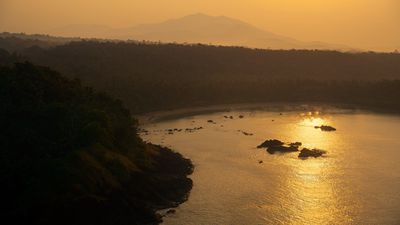
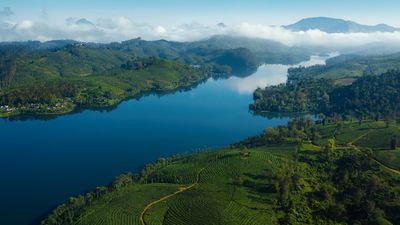
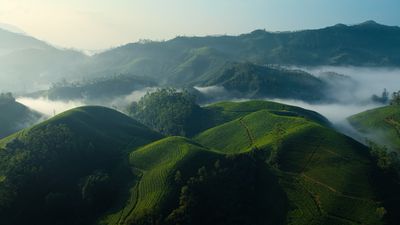
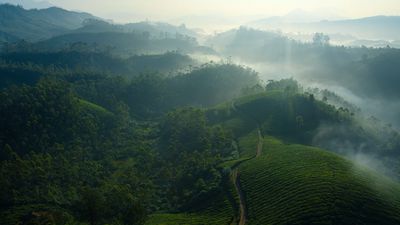
macOS Tahoe includes 15 new aerial screen savers for the Mac, each panning over natural landscapes around the world.
macos tahoe
The new screen saver options were highlighted by Dylan McDonald, and we have provided still previews of all of them below.

The new screen savers can also be set as wallpapers.

To browse through all screen savers on macOS Tahoe, open the System Settings app, click Wallpaper, and click the "Screen Saver…" button.

How to Install macOS Tahoe Beta

macOS Tahoe will likely be released in September, but anyone can sign up to try the public beta now for free via beta.apple.com.

New Screen Savers

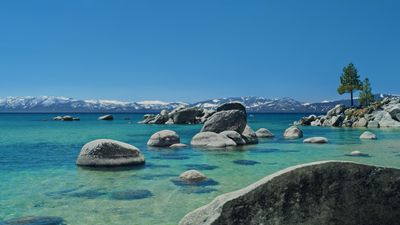
Tahoe Day (Lake Tahoe, California) ↓
Tahoe Day Large

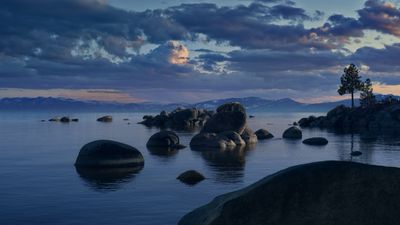
Tahoe Evening (Lake Tahoe, California) ↓
Tahoe Evening Large

Tahoe Morning (Lake Tahoe, California) ↓
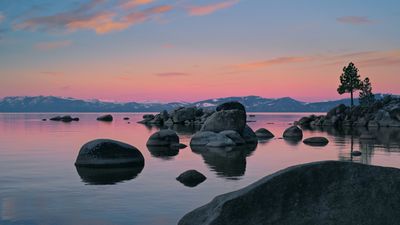
Tahoe Morning Large

Tahoe Night (Lake Tahoe, California) ↓
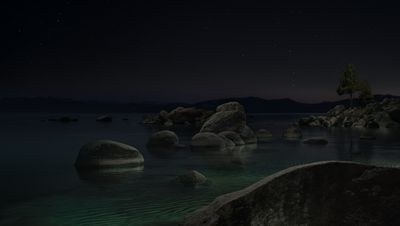
Tahoe Night Large

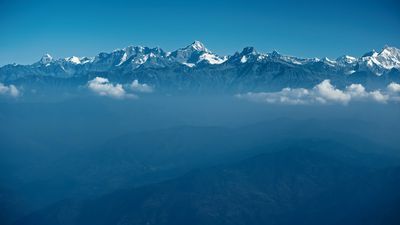
Himalayan Peaks (Himalayas) ↓

Himalayan Peaks Large

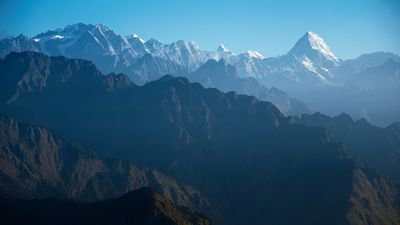
Himalayas Day (Himalayas) ↓

Himalayas Day Large

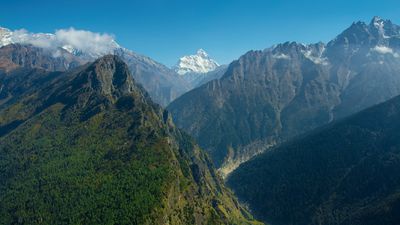
Through Himalayas (Himalayas) ↓

Through Himalayas Large

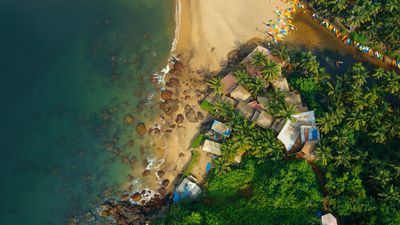
Goa Beaches (Goa, India) ↓

Goa Beaches Large

Goa Coast (Goa, India) ↓

Goa Coast Large

Reservoir Day (Kerala, India) ↓

Reservoir Day Large

Tea Gardens Day (Kerala, India) ↓

Tea Gardens Day Large

Tea Gardens Mist (Kerala, India) ↓

Tea Gardens Mist Large

Tea Gardens from Above (Kerala, India) ↓
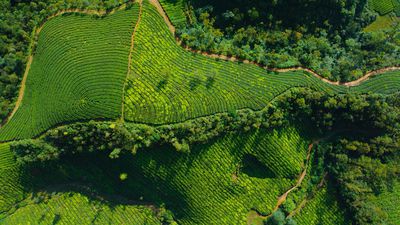
Tea Gardens from Above Large

Ghansali from Above (Uttarakhand, India) ↓
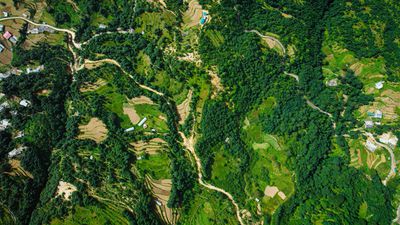
Ghansali from Above Large

The Ganges (Uttarakhand, India) ↓

The Ganges Large

Related Roundup: macOS Tahoe
Related Forum: macOS Tahoe

Popular Stories

macos tahoe

Apple Releases macOS Tahoe 26.7 and macOS Sequoia 15.8

Monday September 14, 2026 10:40 am PDT by
Alongside macOS Golden Gate, Apple today released new versions of macOS Tahoe and macOS Sequoia. macOS Tahoe 26.7 and macOS Sequoia 15.8 are available for users with older Macs or those who don't yet want to update to Golden Gate. The updates can be downloaded through the Software Update section of the System Settings app. On Macs eligible to install macOS Golden Gate, users will see both...
iOS 27 Next to iPhone

Here's When iOS 27 Rolls Out Today in Every Time Zone [Update: It's Out]

Sunday September 13, 2026 3:00 am PDT by
Update 10:04 a.m.: iOS 27 is rolling out now, though it may take a bit for all users to see it, so keep checking! Apple is about to release iOS 27, which will finally deliver more advanced Siri AI capabilities as well as a variety of other refinements, improvements, and new features to iPhones. It's Apple's biggest software update of the year, and Apple announced at Wednesday's iPhone event...
iOS 27 Icon iPhone

iOS 27 Available Now With These 8 New Features

Monday September 14, 2026 9:00 am PDT by
Update — 10 a.m. Pacific Time: Apple has released iOS 27. During its iPhone 18 Pro and iPhone Duo event last week, Apple announced that iOS 27 will be released widely on Monday, September 14. iOS 27 should be available around 10 a.m. Pacific Time / 1 p.m. Eastern Time today via the Settings app, under General → Software Update. Below, we have highlighted eight new features and...

Top Rated Comments

Mac Fly (film) Avatar
15 months ago
Update: I should mention these are dynamic wallpapers that will change throughout the day, not merely still ones. If you set them from the Screen Saver section in System Settings both wallpaper and screen saver will change to this, and will function very much like Apple's aerial screen savers, animating as screen saver, and slowing to a freeze-frame as you unlock to your desktop. If you set them from the Wallpaper section in System Settings they will change only the wallpaper and won't animate, but will dynamically adapt in darkness and brightness for your time of day. What had me confused was that they are used as the still marketing wallpaper image for each macOS release for six years—which to my eyes they shouldn't be as they feel outdated.

How does Apple have the best aerials in the business and the least creative default wallpapers.

Tahoe:


Sequoia:


Sonoma:


Ventura:


Monterey:


Big Sur:


Attachment Image

Attachment Image

Attachment Image

Attachment Image

Attachment Image

Attachment Image
Score: 9 Votes (Like | Disagree)
15 months ago

How does Apple have the best aerials in the business and the least creative default wallpapers.


I think their reasoning is that such a simple wallpaper makes transparent controls look better. The new liquid glass doesn't work well with 'busy' wallpaper.
Score: 7 Votes (Like | Disagree)
fullauto Avatar
15 months ago
These are beautiful. Video to still image on log-in is such a great effect. Awesome to have some new beach scenes.
Score: 7 Votes (Like | Disagree)
con2apple Avatar
15 months ago

How does Apple have the best aerials in the business and the least creative default wallpapers.††
Matter of taste.

Each one shows a special scene from the environment in a minimalist style. Playing with colors, shades even "light".

Personally, I think these wallpapers are much more creative than a video loop. The designers had to put a lot of thought into the wallpapers. The beauty of the screensavers has already been created by nature.

Here is a typical photo from Sequoia and what Apple has made of it.


Attachment Image

Attachment Image
Score: 6 Votes (Like | Disagree)
turbineseaplane Avatar
15 months ago
Nice ... more screen savers is always a great thing in my book.
Score: 6 Votes (Like | Disagree)
awshucks Avatar
15 months ago
I really like the tea gardens screensavers.
Score: 6 Votes (Like | Disagree)