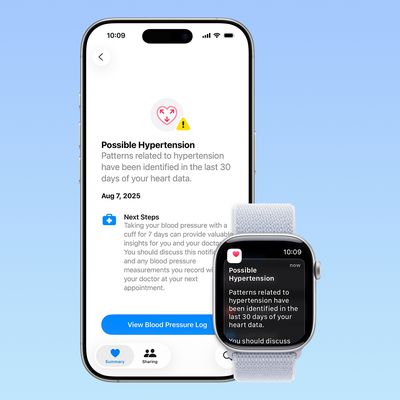
Along with the launch of new Apple Watch models on September 19, Apple is releasing watchOS 26 ahead of time on Monday, September 15, and the software update is bringing several new features that should make all compatible Apple Watch models smarter and more helpful.
Provided you own a model that supports watchOS 26, here are 10 new things you'll be able to do with your Apple Watch when the software rolls out to the general public.
- Auto-adjust speaker volume: When not in silent mode, your Apple Watch will automatically adjust the volume of incoming notifications, calls, and Siri responses based on the ambient noise around you.
- Wrist flick back to watch face: A wrist flick gesture on newer Apple Watch models allows one-handed notification dismissal. You can turn your wrist over and back to dismiss notifications, silence timers and alarms, or return to the watch face.
- Get seconds in always-on display mode: On Apple Watch Series 10 models, more watch faces that count the seconds between minutes will continue to tick over in real time when always-on display mode is active (i.e. when your wrist isn't raised).
- Translate messages: watchOS 26 supports Live Translation in the Messages app with Apple Intelligence, automatically translating incoming texts and responses. The feature works on Apple Watch Series 9, Series 10, and Ultra 2 with a supported iPhone.
- Smart Stack hints: The Smart Stack will now offer you hints using contextual data, sensor info, and routine patterns for actionable suggestions. These appear as visual prompts on the display, such as Backtrack in remote locations or workout suggestions when arriving at fitness locations.
- Reset Control Center: In watchOS 26, Apple has added a new option that lets you reset your Apple Watch's Control Center if you want to revert back to the default layout.
- Workout music picked for you: As part of the Workout app revamp, there's a new option that allows your watch to automatically play music based on what you listen to and the type of workout (unless media is already playing).
- Get Workout milestone alerts: As part of the new optional Workout Buddy feature, you can receive celebratory alerts for when you hit a new milestone – like running 500 miles and more.
- Create Apple Notes: In watchOS 26, the Notes app finally comes to Apple Watch with functionality including pinning, unlocking, and creating notes via Siri or dictation. There's also a handy new Create Note widget to add to your watch's Control Center.
- Read what's being said in Live Listen: When the Live Listen feature is enabled on your iPhone, your Apple Watch will deliver a real-time transcription of any speech that's being picked up on your iPhone's microphone.
watchOS 26 will be released alongside iOS 26, iPadOS 26, macOS Tahoe, tvOS 26, and visionOS 26. Expect the software right around 10:00 a.m. Pacific Time on Monday.
Related Roundups: watchOS 26, watchOS 27
Related Forum: Apple Watch