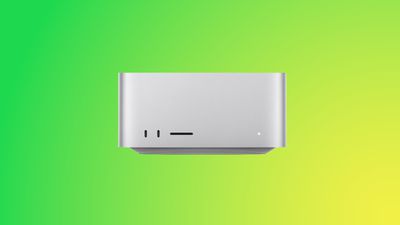
If you have a Mac Studio with an M3 Ultra chip and can't get macOS Tahoe to install, you're not alone. There is a bug that is preventing the update from installing properly on machines that have the M3 Ultra.
Affected users go to install macOS Tahoe, wait through the installation process and see the Mac Studio reboot, and then end up with macOS Sequoia 15.7 still running instead of macOS Tahoe. The macOS Tahoe update fails again and again.
A discussion thread on the Apple Support Communities suggests that the bug is impacting all Mac Studios with an M3 Ultra chip, and we have a Mac Studio that is unable to be upgraded. A Mac user who dug into the error messages suggests that the installer loads the macOS Tahoe driver for the Apple Neural Engine, but then a hardware check fails, and the installation process is aborted.
Mac Studio owners say that attempting to install via standard software update, safe mode, and recovery mode have all failed. There is no known fix right now, and M3 Ultra Mac Studio users will need to wait for Apple to release a fix to solve the issue.
Apple is aware of the problem, so hopefully the problem will be resolved shortly.
Monday September 14, 2026 10:40 am PDT by Juli Clover
Alongside macOS Golden Gate, Apple today released new versions of macOS Tahoe and macOS Sequoia. macOS Tahoe 26.7 and macOS Sequoia 15.8 are available for users with older Macs or those who don't yet want to update to Golden Gate.
The updates can be downloaded through the Software Update section of the System Settings app. On Macs eligible to install macOS Golden Gate, users will see both...
The macOS Tahoe 26.7 release candidate that Apple seeded today has references to several unreleased products, from home devices to iPhones, iPads, AirPods, and Macs.
Subscribe to MacRumors on YouTube
Some of these codenames have shown up in prior software updates but have new feature flags, while others haven't been seen in the code before.
Home Accessories
Home Hub...
Monday August 17, 2026 12:11 pm PDT by Juli Clover
The iOS 26.6.1, iPadOS 26.6.1, and macOS Tahoe 26.6.2 updates Apple released today fix almost 30 security vulnerabilities, according to Apple's security support document. This is Apple's third security release in three weeks as AI surfaces bugs faster than the company's typical release schedule can absorb.
Apple says the software includes security fixes that were previously added to the iOS...
Yeah not upgrading for 2-3 months. My m3 ultra is a photo production machine. Can't have any issues. You should never upgrade to first release on machines that make you Money