The 5 Most Important Apple Software Features Introduced This Year - MacRumorsOpen MenuShow RoundupsShow Forums menuVisit ForumsOpen Sidebar
Skip to Content

The 5 Most Important Apple Software Features Introduced This Year

2025 was a significant year of advancement for Apple's software, with a noticeable focus on visual design, productivity, and communication.
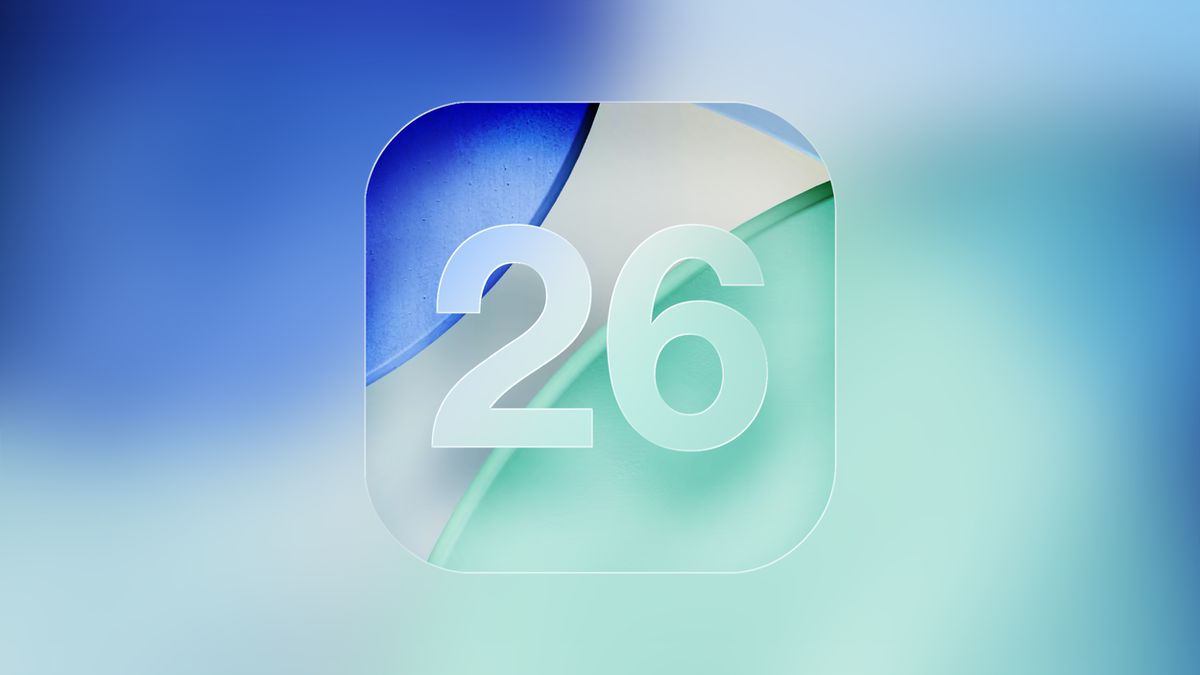
iOS 26 Glass Feature
While Apple introduced and continued to iterate on a wide range of features throughout the year, several additions stood out for their scope and practical impact across multiple devices. As the year comes to an end, these five new features provide a useful lens for weighing up what the company focused on this year and how far its platforms evolved in 2025.

Liquid Glass

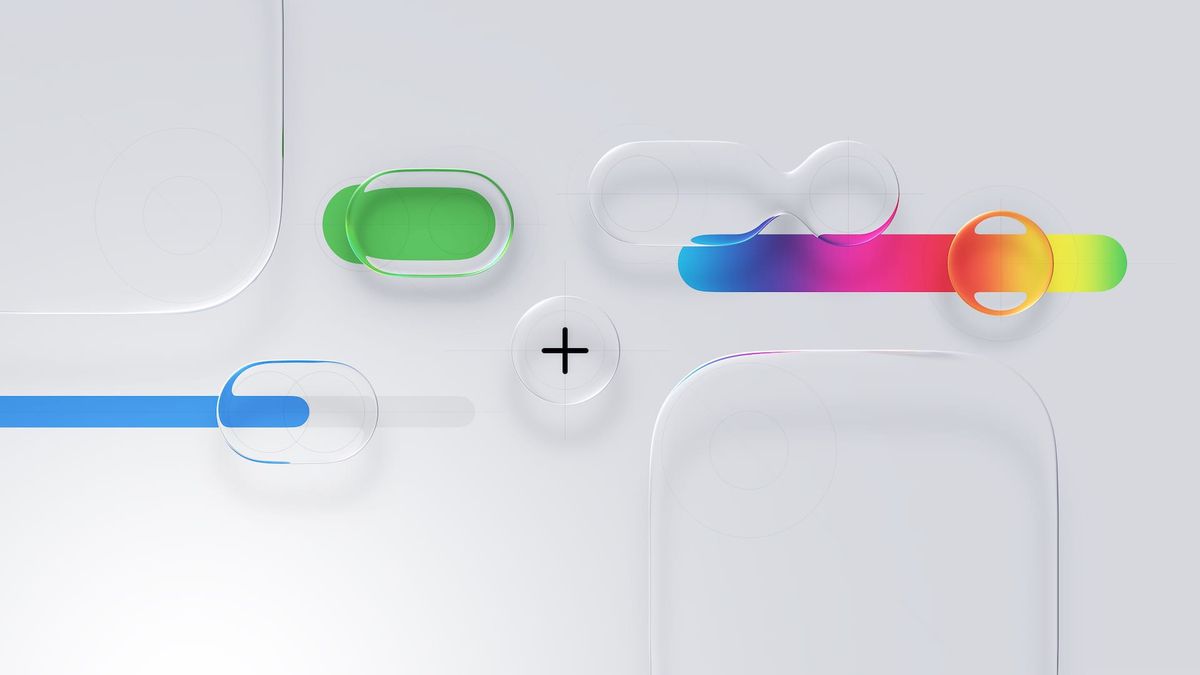
This year's most immediately visible change is the introduction of Liquid Glass, a new system-wide visual design language applied across Apple's operating systems. Liquid Glass replaces many of the flat, opaque UI elements introduced over the past decade with layered translucency, subtle refraction, and motion-responsive surfaces that react to underlying content.
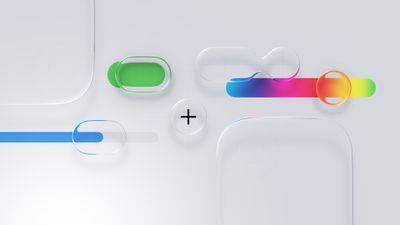
Liquid Glass General Feature
Navigation bars, sidebars, control panels, and system overlays now appear as semi-transparent sheets that blend into their surroundings rather than sitting on top of them. Apple framed this as a unifying material across platforms rather than a purely aesthetic refresh, with the same visual logic appearing on iPhone, iPad, Mac, Apple Watch, and Apple TV.

In practice, it is one of Apple's biggest visual redesigns since the original iOS 7 shift away from skeuomorphism, and it signals a renewed focus on making the interface feel fresh, spatial, playful, and responsive rather than static.

Revamped iPad Multitasking

On the ‌iPad‌, the most consequential change is the introduction of an all-new multitasking system with windows and a macOS-style Menu Bar and cursor in iPadOS 26.
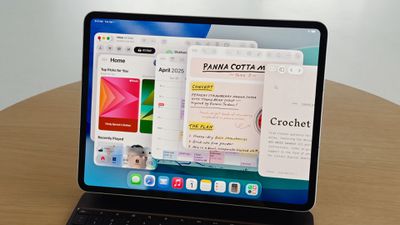
iPadOS 26 App Windowing
Apps can now run in freely resizable windows rather than being constrained to fixed split-screen layouts, allowing multiple overlapping windows to coexist on screen. Alongside this, a Menu Bar appears at the top of the display when invoked, exposing app commands in a structured, searchable format similar to macOS.

Instead of asking users to adapt desktop workflows to a touch-first model, Apple has now explicitly imported desktop interaction styles into iPadOS, addressing a significant number of user complaints about the software limitations of the ‌iPad‌. For users who want to use the ‌iPad‌ with true multitasking and desktop-style workflows, this is one of the most substantive capability upgrades the platform has ever received.

More Powerful Mac Spotlight

On the Mac, Spotlight received its most extensive overhaul to date, transforming it from a passive search tool into an actions-first command interface, similar to third-party apps like Alfred or Raycast.
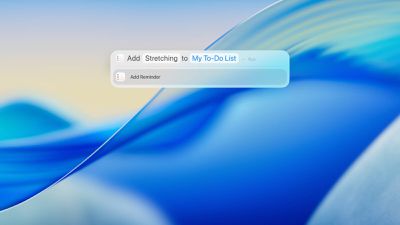
tahoe spotlight
Spotlight in macOS Tahoe can now execute hundreds of actions directly from the search field. Users can create and edit notes, send emails and messages, start timers, run Shortcuts, adjust system settings, and perform app-specific commands, without opening the corresponding app.

Apple also redesigned Spotlight's results presentation with richer, more structured browsing views. Instead of returning a flat list of matches, Spotlight now surfaces grouped results for files, applications, actions, and suggestions, allowing users to scan and refine results more quickly.

Spotlight now includes a built-in clipboard history, allowing users to view and reuse previously copied text or images directly from the Spotlight interface. Apple also integrated an app library-style view, providing a centralized, searchable overview of all installed applications.

Live Translation

Another major addition is Live Translation. Real-time translation now operates inside Messages, FaceTime, and the Phone app, translating both text and spoken audio during conversations.
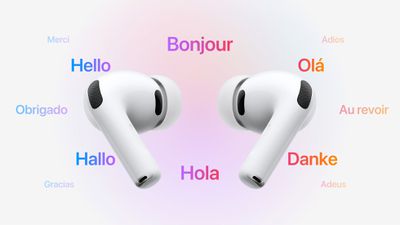
AirPods Live Translation

In Messages, incoming and outgoing text can be translated inline. In ‌FaceTime‌, Live Translation provides real-time translated captions during video calls, allowing participants to speak naturally while reading translations as the conversation unfolds. In phone calls, spoken dialogue can be translated in near real time, with translated audio and on-screen text presented during the call.

Apple also extended Live Translation to AirPods, enabling real-time spoken translation directly through the earbuds during in-person conversations. When Live Translation is active, speech from another language can be translated on the paired iPhone and played back in the user's AirPods, while the user's responses can be translated and spoken aloud by the iPhone for the other participant.

Communication Screening and Hold Assist

Call Screening allows the iPhone to automatically answer calls from unknown numbers on the user's behalf. The system asks the caller to identify themselves and explain the reason for the call, then presents the user with a live transcript of the response before the call is connected.

With Hold Assist, when a user is placed on hold during a phone call, the iPhone can remain in the queue on their behalf and monitor the call until a live agent becomes available. Once the system detects that the call has resumed, it notifies the user to return to the conversation.

In Messages, Apple introduced more aggressive screening for unknown senders. Messages from numbers that are not in the user's contacts are automatically routed into a separate area, keeping potential spam and scam attempts out of the main conversation list.


Popular Stories

duo aquarium

More Fun iPhone Duo Apps: 30 New Picks to Try

Friday November 6, 2026 3:27 pm PST by
When the iPhone Duo launched, we shared a list of some of the fun apps developers created for the new form factor. Two weeks out, developers are continuing to come up with fresh ideas, so we thought we'd share some of our favorites. Games Marbles Unhinged ($2.99) - Marbles Unhinged is a marble maze designed for the Duo. When you fold it, the floor turns into a ramp. If you stand the top...
apple pro tell logo

Apple Launching Five New Products Today

Thursday November 5, 2026 12:59 am PST by
Apple is launching five new products on Friday, November 6, following pre-orders that opened last week, including its first touchscreen MacBook Pro models. The following new products will be available from today: iPad mini with OLED display and A20 Pro chip iMac with M6 chip 14-inch MacBook Pro with M6 chip 14-inch MacBook Pro with OLED touchscreen 16-inch MacBook Pro with OLED...
silver iphone 18 pro

Apple Rumored to Drop the iPhone's Action Button Next Year

Friday November 6, 2026 6:07 am PST by
Apple plans to merge the iPhone's Action button with the Camera Control starting next year, according to the leaker known as "Instant Digital." In a new post on Weibo, the leaker claimed that a single press of the combined button would open the camera, while a long press would trigger the function assigned to the Action button. They explicitly clarified that the dedicated Action button would ...

Top Rated Comments

11 months ago
This year is the first time in like 25 years of owning Apple products where the jankiness is the main new feature…
Score: 47 Votes (Like | Disagree)
-BigMac- Avatar
11 months ago

2025 was a significant year of advancement for Apple's software, with a noticeable focus on visual design, productivity, and communication.

MacRumors content image

While Apple introduced and continued to iterate on a wide range of features throughout the year, several additions stood out for their scope and practical impact across multiple devices. As the year comes to an end, these five new features provide a useful lens for weighing up what the company focused on this year and how far its platforms evolved in 2025.

Liquid Glass

This year's most immediately visible change is the introduction of Liquid Glass, a new system-wide visual design language applied across Apple's operating systems. Liquid Glass replaces many of the flat, opaque UI elements introduced over the past decade with layered translucency, subtle refraction, and motion-responsive surfaces that react to underlying content.

MacRumors content image

Navigation bars, sidebars, control panels, and system overlays now appear as semi-transparent sheets that blend into their surroundings rather than sitting on top of them. Apple framed this as a unifying material across platforms rather than a purely aesthetic refresh, with the same visual logic appearing on iPhone, iPad, Mac, Apple Watch, and Apple TV.

In practice, it is one of Apple's biggest visual redesigns since the original iOS 7 shift away from skeuomorphism, and it signals a renewed focus on making the interface feel fresh, spatial, playful, and responsive rather than static.
So, the "most important Apple Software feature introduced this year", is a skin. A skin which is extremely divisive, and subjectively less practical. It is such an important feature; that even prior public release, Apple backtracked on the design, and had to introduce a less glassy, less contrasty version - due to the backlash of users not being able to read content. It's been a good year🤣

Thank you for such an important feature Apple ❤️

Just took this so we can all admire:


Attachment Image
Score: 40 Votes (Like | Disagree)
Dr McKay Avatar
11 months ago

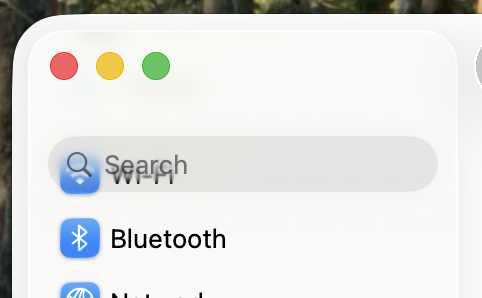
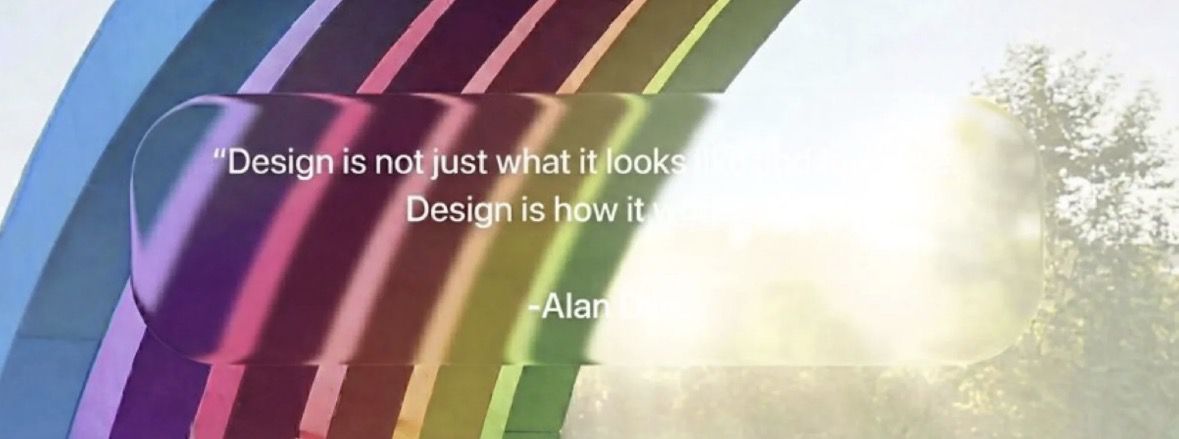
So, the "most important Apple Software feature introduced this year", is a skin. A skin which is extremely divisive, and subjectively less practical. It is such an important feature; that even prior public release, Apple backtracked on the design, and had to introduce a less glassy, less contrasty version - due to the backlash of users not being able to read content. It's been a good year🤣

Thank you for such an important feature Apple ❤️

Just took this so we can all admire:


Attachment Image
Score: 38 Votes (Like | Disagree)
11 months ago
Liquid Glass is a skin. An ugly skin, nothing more. There's nothing new; all the magnifiers, zooms, and highlights have been given a glass skin. The settings menu is identical to before. Everything is exactly the same. iOS 7 brought much more in this regard. To call it something great is a misconception. Its greatness manifests itself solely in dissatisfaction, not in fear of change. I was the first to test the beta, and as quickly as I saw it, I got rid of the crap.
Score: 38 Votes (Like | Disagree)
throAU Avatar
11 months ago
pfft

memory integrity enforcement doesn’t get a mention… what sort of coverage is this?

https://security.apple.com/blog/memory-integrity-enforcement/

TLDR: This culmination of this half-decade plus of work, involving both the hardware and software/OS teams at Apple will make malware MUCH more difficult to develop for macOS and iOS due to a combination of software and hardware features built into the A19 and M5 and later.

Essentially, OS 26+ when running on A19/M5 and onward, the OS and CPU will stop about 90-95% of memory exploit bugs (read: malware) in their tracks, even if the software is buggy and exploitable.

WAY more relevant than liquid (gl)ass.
Score: 38 Votes (Like | Disagree)
Apple Mac Daz Avatar
11 months ago
Liquid Glass is 💩
Score: 31 Votes (Like | Disagree)
Latest Stories
Siri AI Rumored to Become 'More Like an Agent' as Early as Next Year
10 hours ago
Apple Taking New Approach to Developing iOS 28 and macOS 28
12 hours ago
Early Apple Black Friday Deals on Apple Watch, MacBook Air, and More
1 day ago
'Backglow' Lets You Customize New MacBook Pro's Glowing Apple Logo
1 day ago
Top Stories: Apple Product Launches, iOS 27.3 Beta, and More
2 days ago
More Fun iPhone Duo Apps: 30 New Picks to Try
2 days ago
Hands-On With Apple's New OLED Touchscreen MacBook Pro
2 days ago
Apple Store With All-New Design Opening Soon in Southern California
2 days ago
Control the Glowing Apple Logo on Your New MacBook Pro
2 days ago
Apple Shares New 'Apple Card: Apply and Use in Minutes' Ad
2 days ago
Apple Says More Than 100,000 Apps Optimized for iPhone Duo, Here's What's Still Missing
2 days ago
Early Black Friday Deals Kickoff With Steep Discounts on Apple Watch Ultras and More
2 days ago
The MacRumors Show: iOS 27.3 Looks Like a Huge Update
2 days ago
Best Buy's Black Friday Event Begins With Sitewide Savings on Apple, TVs, More
3 days ago
Apple Releasing Yet Another Two New Products Next Week
3 days ago
MacBook Air Drops to Lowest Price in Months With Amazon's $250 Discount
3 days ago
Apple Rumored to Drop the iPhone's Action Button Next Year
3 days ago
Apple's Extended Return Policy Now in Effect for 2026 Holiday Season
3 days ago
Apple Music Classical Updated With New Icon and Refreshed Design
3 days ago
OLED iPad Mini, M6 iMac, and New MacBook Pros Available From Today
3 days ago
Apple Surveys iPhone Duo Buyers About Crease and Camera
3 days ago
Apple's First Touchscreen Mac is Now Arriving to Customers
3 days ago
Claude Gets Personal Finance Feature With Bank Account Linking
3 days ago
Apple Arcade Adds Crossy Road Rush and NBA 2K27
3 days ago
Apple's New HomeView Smart Home Hub: Here's How Much RAM It Has
3 days ago
iPad Mini vs. iPad Air Buyer's Guide: Now Just $50 Apart
3 days ago
First iOS 27.3 and macOS Golden Gate 27.3 Public Betas Now Available
3 days ago
Apple Announces a New Mac Sales Record
3 days ago
Paid $200 for Logic Pro? Apple Says You Won't Get This New Feature
3 days ago
Instagram's Edits Video Editor is Now Available on Mac
3 days ago