iOS 26.4 Fixes iPhone Keyboard Accuracy Bug - MacRumorsOpen MenuShow RoundupsShow Forums menuVisit ForumsOpen Sidebar
Skip to Content

iOS 26.4 Fixes iPhone Keyboard Accuracy Bug

The iOS 26.4 update that Apple plans to release as soon as next week includes improvements for the built-in iOS keyboard. In its notes for the software, Apple says iOS 26.4 offers "improved keyboard accuracy when typing quickly."
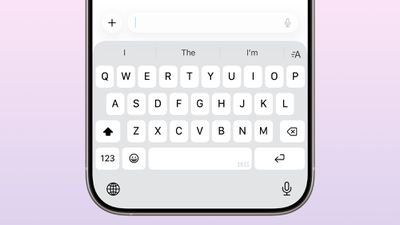
ios 26 4 keyboard
There was a bug in iOS that caused some characters to be missed when a user was typing quickly. The character appeared to be tapped in the keyboard, but was ultimately not inserted.

The missed characters could impact how auto-correct worked, as it was unable to predict what the users meant to type when there was a missed character.

There were multiple complaints about the bug on Reddit and other sites. Users said they felt the keyboard had gotten much worse in iOS 26, leading to far more typos. With iOS 26.4, this issue should be addressed, preventing the missed letters from causing words to be misinterpreted by autocorrect.

If you've experienced issues with the iOS keyboard that have been fixed in iOS 26.4, let us know in the comments below.

Update: An earlier version of this article mentioned a viral video that highlighted an issue where a letter would be replaced with another when typing, but it turns out the user was using QuickPath and did not have autocorrect enabled. The video features QuickPath's intended behavior, and does not serve as an example of the issue that was fixed, but some of the comments on the video likely related to the issue that Apple did address with the iOS 26.4 update.


Related Roundups: iOS 26, iPadOS 26
Related Forum: iOS 26

Popular Stories

iOS 26

Apple Seeds Second Public Betas of iOS 26.6, macOS Tahoe 26.6 and More

Tuesday June 16, 2026 10:18 am PDT by
Apple today provided public beta testers with the second betas of iOS 26.6, iPadOS 26.6, macOS Tahoe 26.6, watchOS 26.6, and tvOS 26.6, with the software coming a day after Apple seeded the betas to developers and three weeks after the first public betas. After signing up to beta test the software updates on Apple's beta site, public beta testers can download the new software using the...
iOS 26

Apple Seeds Second iOS 26.6 and iPadOS 26.6 Betas to Developers

Monday June 15, 2026 10:07 am PDT by
Apple today seeded the second betas of upcoming iOS 26.6 and iPadOS 26.6 updates to developers for testing purposes, with the software coming three weeks after Apple seeded the first betas. Registered developers can download the betas from the Settings app on the iPhone or iPad by going to the General section and selecting Software Update. With iOS 27 set to launch in September, Apple is...
iOS 26 on Three iPhones

Apple Reveals How Many iPhones Were Running iOS 26 Before WWDC

Tuesday June 9, 2026 7:30 am PDT by
Apple has shared updated iOS 26 and iPadOS 26 adoption figures, revealing how many iPhones and iPads were running those software versions on the day before the start of WWDC 2026 and the release of the first iOS 27 developer beta. These adoption numbers are based on iPhones and iPads that transacted on the App Store on Sunday, June 7, according to Apple. The statistics are as follows:86%...

Top Rated Comments

15 weeks ago
The overall typing experience on iOS has been getting worse for several years now. It often feels like the keyboard is actively working against the user. And I find myself having to proofread everything because autocorrect will randomly change words in nonsensical ways like a mischievous gremlin.
Score: 41 Votes (Like | Disagree)
aDRock1154 Avatar
15 weeks ago
So, I'm not going crazy. Good to know!
Score: 31 Votes (Like | Disagree)
15 weeks ago
I wish they’d address the awful in browser keyboard that means so many of us end up writing.like.this.far.too.often.

That’s the main keyboard fix we need. Just make that return button half the size and we solve this headache!
Score: 24 Votes (Like | Disagree)
Eurisko2 Avatar
15 weeks ago

So, I'm not going crazy. Good to know!
Well, you COULD still be going crazy. You just didn't forget how to type on your keyboard. 😁
Score: 23 Votes (Like | Disagree)
Kylo83 Avatar
15 weeks ago
Just change the period. And space bar using Safari.i.type.like.this all the time
Score: 18 Votes (Like | Disagree)
mblm85 Avatar
15 weeks ago
Well why the hell didn't they put that in bold print size 36 text as feature number one from the beginning?!!

Downloading the RC immediately!
Score: 17 Votes (Like | Disagree)