

iOS 27 Shortcuts App May Write Custom Actions for You Using AI - MacRumorsOpen MenuShow RoundupsShow Forums menuVisit ForumsOpen Sidebar
Skip to Content

iOS 27 Shortcuts App May Write Custom Actions for You Using AI

Apple continues to develop a new feature for its Shortcuts app that will let users generate unique actions using Apple Intelligence models, based on backend code discovered by Nicolás Alvarez and confirmed by MacRumors.
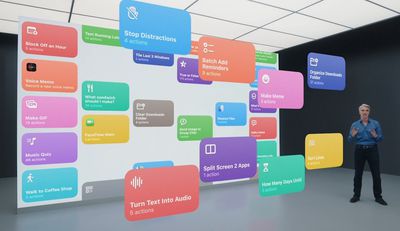
shortcuts
For those unfamiliar with the Shortcuts app, the tool lets users create elaborate custom workflows or actions – called shortcuts – to perform tasks automatically or with minimal interaction. Actions can include anything from sending messages to controlling smart home devices. The app emerged out of Apple's 2017 acquisition of Workflow, which was rebranded as Shortcuts the following year.

As part of iOS 26, Apple added Apple Intelligence support to the Shortcuts app, allowing AI models to be incorporated into shortcuts. In contrast, the new version that Apple is working on will let users create actions using Apple Intelligence models – by issuing voice commands in natural language, for example – which should give the app more mass appeal.

Last June, Bloomberg's Mark Gurman reported that Apple was working on the AI-driven feature for release in 2025, but he said that delays could see it launch in 2026. For iOS 27, Apple is expected to include a revamped Siri that functions like a genuine conversational chatbot and can interact with apps, so it's likely that the shortcuts generator will be part of its skill set.


Related Roundup: iOS 27

Popular Stories

wwdc 2026 horizontal

WWDC 2026 Graphic Teases Major iOS 27 Feature

Sunday April 19, 2026 3:02 pm PDT by
Apple's WWDC 2026 graphic provides "a glimpse of the revamped Siri interface coming in iOS 27," according to Bloomberg's Mark Gurman. In his Power On newsletter today, Gurman said iOS 27 will include a new Siri interface in the Dynamic Island. When you trigger Siri, he said the Dynamic Island will show a "Search or Ask" prompt, and this will apparently be accompanied by a "glowing cursor"...
iOS 26 on Three iPhones

Apple Testing Two New iOS 27 Home Screen Customization Options

Sunday April 19, 2026 3:49 pm PDT by
Apple is planning to add "Undo" and "Redo" options to the iPhone's Home Screen customization menu on iOS 27, according to Bloomberg's Mark Gurman. These two options will make it easier to reverse or redo your Home Screen changes. "Right now, when you long-press on the home screen, you get a bubble in the top left corner with four options: Add Widget, Customize, Edit Wallpaper and Edit...
iOS 27 on iPhone 17 1

iOS 27 to Change How You Customize Your iPhone Home Screen

Monday April 20, 2026 4:16 am PDT by
If you regularly spend time reshuffling your iPhone's Home screen, you'll likely welcome a couple of new options reportedly coming in iOS 27. According to Bloomberg's Mark Gurman, Apple's next major software update will add Undo and Redo buttons to the Home Screen customization menu. Long-press the screen, and alongside the existing Add Widget, Customize, Edit Wallpaper, and Edit Pages...

Top Rated Comments

Mac Fly (film) Avatar
7 weeks ago

Finally usable Shortcuts app?
The Shortcuts app is confusing for sure. Sometimes even making basic shortcuts with it confuses me.
Score: 10 Votes (Like | Disagree)
7 weeks ago
This was so obvious to include.
Score: 5 Votes (Like | Disagree)
Frantisekj Avatar
7 weeks ago
Finally usable Shortcuts app?
Score: 4 Votes (Like | Disagree)
7 weeks ago
Very much looking forward to this.

I have an occupancy sensor in my office. It works really well but isn’t perfect. Sometimes, it I’m very still, concentrating on my screen, it stops detecting my presence and my lights go out.

I wanted to create a simple shortcut.

If the occupancy sensor stops detecting occupancy, start a three minute timer then turn off the lights. If occupancy is detected while the timer is active, cancel it (thus leaving the lights on.)

It was damn near impossible to do. But i would love AI to get involved in setting things like that up quickly. It’ll really open up possibilities, especially for the less technically-minded.
Score: 3 Votes (Like | Disagree)
7 weeks ago
This might make me actually look at "Shortcuts" for the first time.
Score: 2 Votes (Like | Disagree)
Marzzz Avatar
7 weeks ago

Finally usable Shortcuts app?
I had to use step-by-step instructions to create a “disable/enable Silence Unknown Callers” shortcut; it would be an absolute pain if I had to do it again.

But once again, this really should be something available in the Control Center…
Score: 2 Votes (Like | Disagree)














